-
The "solution" doesn't address a live CD + HDD or FlashDrive

Originally Posted by
krishna.murphy

I think youve been looking at the tips for an older version. First, you have to have a writable medium - usually a flash drive/sdcard these days, though I like my hard drive pseudo-installs. Try clicking Preferences-Install Knoppix to flash disk and then boot from that medium; you'll be prompted to create a "persistent image", which will do what you want.
Cheers!
Krishna

The Knoppix documentation Wiki clearly says you can run a Live-cd and make changes persitent by saving all changes to a HDD or FlashDrive. This can't be achieved by the 'Install to HDD or FlashDrive' stated to be a solution above.
I want to use a live -cd with persistence on a HDD or F-drive as a teaching mechanism people can use in class, and then on their home computers. But 'saveconfig' cant be run as the Wiki says - 'from the command line'. It's not a recognised command in the boot command-line, the text-install command-line, the terminal command-line, or even the 'run-box'!!
Furthermore there is no 'save configuration' option in the LXDE desktop Menu, and I can't install KDE which allegedly does have a 'save configuration' option in the desktop Menu - because the 'desktop=kde' cheat code also doesn't work in the boot command line.
The knoppix documentation and commentary makes much of the 'live -cd with persistence on a HDD or F-drive'-abilty of Knoppix. It seems like a hollow promise.
( BTW, It doesn't seem to work on Ubunrtu Lucid or Debian 6.5 either, which is why I turned to Knoppix.)
 Posting Permissions
- You may not post new threads
- You may not post replies
- You may not post attachments
- You may not edit your posts
-
Forum Rules


Original Vintage Old Style STANDARD Black CD Jewel Case (Heavy Duty) 90g Lot
$316.95

Vintage Computer Keyboard Northgate OMNIKEY Ultra
$120.00

Lot of 2 Vintage Plextor PX-43CS SCSI CD-ROM Caddy Drives + 4 Caddies Used
$55.99

Vintage HP 21MX 1000 M-Series Minicomputer Chassis Backplane Parts AS-IS
$325.99
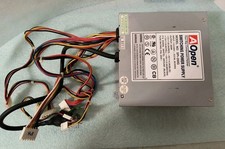
VINTAGE AOPEN MODEL SPI-200 200W AT POWER SUPPLY WITH SWITCH DS-PS-8
$34.95
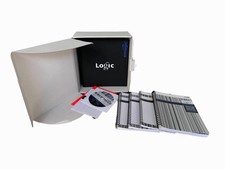
Vintage Emagic Logic 5 / Logic Audio 4.0 Studio Software Box Manuals Serial
$89.99
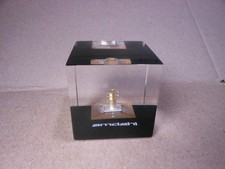
Vintage Amdahl Computer Chip Lucite Paperweight Air Cooled Logic Chip
$89.00

VINTAGE ESS ES1868 16 BIT ISA SOUND CARD COMPAQ 247428-001 - USA SELLER RM2-SC
$24.95

VINTAGE COLLECTIBLE Comp USA Maxtor 20 GB 3.5 Inch EIDE Hard Drive NEW SEALED
$500.00
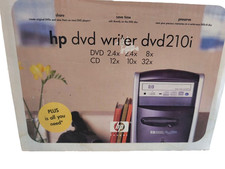
Vintage HP DVD Writer dvd210i Internal IDE Drive Q2116A BRAND NEW FACTORY SEALED
$58.85



 Reply With Quote