-
creating the iso image...
It's been a long time since I was an active linux user and this is my first time using knoppix or creating a custom live cd. That said, I'm following the Remastering Howto (http://www.knoppix.net/wiki/Knoppix_Remastering_Howto) fairly well and everything seems to be working until I get to the point of creating the iso image.
I input this:
mkisofs -pad -l -r -J -v -V "KNOPPIX" -no-emul-boot -boot-load-size 4 \
-boot-info-table -b boot/isolinux/isolinux.bin -c boot/isolinux/boot.cat \
-hide-rr-moved -o /mnt/hda1/knx/knoppix.iso /mnt/hda1/knx/master
and I get the following:
genisoimage 1.1.10 (Linux)
genisoimage: MIssing boot image name, use -eltorito-boot option.
Now, according to the mkisofs man page, I'm using the -eltorito-boot option and the -o /mnt/hda1/knx/knoppix.iso should be the output filename, if I understand the man page correctly. I'm not entirely sure what the /mnt/hda1/knx/master path at the end is supposed to accomplish, though.
Any suggestions how I can make this correct?
 Posting Permissions
- You may not post new threads
- You may not post replies
- You may not post attachments
- You may not edit your posts
-
Forum Rules


Apple Computer cards VTG 670-8020-B 607-0103-C 607-0291-C AST -Orange Micro ++
$169.00

Vintage Apple iMac G4 15" Lamp 700MHz 512MB Mac OS X 10.4.6 W/ Pro Speakers
$300.00
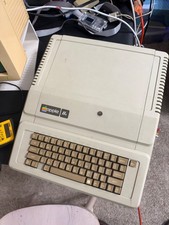
Apple IIe Vintage Computer A2S2064 Powers On Apple II Untested For Parts/repair
$149.99

Vintage Apple II Avant-Garde Creations Super Shape Draw And Animate 1981
$295.00

LARGE LOT Vintage Apple Macintosh Mouse Cables Accessories SCSI etc - UNTESTED
$80.00

Lot of 3 VIntage Apple Computer Rainbow Logo Sticker Decal Macintosh 1980s NOS
$7.00

Rare Vintage Macintosh Apple Wooden Disk Storage Box Dovetailed
$69.95

Vintage Apple iBook G3 12.1” 500MHz 2001 Restored, SSD Upgraded Mac OS 9.2/OS X
$180.00

Vintage Apple Color RGB Color Monitor A2M6014. Used.
$199.99

Vintage Apple Multiple Scan 15av Display Monitor M4681
$299.99



 Reply With Quote