-
Senior Member
registered user

Originally Posted by
knosys

I just went to /usr/share/doc and used "mv -v * /mnt/<whatever>" to move the files to the internal drive. However, "locate" tells me that the files had been in both /KNOPPIX-DATA and /UNIONFS . Now, there is only my "doc" symlink in both locations. Is there maybe something else I have to do before or after moving the files to be able to reclaim the space?
How you interpret "df" (disk free ) can be tricky too.
-
Originally Posted by
knosys
I just went to /usr/share/doc and used "mv -v * /mnt/<whatever>" to move the files to the internal drive. However, "locate" tells me that the files had been in both /KNOPPIX-DATA and /UNIONFS . Now, there is only my "doc" symlink in both locations. Is there maybe something else I have to do before or after moving the files to be able to reclaim the space?
The locate command uses a static database, which means you can't expect it to change when you just move a file. You can rebuild it by issuing the command
Is 6.3.1 not official or not supported - or is the magazine release just an advance of an image that will eventually become available in the usual places? What's better about it than 6.2.1?
No, it's official - but the magazine "special editions" are never posted for download, AFAIK. Probably a contractual issue. Version 6.3 has some extra goodies, like Google Chrome and Flash video pre-installed. There's a thread on it over in the News forum, if you want the details. Personally, I've stuck with version 6.2.0 to avoid the hassle of making a new knoppix-data image; I had already added those extras myself when it came out, along with a bunch of other stuff, so it made sense to wait for something better to make the leap for.
Anyway, now that I know more, I think I'll just do my re-install with the 6.2.1 image I already have.
Good plan!!!
Cheers!
Krishna 
 Posting Permissions
- You may not post new threads
- You may not post replies
- You may not post attachments
- You may not edit your posts
-
Forum Rules


INTEL XEON E5-2680V4 SR2N7 2.40GHZ CPU
$11.00

Dell EMC PowerEdge R440 Xeon silver 4215 2.5GHz 16 GB ram 2x 550W PSU No HDD
$275.00

Dell Precision Tower 7810 Xeon E5-2630 v3 @ 2.40GHz , 32GB Ram, NO HDD, NO OS
$239.99

Dell Precision T7820 2x Xeon Silver 4114 2.20GHz 950W No RAM GPU HDD 4x SATA
$350.48

Dell Precision T5820 Workstation 3.70GHz W-2135 No RAM/ GPU/ HDD/ OS
$179.98

Intel Xeon E5-2699 V4 2.20GHz 55M 22-CORES LGA2011-3 Server Processor 145W SR2JS
$84.49

Intel Xeon E5-2690 v4 SR2N2 14 Core 2.6GHz 35MB LGA2011-3 CPU *km
$15.99
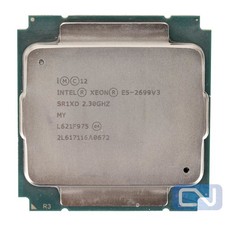
Intel Xeon E5-2699 v3 18 Core 2.3 GHz 45MB SR1XD LGA 2011-3 B Grade
$15.95

DELL Precision T3420 | Xeon 1240v6 | 525GB SSD |16GB RAM |Nvidia GPU |Win11
$149.00

Lenovo ThinkServer TS460 Part Number: 70TS-S01U00
$279.00



 Reply With Quote