-
 KNOPPIX no longer creates all mount points and symlinks with flash drive ?
Hello
Is KNOPPIX no longer creating the mount points and symlinks to your partitions of the hard
drive ?
Perhaps you would like to have '/mnt/iso' and '/mnt/img' added also ?
Well, this shell script called 'mkdirs.sh' should do the job.
After making a bootable flash drive, installing .deb files, and putting the programs that I wanted, booting KNOPPIX again didn't create all the symlinks like a fresh install does.
Here is my solution instead of creating all those mount points by hand.
-----------------------------------------------------------------------------------------------------------------------
#!/bin/sh
#
# This script removes the 'temp' directory in home as well as the existing '/mnt' and '/media' mount points.
# The /etc/fstab is scanned and filtered to only print '/dev/xxxx' and '/media/xxxx' into a temp file.
# The temp file is echoed to screen.
# the '/media/xxxx' mount points are created from this file.
# A for loop reads '/media/*' to get the 'hdxxx, or sdaxx, sdbxx' and so on.
# By using ln -s, we create symlinks to '/media/xxxx'.
# So, now we have '/mnt/sda1 -> '/media/sda1', or whatever the mount point directory is.
# Note error messages are sent to the '/dev/null' black hole, or bit-bucket.
#
# Wayne D. Andrews, September 6, 2010 aka, Flying2Eagles
#
# Remove temp file in home directory.
rm -rf ~/temp 2> /dev/null
# Delete existing directory.
#Delete current /media and /mnt directories, we will re-create them.
#
rm -rf /media/* 2> /dev/null # This prevents 'File Not Found' message.
rm -rf /mnt/* 2> /dev/null
# Create a new '~/temp' folder.
mkdir ~/temp 2>/dev/null
# Echo text from '/etc/fstab'
# Print fields 1 and 2.
#Delete all lines starting with '#'.
#Delete 'sysfs'.
#delete 'proc'
#Omit line with 'none'.
# Send output to file named 'temp1'.
cat /etc/fstab|awk '{print $1, $2}'|sed -e '/^#/d' -e '/^proc/d' -e '/^sysfs/d'|
grep -iv none > ~/temp/temp1
# change to '~temp' directory.
cd ~/temp/
# Echo temp1 file, read a line.
cat temp1|while read line
do
# Print results to screen.
echo $line
# Create directory from text.
mkdir $line 2> /dev/null
done
mkdir /media/iso 2> /dev/null
echo "/media/iso"
mkdir /media/img 2> /dev/null
echo "/media/img"
# Delete '~/temp/temp1' folder & file.
rm -rf ~/temp 2>/dev/null
cd /media/
med='/media/'
mount='/mnt/'
cd $med
for i in *
do
ln -s "$med"$i "$mount"$i
echo 'Link ' "$mount$i"' ->'"$med$i" ' Created'
done
-----------------------------------------------------------------------------------------------------------------------
This script seems to work ok for my wireless Acer Aspire One netbook.
I haven't tried it on my desktop computer yet.
This script is run prior to mounting anything first.
If you can make it better please do so, as I'm using the Linux Pocket Guide to get ideas for this script.
Don't forget the usual 'chmod u+rwx mkdirs.sh' to make the script executable.
Put it in the '/mnt-system/' directory.
Flying2Eagles

 Posting Permissions
- You may not post new threads
- You may not post replies
- You may not post attachments
- You may not edit your posts
-
Forum Rules


Dell PowerEdge FX2s + 8x FC430 Blades 16x E5-2630v4 160 Cores Rails No PSU/RAM
$699.00

Dell PowerEdge FC430 Blade Server 2x Xeon E5-2630v4 20 Cores FX2 FX2s No RAM/HDD
$119.99

Dell PowerEdge M630 Blade Server 2x Xeon E5-2680 v4, 2F3MP , 4GDP5 ,R10KJ ,JVFVR
$95.20

Dell PowerEdge M640 Blade Barebone Server Dell P/N: HHB006 Tested Working
$149.99

Datto S4P10 1U Blade Rack Server Intel Xeon D-2143IT 2.20GHz 48GB DDR4 4-Bay PSU
$197.76
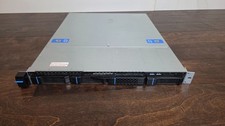
Datto S3P6000 4x 3.5" 1U Blade Rack Server Intel Xeon D-1541 @2.10GHz 48GB DDR4
$128.96

Dell PowerEdge M620 Blade Server 2x Xeon E5-2680v2 2.8ghz 20-Cores | 128GB
$149.99

HPE PROLIANT BL460C GEN 9 813198-B21 2.5"x2 Server Blade SEE NOTES
$21.08

NETAPP HCI NAF-1701 SuperMicro Server 4X BLADE H410C 8X GOLD 5120 4 NODE SERVER
$1499.97

Dell Poweredge VRTX 25Bay 2.5" 2x PERC 8, 2xCMC, I/O 1GB Pass Through, 4x PS
$578.08



 Reply With Quote