-
-
Use Google (or your own favored search engine) to seek out W32 codecs download in a .deb archive. Install with gdebi (included with knoppix) from the command line (or your own favored method.)
That should do it. Let us know how it goes, and enjoy!
Cheers!
Krishna 
-
Administrator
Site Admin-
If this is a legitimate request, I think that you need to redefine the problem. In my experience there is no such thing as "all video codecs", as there are many many special ones that are specific to one camera or one video device, and there are even some pieces of malware disguised as codecs to try to trick you into installing them to play some questionalbe piece of video. And if you think that you have "all video codecs" wait until tomorrow and look around, you'll likely find someone posting something with yet another off-the-wall codec that he wants you to install. My advice would be to install a few major codecs and when you start getting messages that they are not enough, think twice about if you really want to watch the video.
I don't tend to install anything in Knoppix, as it has a greater chance of breaking things that when installing to a true hard disk targeted Linux distro. However, if you really want to install something, you might look at VLC by VideoLan. I believe it has all of it's codecs self-contained, and if there is any codec that it doesn't have you likely don't really need it.
---
Verifying of md5 checksum and burning a CD at slow speed are important.
-
Yeah, I like VLC player too... use it on my ubuntu... haven't tried it on knoppix yet tho....
but yea.... VLC plays almost every thing you could think of...
-

Originally Posted by
kcah

Yeah, I like VLC player too... use it on my ubuntu... haven't tried it on knoppix yet tho....
but yea.... VLC plays almost every thing you could think of...
Well, no. Not without those codes. I think MOST of what you'll encounter will be handled by the W32 codecs if it's not already handled, but as Harry pointed out, you'll still find the occasional file that needs another codec, or claims to (with a link to the malware!)
Cheers!
Krishna
-
Thanks everybody for help and Harry Kuhman, i had installed VLC before in my knoppix and know vlc has proprietary codecs, but did not work for me, only listen the sound and cant see imagen, so I quickly uninstalled.. i have think follow Krishna way to fix my problem....
thanks again
greetings from mexico..!
-
For mplayer, which ships with Knoppix, Christian Marillat has a w32codecs.deb on his multimedia repositories. Instructions for adding the repository and keyring here: http://debian-multimedia.org/
If you are Synaptic user, you can add the repository under the Synaptic settings menu rather than directly to the sources.list as described.
Tags for this Thread
 Posting Permissions
- You may not post new threads
- You may not post replies
- You may not post attachments
- You may not edit your posts
-
Forum Rules


OPNsense pfSense 8-Core Atom C3758 2.2GHz 8GB DDR4 64GB SSD 8x NIC QAT AES VPN
$155.00

OPNsense Firewall 16-Core Atom C3958 16GB DDR4 RAM 64GB SSD 8x 1Gbe QAT AES-NI
$195.00

Zero Trace Pen: All-in-one Tor Network Anonymous Drive + Cryptocurrency Wallet
$147.00

Check Point 1590 Firewall & w builtin WiFI and builtin LTE sim slot
$95.99

OPNsense pfSense 16-Core Atom C3958 16GB ECC RAM 512GB SSD 8-Port QAT AES-NI VPN
$258.00
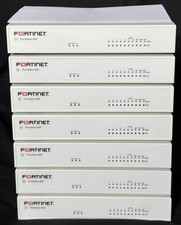
Fortinet FortiGate 60F FG-60F Firewall Tested Reset Deregistered OEM PSU
$99.99
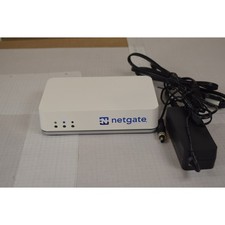
Netgate SG-2100 pfSense Plus 26.07 Firewall VPN Router - Wiped, Fresh Install
$174.99

Fortinet FortiGate 60F FG-60F UTM UTP License Until 2027 Network Security FW VPN
$137.99
Alta Labs Route10 10Gbps Router Firewall 2x SFP+ 4x 2.5GbE 2x PoE+
$174.99
Unfi Security Gateway Pro
$170.00



 Video codecs install help....!


 Reply With Quote