-
Read/Write Permissions PULLING MY HAIR OUT!!
My 500 gig external/network Lacie drive crashed due to a hard drive failure. I Pulled out the seagate drive inside, purchased the little adapter and have hooked it up to my windows XP machine. Windows thinks its a black drive because its formatted as a linux system. When I boot from the Knoppix 6 CD Rom, I can see the drive and read the data but I can only on some files and not on others. When I click on the drive in the left pane of the file manager, it shows one directory called SHARE. When I click on that, it shows about 2 dozen more directories and a bunch of files. I can delete the files but not anything in the directories. When I click PROPERTIES and go to the section where it lets me check boxes for read write, it says PERMISSION DENIED. If I try to delete any of the files in the directories it says ACCESS DENIED. HELP! Why can I delete some files but not others?
-
Update
Let me correct my first statement. The lacie drive failed due to a faulty power supply. The hard drive inside is fine. (I think). GParted shows 7 partitions on the drive. The formats are Extended, Linux-Swap, Unknown, Ext3, Ext3, Ext3 and XFS. The XFS partition is 465 gigs and the other partitions are in the 7 to 980 MiB range. The drive, and all partitions will mount and unmount just fine and I can read pretty much everything except the partition marked as "Unknown" file system. I also have write permissions to the root of the XFS partition but none of the sub directories. How do I get write permissions to the XFS sub directories where most of my data is at? Thank you,
-
Senior Member
registered user
I think that you do not have the appropriate uid to work with the sub directories on the external drive while being the user knoppix. If you intend to put the drive back into its original case then it might be a good idea to avoid changes in the directory structure as far as possible. Did you try to write to the sub directories while being ther user root? The file manager has got a menu item "Open Current Folder as Root" in the "Tool" menu.
-
The Lacie enclosure and power supply is toast so the drive will eventually be re-formatted (probably to a fat32 or NTFS) and installed in one of my computers. I have not tried to write to the sub directories as the user root( whatever that is?) but I will attempt the "open as root" as you suggest and see what happens. I will return with an update after I attempt it. Thank you,
-
Opening the folder as root worked perfectly !!!! Errr.. Sort of.. I'm starting a new thread because I now have a different problem. Thank you for your advice. I am a linux/knoppix newbie and I sure appreciate the help.
 Posting Permissions
- You may not post new threads
- You may not post replies
- You may not post attachments
- You may not edit your posts
-
Forum Rules

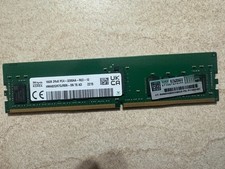
HYNIX HMA82GR7DJR8N - XN 3200AA 16GB 288 Pin RDIMM DDR4 Memory
$105.00

SMART(Micron)SafeStor 32GB(1X32GB) 1RX4 NN4-3200AA(DDR4) HPE Server Memory
$159.98

TF/SD Card Adapter Camera Reader Android Type-c For iPhone17 Pro Max Plusm lot
$573.98

Microsoft Windows 11 Pro 64-Bit USB Flash Drive (HAV-00162)
$36.99

Kingston 32GB 64GB 128GB 256GB USB 3.0 Flash Drive Thumb Memory Stick Pen lot
$285.90
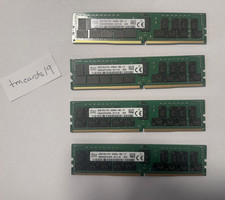
4x32GB SK Hynix 2Rx4 PC4-3200AA DDR4 ECC RDIMM Server RAM HMA84GR7DJR4N-XN T4 AC
$799.99

Server Memory: Samsung 32GB 4DRx4 PC4-2133P ECC LRDIMM DDR4 M386A4G40DM0-CPB
$124.95
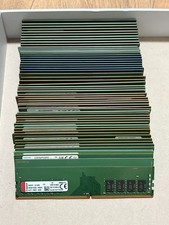
16x 8GB DDR4 Desktop RAM Memory Lot 128GB Total PC4 DIMM Mixed Brands
$450.00

Micro SD Adapter To SD HC SDHC Memory Card Adapter Reader NEW
$1.39

SK Hynix 32GB 2RX4 PC4-2666V DDR4 RDIMM Server Memory RAM, HMA84GR7AFR4N-VK
$169.95



 Reply With Quote