-
Physical damage on NTFS drive, need to mark that area.
Hi everybody,
I'm trying to fix the harddrive of a friend: his notebook fell to the ground. Since then 3 big files (around 2GB) are not accessible anymore all other data is perfectly readable!!!
So I did an almost full backup (except for theses 3 files) and now - since the drive is probably not safe anymore - I am trying to clone the whole thing using Acronis.
Problem: since these 3 files are still there, Acronis stops and doesn't finish the job.
So my question: is there a way to mark these files as deleted, although parts of them are not accessible? Just deleting them in the normal GUI way provided by Knoppix did not work. Maybe there's another way?
Thanx very much for your help,
Eddie
 Posting Permissions
- You may not post new threads
- You may not post replies
- You may not post attachments
- You may not edit your posts
-
Forum Rules


GIGABYTE A520M DS3H AC AMD AM4 Motherboard mATX
$59.99

GIGABYTE Z790 AORUS ELITE AX LGA 1700 Intel Z790 ATX Motherboard with DDR5
$189.99

Intel H310 LGA1151 8-9th Gen DDR4 M.2 NVMe mATX Motherboard IO Shield Battery
$54.99

ASUS PRIME Z490-V Motherboard Intel Z490 10th gen DDR4 LGA 1200 ATX w/ IO Shield
$84.99

GIGABYTE B365 HD3 LGA1151 Intel 9th Gen motherboard
$59.99

Intel H81 Motherboard M.2 NVMe LGA 1150 mATX w/ IO Shield (Random Slot Color)
$29.90

ASUS PRIME B360M-C MicroATX Intel LGA1151 DDR4 HDMI VGA USB RJ-45 Audio
$34.99

ASUS TUF GAMING B550-PLUS WIFI II AM4 AMD B550 ATX AMD Motherboard
$95.99

Dell XPS 8940 Desktop Motherboard Intel H470 LGA1200 DDR4 K3CM7 KV3RP 427JK
$154.99
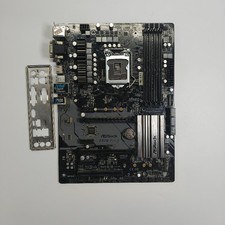
ASRock Z370 Pro4 LGA 1151 Z370 HDMI USB 3.1 2 Ultra M.2 DDR4 ATX Motherboard
$75.00



 Reply With Quote