-
Physical damage on NTFS drive, need to mark that area.
Hi everybody,
I'm trying to fix the harddrive of a friend: his notebook fell to the ground. Since then 3 big files (around 2GB) are not accessible anymore all other data is perfectly readable!!!
So I did an almost full backup (except for theses 3 files) and now - since the drive is probably not safe anymore - I am trying to clone the whole thing using Acronis.
Problem: since these 3 files are still there, Acronis stops and doesn't finish the job.
So my question: is there a way to mark these files as deleted, although parts of them are not accessible? Just deleting them in the normal GUI way provided by Knoppix did not work. Maybe there's another way?
Thanx very much for your help,
Eddie
-
Administrator
Site Admin-
First of all, I would never write to NTFS with Knoppix.
Second, if you can read all but those files you should be able to back everything else up and then , if you really want, reformat the drive.
Next, you don't need to read an entire file to delete it, deleting only involves an entry in the file table.
However, I'm not sure why you would want to delete the files or reuse that disk space. You seem to know that space is bad. You currently know it is in 3 files. If you delete the files and recover the space it could cause more problems than just leaving it in those files. Alternately, chkdsk (under windows) might remap those sectors for you and get them out of use.
---
Verifying of md5 checksum and burning a CD at slow speed are important.
-
Senior Member
registered user
I think you probably misunderstood the question or the need.
He did not want to reclaim the space use by the 3 files. He just want to delete them, with the hope that if those files are deleted, then Acronis can proceed to finished the job without aborting in the middle. It looks like Acronis is a bad tool for this job, if it insists on having to copy everything or otherwise it will abort.
Actually I would really question if Knoppix is the right tool for recovery. But it seems this comes back again and again, so it must be quite popular that people uses Knoppix as a recovery tool. Sorry I am of not much help here.
 Posting Permissions
- You may not post new threads
- You may not post replies
- You may not post attachments
- You may not edit your posts
-
Forum Rules

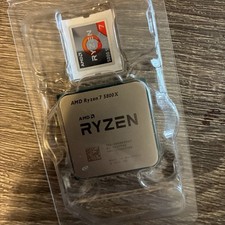
AMD Ryzen 7 5800X Desktop Processor (4.7GHz, 8 Cores, Socket AM4)
$169.99
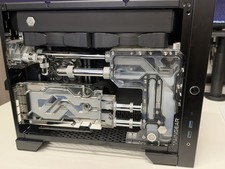
Maingear Apex Turbo computer rtx 3080 12gb , 64GB Ram, Ryzen 5800x , Parts
$1600.00
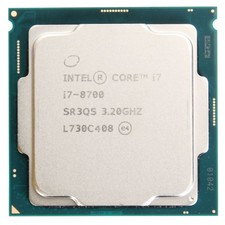
Intel Core i7-8700 @ 3.2Ghz - LGA1151 - CPU Processor SR3QS - Tested
$74.95

Intel Core i7-9700 3.0 GHz 8 Core Processor
$85.00

Intel i7-8700 Coffee Lake 3.2GHz 6-Core Max Turbo 4.6GHz Processor
$69.99

Intel Core i7-7700T 2.9GHz 8MB Socket LGA1151 Quad Core Processor SR339
$39.99

Intel 4th Gen Core i7-4790 SR1QF 3.60GHz (Turbo 4.00GHz) 8M 4-Core LGA-1150 CPU
$39.99
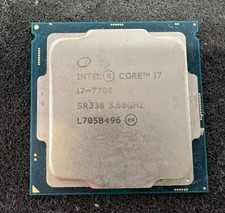
Intel 7th Gen Core i7-7700 3.6GHz 4 Core 8 Thread LGA1151 CPU SR338
$42.99
Intel Core i5-10500 @ 3.10GHz - SRH3A - CPU - Processors - 10th Gen - Tested
$89.95
Intel® Core™ i9-14900K Desktop Processor 24 cores (8 P-cores plus 16 E-cores)
$360.00



 Reply With Quote