-
Updating google chrome?
I have the 6.3 cd and apparently the version of chrome installed does not support extensions.
How can I update to a newer version of chrome?
I searched for chrome in synaptic manager and it says the installed version is the same as the latest version (?)
Any help for a novice?
-
I have partly solved my problem, I deleted the old chrome browser, ran update in terminal and I now have the latest chromium browser which supports extensions. New problem is how do I save this new browser program to usb flash in order to save it permanently? I don't have a hdd.
-
You can add the google repository to you sources. In Synaptic under Settings > Repositories
URl = http://dl.google.com/linux/deb/
Distribution = stable
Sections = main non-free
Then maintain it from there.
You can make a persistent store for Knoppix on your USB by booting with the cheat code
home=/mnt/device_designation
Here is how: https://secure.wikimedia.org/wikiboo...ing_permanence . I hope that is up to date.
I think you can just boot with that cheat code, the correct device name and the home directory you have made.
knoppix home=/mnt/sdb1/home
It will then store to and retrieve from.
I think you will have to install Google Chrome to your home directory for it to stay on your system.
Or, you could install the whole system to your thumb drive if your machine will boot from USB. The option is on the preferences menu somewhere (not in front of me). At least 4-8G is optimal.
Last edited by evenso; 09-20-2010 at 11:20 PM.
-
Ok here is a correction on the cheat codes. (I shouldn't post when I am away from Knoppix.) The full list is on this forum somewhere and on the CD.
Regarding persistent store, I think you would be interested in
knoppix tohd=/dev/<thumbdrive_designation>
which would save the session to the thumb drive on shutdown.
Thereafter,
knoppix fromhd=/dev/<thumbdrive_designation>
### Configuration / Persistent image ###
knoppix nonetworkmanager Don't start network manager
knoppix home=/dev/sda1/knoppix.img Mount loopback file for overlay
knoppix toram Copy to RAM and run from there
knoppix tohd=/dev/sda1 Copy to Harddisk and run from there
knoppix fromhd=/dev/sda1 Boot from previously copied CD-Image
knoppix bootfrom=/dev/sda1/KNX.iso Access image, boot from ISO-Image. ***)
knoppix knoppix_dir=KNOPPIX Directory to search for on the CD.
knoppix knoppix_name=KNOPPIX Cloop-File to search for on the CD.
knoppix noswap Don't use existing swap partitions
knoppix forensic Don't use swap and mount read-only
knoppix secure Disable root access
knoppix noimage Do NOT use persistent image
-
Errr - if you use the tohd / fromhd cheatcodes, the ENTIRE knoppix system will be copied to flash - but it's not bootable. Better, in most cases, to use the flash-install routine on the Preferences menu. That requires the first partition, formatted FAT32, but it will boot in many, if not most, systems out there today.
Cheers!
Krishna 
 Posting Permissions
- You may not post new threads
- You may not post replies
- You may not post attachments
- You may not edit your posts
-
Forum Rules


Lot of 500 Cisco 10-3145-02 QSFP-100G-CWDM4-S 100G CWDM4 QSFP28 Transceiver
$1500.00

Cisco WS-C3650-12X48UR-L 48-Port Stackable Layer 3 8x10G SFP+ Port Switch
$129.99
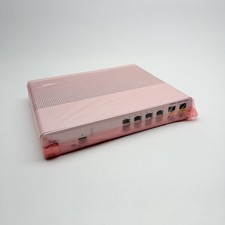
Cisco 8-Port Ethernet Catalyst Switch - WS-C2960C-8TC-L - Brand New
$50.00
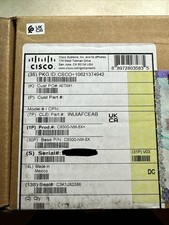
Cisco C9300NM8X Network Switch Module
$649.99
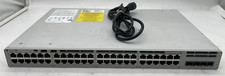
Cisco Catalyst C9200L-48P-4G-E 48-Port Gigabit PoE+ Swich, Single PSU
$925.00
Cisco Catalyst C9500-48Y4C-A 48x 1/10/25G & 4x 40/100G 9500 *NEW IN BOX*
$8700.00
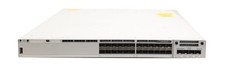
Cisco Catalyst 9300 C9300-24S -1A 24-Port SFP Switch Network Advantage License
$6999.99

Genuine Cisco SFP-10G-SR 0-2415-03 10 Gigabit Transceiver
$5.40

Cisco Catalyst WS-C2960+24TC-S 24-Port Gigabit Managed SFP Switch
$39.99
CISCO ISR4331/K9 V04 Integrated Services Router -Sealed Box
$332.49



 Reply With Quote