

 Reply With Quote
I assume you mounted the SATA drive by clicking an icon on the desktop. Try right-clicking that same icon and choosing to set the drive to read-write mode, and I think the problem will be resolved.
Cheers!
Krishna


Friends: I am using Knoppix 5.1 to try to clone an internal IDE hard drive to an external USB SATA hard drive. I was using GPARTED to do this using "Copy" and "Paste" commands. Both hard drives show up but I cannot get the "Paste" command to work, as it is always grayed out. Could someone walk me through how to do this? I was also trying to use the DD commands with no better luck. Thanks for any help. Windows XP Pro.
I assume you mounted the SATA drive by clicking an icon on the desktop. Try right-clicking that same icon and choosing to set the drive to read-write mode, and I think the problem will be resolved.
Cheers!
Krishna
krishna is right, the partition that you open will default to read-only unless you force it to be read-write. However, Knoppix does not have a very good history of writing NTFS partitions. Even if it seems like it wrote to NTFS properly, there may be underlying corruption that will come back and get you. I would NEVER write to NTFS with Knoppix, although reading is certainly fine. Writing to NTFS is best done with Windows (and even they don't have a very good track record about it, as seen by so many people who show up here trying to recover their Windows partitions).Originally Posted by Wakenaam

---
Verifying of md5 checksum and burning a CD at slow speed are important.
I agree that writing to NTFS with Knoppix 5.1 is problematic. You can choose another fs-type, naturally, since the clone-copy can be made with only fs-independent copy operations. Perhaps another approach would be better, though, since you probably want to access this disk with Windows; there are utilities available that will make a sector-for-sector clone of a drive (that makes t fs-independent.) The right one may depend on the (new) drive manufacturer, if the utility from that manufacturer can be found to do it. There were a number of them on Hiren's BootCD when last I looked at it. Be sure you obtain any licenses required before using any commercial software that may be on there.
One other note re: NTFS - Knoppix 6.2+ uses a more modern and reliable NTFS-writing package. I personally write several (or many) GB on NTFS partitions every week without issues. That isn't to say there are none possible, but if you don't HAVE to use version 5 for hardware compatibility, I'd consider using version 6.2 or above, as there are many advances therein.
Cheers!
Krishna
p.s There is a more error-resistant version of dd out there, which has been discussed in these forums, but I can't think of the name right now. Maybe someone else will remember, or you could try searching with Google, too.
Last edited by krishna.murphy; 09-29-2010 at 04:57 AM. Reason: One more thought
 Posting Permissions


Dell 6P85J 4TB ST4000NM0063 7.2k 6Gb/s 3.5” SAS SED Hard Drive with Tray
$39.99

Western Digital HUS726T4TAL5204 4TB 7.2K SAS 12Gb/s 3.5" 512e HDD NetApp X375A
$64.00
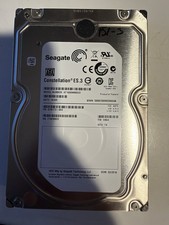
Seagate Constellation ES.3 3.5 in Enterprise HDD | ST2000NM0033
$40.00

DELL 2TB Enterprise HDD (7200RPM, 3.5", SATA III, 128MB Cache) HUS722T2TALA600
$49.95

Seagate ST500DM009 BarraCuda 500 GB 3.5" SATA III Desktop Hard Drive
$14.99

HGST HUS726060ALE610 0F23001 6TB HDD 3.5" SATA 6Gb/s 7.2K Hard Drive (V6315)
$61.56

Dell ST6000NM0034 1HT27Z-150 NWCCG 6TB SAS 3.5 7.2K ENTERPRISE SERVER DRIVE
$68.99

HGST HUA723030ALA640 3TB SATA 7200 RPM 3.5 in Enterprise HDD | 0F14044 (100%)
$45.00

Seagate ST8000DM004 8TB 3.5" 6Gb/s 256MB SATA HDD P/N: 2CX188-300 Tested
$149.99

(ST8000NM0045) SEAGATE ENTERPRISE 8TB 7200RPM 4Kn SATA 6Gb/s 3.5" HARD DRIVE
$199.99