-
If I understand your reply, the knoppix iso image is in ext2 file format. My hd file system is ext3. So the problem must be in how knoppix was installed? What I did was copy the contents of the iso file to the root of hda3 (the root of /home in opensuse) and made a knoppix entry in the grub boot loader. The error grub reported was that it could not find the file. I read later that the kernel and initrd files needs to be in a separate partition (root). Is that a workable solution to the poor mans install?
-
Senior Member
registered user

Originally Posted by
mrbojangles

I read later that the kernel and initrd files needs to be in a separate partition (root).
The location of kernel and initrd is totally dependent on the boot loader. Different boot loader and file system layout may have different considerations. Note that this is not something which is imposed by knoppix. Just check how the opensuse is doing it now and do the same. Once you sorted out the booting ( linux and minirt.gz ), the rest is simple, as knoppix auto detect for presence of knoppix files.
-
Here is my grub entry:
title Knoppix 6.2 dvd ISO scan ramdisk=32MB
kernel (hd0,2)/knoppix/linux ramdisk_size=100000 initrd=minirt.gz lang=us apm=power-off vga=791 nomce quiet fromhd=/dev/hda3/knoppix bootfrom=/knoppix/*.iso config=scan home=scan ramdisk=32768 noprompt
initrd (hd0,2)/knoppix/minirt.gz
boot
I have linux, minrt.gz and knoppix.iso in hda3
It can boot part way where it seems to be searching for usb and stops with:
could not mount disk to /mnt-system. Starting debugging shell.....
box is amd 3500+ 1gig ram opensuse 11.3
-
Senior Member
registered user
Originally Posted by
mrbojangles
fromhd=/dev/hda3/knoppix bootfrom=/knoppix/*.iso config=scan home=scan
Firstly, the good news portion. You have done all that is required by the boot loader.
What you did not do correct is only the second part, the copying of knoppix files.
It appears to me that you are copying the raw image of knoppix as a *.iso. I read somewhere someone has modified the minirt.gz to get this configuration working, but that's a 60 over pages of posts which I don't have the patience to follow.
What you should have copied, is the 'KNOPPIX' directory, as it appeared to you when you mount the CD/DVD. The directory has a few important files, one of them is KNOPPIX/KNOPPIX, another is the folder KNOPPIX/modules, and a few htmls/pictures.
Also I have no idea of the significance of the cheatcode you used, as quoted above. Someone who is familiar with knoppix cheatcode can help explain that. But I think they are not necessary. You can remove them. As far as I know knoppix auto detects the presence of knoppix files, until someone proves me wrong that the autodetect is flawed. 
-
Ok, I cleaned up the cheatcodes and copied the knoppix/knoppix folder to the hard drive hda3. It looks like it does a scan over and over like this:
/dev/sda1
/dev/sda2
/dev/sda3
until it stops with: 'could not mount disk to /mnt-system. Starting debugging mode...'
I am confused between the fromhd= and bootfrom= cheatcodes. Do I need them? I feel that I am close to getting it to boot, but need some clues.
 Posting Permissions
- You may not post new threads
- You may not post replies
- You may not post attachments
- You may not edit your posts
-
Forum Rules


Yealink T48S VoIP/SIP Phone, 2 x Gigabit Ports PoE 7" Color SIP-T48S | TESTED
$34.95

Lot of 4 USED IPitomy IP620-B with IPX-32 DSS Expansion Module VoIP Phone POE
$225.00

Set of 5 USED IPitomy IP620-B HD VoIP 6-Line IP Phone Speakerphone Ethernet POE
$149.00

Lot of 9 Used IPitomy IP320-P HD POE Voice Speakerphone 12-Line VoIP Phone
$225.00

Yealink SIP-T33G IP Phone 4-LineSpeakerphone VoIP Desk Phone Black w/ Power Sply
$25.00

Grandstream HT701 1-Port FXS Analog Telephone Adapter ATA VoIP Gateway -Free S/H
$19.99
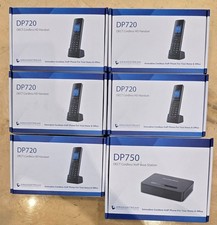
5 Grandstream DP720 DECT Cordless HD VoIP Telephone Handset + DP750 Base Bundle
$249.99

Grandstream WP810 Portable Cordless Wi-Fi IP Phone
$49.28

SIM Bank 32 SIM Card Slots Ethernet SIM Server for GoIP
$400.00

Poly CCX 400 Desktop Business Media Phone VoIP 2200-49700-019
$49.99



 Reply With Quote