

 Reply With Quote
I assume you mounted the SATA drive by clicking an icon on the desktop. Try right-clicking that same icon and choosing to set the drive to read-write mode, and I think the problem will be resolved.
Cheers!
Krishna


Friends: I am using Knoppix 5.1 to try to clone an internal IDE hard drive to an external USB SATA hard drive. I was using GPARTED to do this using "Copy" and "Paste" commands. Both hard drives show up but I cannot get the "Paste" command to work, as it is always grayed out. Could someone walk me through how to do this? I was also trying to use the DD commands with no better luck. Thanks for any help. Windows XP Pro.
I assume you mounted the SATA drive by clicking an icon on the desktop. Try right-clicking that same icon and choosing to set the drive to read-write mode, and I think the problem will be resolved.
Cheers!
Krishna
krishna is right, the partition that you open will default to read-only unless you force it to be read-write. However, Knoppix does not have a very good history of writing NTFS partitions. Even if it seems like it wrote to NTFS properly, there may be underlying corruption that will come back and get you. I would NEVER write to NTFS with Knoppix, although reading is certainly fine. Writing to NTFS is best done with Windows (and even they don't have a very good track record about it, as seen by so many people who show up here trying to recover their Windows partitions).Originally Posted by Wakenaam

---
Verifying of md5 checksum and burning a CD at slow speed are important.
I agree that writing to NTFS with Knoppix 5.1 is problematic. You can choose another fs-type, naturally, since the clone-copy can be made with only fs-independent copy operations. Perhaps another approach would be better, though, since you probably want to access this disk with Windows; there are utilities available that will make a sector-for-sector clone of a drive (that makes t fs-independent.) The right one may depend on the (new) drive manufacturer, if the utility from that manufacturer can be found to do it. There were a number of them on Hiren's BootCD when last I looked at it. Be sure you obtain any licenses required before using any commercial software that may be on there.
One other note re: NTFS - Knoppix 6.2+ uses a more modern and reliable NTFS-writing package. I personally write several (or many) GB on NTFS partitions every week without issues. That isn't to say there are none possible, but if you don't HAVE to use version 5 for hardware compatibility, I'd consider using version 6.2 or above, as there are many advances therein.
Cheers!
Krishna
p.s There is a more error-resistant version of dd out there, which has been discussed in these forums, but I can't think of the name right now. Maybe someone else will remember, or you could try searching with Google, too.
Last edited by krishna.murphy; 09-29-2010 at 04:57 AM. Reason: One more thought
 Posting Permissions

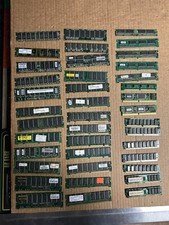
40 Vintage SDRAM DIMMs PC100 PC133 Compaq Kingston Siemens ECC Untested RAM SIMM
$165.00

Vintage Beige AT Tower PC Computer 52x CD Floppy Drives Turns On TC
$149.99

Vintage Core CL9 Master Universal Remote Control Steve Wozniak (Apple) READ
$1248.88

5x Vintage SSS SCP1802D SCP1802LD Ceramic CPU 1802 COSMAC 1978 Gold IC
$299.99

Fujitsu 120GB PATA Notebook Laptop Hard drive Vintage PC Computer
$199.99
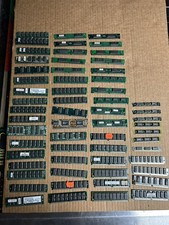
Vintage Computer EDO RAM Memory Modules SIMM and dimm Mixed Lot 60 sticks used
$145.00

Sony VAIO PCG-XG9 OEM Keyboard 1-418-545-22 NOS New Old Stock Japan Vintage
$89.99
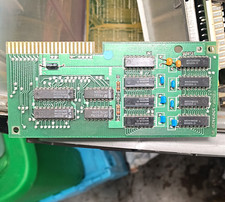
Mostek Vintage Memory Board PCB Expansion Card BSCRB-15D3420-01 As Is
$56.88

Vintage Apple USB M2452 (1998) Teal Blue iMac Extended Keyboard G3 G4 G5
$34.99

Vintage Sun 320-1005 Type 4 Keyboard & 370-1170 Type-4 Mouse & Optical Mouse Pad
$129.00