

 Reply With Quote
I assume you mounted the SATA drive by clicking an icon on the desktop. Try right-clicking that same icon and choosing to set the drive to read-write mode, and I think the problem will be resolved.
Cheers!
Krishna


Friends: I am using Knoppix 5.1 to try to clone an internal IDE hard drive to an external USB SATA hard drive. I was using GPARTED to do this using "Copy" and "Paste" commands. Both hard drives show up but I cannot get the "Paste" command to work, as it is always grayed out. Could someone walk me through how to do this? I was also trying to use the DD commands with no better luck. Thanks for any help. Windows XP Pro.
I assume you mounted the SATA drive by clicking an icon on the desktop. Try right-clicking that same icon and choosing to set the drive to read-write mode, and I think the problem will be resolved.
Cheers!
Krishna
krishna is right, the partition that you open will default to read-only unless you force it to be read-write. However, Knoppix does not have a very good history of writing NTFS partitions. Even if it seems like it wrote to NTFS properly, there may be underlying corruption that will come back and get you. I would NEVER write to NTFS with Knoppix, although reading is certainly fine. Writing to NTFS is best done with Windows (and even they don't have a very good track record about it, as seen by so many people who show up here trying to recover their Windows partitions).Originally Posted by Wakenaam

---
Verifying of md5 checksum and burning a CD at slow speed are important.
I agree that writing to NTFS with Knoppix 5.1 is problematic. You can choose another fs-type, naturally, since the clone-copy can be made with only fs-independent copy operations. Perhaps another approach would be better, though, since you probably want to access this disk with Windows; there are utilities available that will make a sector-for-sector clone of a drive (that makes t fs-independent.) The right one may depend on the (new) drive manufacturer, if the utility from that manufacturer can be found to do it. There were a number of them on Hiren's BootCD when last I looked at it. Be sure you obtain any licenses required before using any commercial software that may be on there.
One other note re: NTFS - Knoppix 6.2+ uses a more modern and reliable NTFS-writing package. I personally write several (or many) GB on NTFS partitions every week without issues. That isn't to say there are none possible, but if you don't HAVE to use version 5 for hardware compatibility, I'd consider using version 6.2 or above, as there are many advances therein.
Cheers!
Krishna
p.s There is a more error-resistant version of dd out there, which has been discussed in these forums, but I can't think of the name right now. Maybe someone else will remember, or you could try searching with Google, too.
Last edited by krishna.murphy; 09-29-2010 at 04:57 AM. Reason: One more thought
 Posting Permissions


IBM System X3850-X5 Server w/4x Intel Xeon E7-4870 CPU , 512 GB DDR3 RAM,NO HDD
$1599.99

IBM 7915 AC1 M4 E27R704 Server Intel 2650V2 32GB RAM NO HDD w/ 2x 750w PSU
$225.00

IBM QRadar xx29 2x Xeon E5-2650v4 2x 900W PSU M5120 12x 3.5" Bay Server No RAM
$179.99

IBM X3650 M4 Server System Board 00MX553 00AM209 00Y8499 00Y8457 00D2888 00W2671
$230.00

IBM SYSTEM X3500 M3 SERVER 7380AC1 TOWER Server XEON E5620 8GB RAID SEE NOTES
$111.70

IBM X3650 M5 5462-AC1,2 X E5-2640V3 2.6GHZ 8C, 16 GB, DUAL 750W, 2 X 1TB SERVER
$349.99

IBM x3550 M4 1x 3.50GHz Quad Core Xeon E5-2637v2 32GB RAM 8-Bay No HDDs - READ
$20.00

IBM Power 720 8202-E4B Server - POWER7 4-Core 3GHz, 8GB, 2x 146GB HDD, 1725W PSU
$450.00
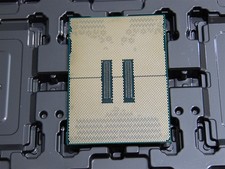
DELL POWEREDGE HP IBM SERVER XEON GOLD 5415+ 8 CORE PROCESSOR 2.9 GHZ SRMGC
$1299.00

IBM 9307-RC4 42U 19in Freestanding Server Rack Cabinet 1000 lb Capacity
$100.00