-

Originally Posted by
mrbojangles

I wish to say first that I appreciate the helpful replies to my problem. Second, maybe I have not provided enough detail, but that is the process of learning.
1. The box has no dvd drive. The dvd files are extracted from the iso image.
Well, that sounds good, but it might be best to take a fresh approach. I suggest you free up partition 1 (give it 8 GB) and use the flash-install routine to format it (to FAT32, but that's good enough) and copy the files to it, starting from the cd (since you don't have a dvd drive.) It (the installer) will modify the grub entries automagically, too. Once you have that working, you can replace the KNOPPIX folder with the one from the dvd-iso and it will give you the benefit of a dvd-install without having a DVD drive. Alternatively, you can do a flash-install to a flash drive on a machine with a dvd drive, then boot that flash on the target box, then flash-install using that to the first partition as described above.
2. The bootloader (grub) can not find the kernel or initrd. I see the grub entry for knoppix echoed to the screen ending with the file not found error 15. There is no kernel booting.
I dunno why, but if what you want is something that works, that will be produced by the above procedure(s).
3. If there is a debug script for this problem, I would like to try it.
To the best of my knowledge, there is no such script.
4. A knoppix live cd does work.
That's good reason to think the procedures outlined will work. You can spend a lot of time and energy on the failed install, and maybe (probably) eventually figure it out, and learn something. However, life is short, so I'd recommend using the virtually-certain-to-work fresh install method, then examine what that process produced and compare to learn the same thing.
Happy computing!
Krishna 
 Posting Permissions
- You may not post new threads
- You may not post replies
- You may not post attachments
- You may not edit your posts
-
Forum Rules


Dell PowerEdge M630 Blade Server 2x Xeon E5-2680 v4, 2F3MP , 4GDP5 ,R10KJ ,JVFVR
$96.60
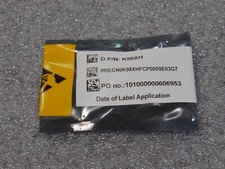
NEW DELL TRUSTED PLATFORM MODULE TPM 2.0 POWEREDGE T430 T630 G13 SERVERS K98XH
$225.00

Dell PowerEdge M640 Blade Barebone Server Dell P/N: HHB006 Tested Working
$149.99
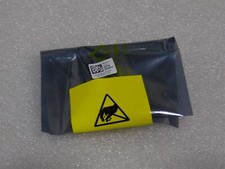
NEW DELL TRUSTED PLATFORM MODULE TPM 2.0 POWEREDGE R730 SERVER M48YR RXW6R K98XH
$225.00
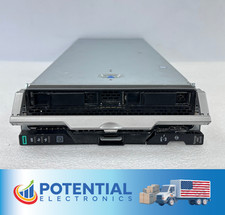
HPE Synergy 480 Gen10 Blade Server BAREBONES NO CPU, RAM OR HDD 🚚
$140.00

Dell PowerEdge FX2 FX2s Server 10GbE CMC Blade Enclosure Chassis
$274.99

NETAPP HCI NAF-1701 SuperMicro Server 4X BLADE H410C 8X GOLD 5120 4 NODE SERVER
$1499.97
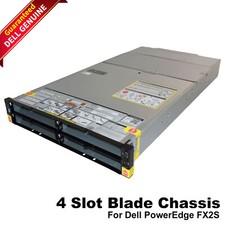
Dell PowerEdge FX2 FX2s Server 10GbE CMC Blade Empty Chassis XJ6VP
$149.99

Cisco UCS 5108 Blade Server Chassis Enclosure N20-C6508 4x PSU 8x Fans 2x Fabric
$174.99
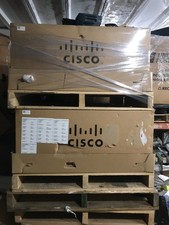
NEW Cisco UCSB-5108-AC2 Blade Server Chassis 8 Slot 6RU Chassis 4 X PSU - DW
$599.40



 Reply With Quote