

 Reply With Quote
rickenbacherus,
how would you compare this to grip? better or the same?


If you have never tried this amazing app out then I suggest you do so a.s.a.p.- you will impressed.
apt-get install abcde (you gotta love Debian)
abcde /dev/scd0 or /dev/scd1 you may also use /dev/cdrom or /dev/dvd or whatever you like.
It will query the CDDB, retrieve any and all artist/album/track info it can find, allow you to select and even edit the results you'd like to use.
Let it go and watch the show.
It will create a directory Artist/AlbumTitle, rip all tracks from an audio disc in /dev/whatever to .wav format, convert the .wav files to .ogg and correctly ID3tag each .ogg while maintaining the correct album sequence. (You may have used other programs that are outsmarted by '01' and '11')- not so with abcde. It will also remove the .wav files leaving you with a very nicely formatted, ripped, converted and ID3tagged album! This app rocks hard and that's just the default behavior folks! As always....man abcde
rickenbacherus,
how would you compare this to grip? better or the same?
Never mind. I'm trying it myself now. Of course the main difference is that this is a command line program. Nice.
It's true-I prefer the CLI. I use it to do anything and everything in regards to burning, ripping, copying, etc. What I liked most about abcde was 1)how hard is it to remember? 2)how much typing is there? 3)How many options do I have to remember? Of course the answers are not at all, very little, and none. It just couldn't be any easier. I keep a list of several examples using cdrecord, cdrdao, cdparanoia, etc. right by my machine for easy reference. I'd post it but I blatantly stole most of them from numerous places and would have no hope of crediting the authors with their explainations of the commands.
Here's my little routine:Guess I could make this into a script, but haven't gotten around to it. I've seen abcde on Freshmeat.net before. How configurable is it? If you need a good tagging / renaming program I highly recommend doing apt-get install easytag.Code:1. cdparanoia -vQ // Query CD-Rom for # of Tracks 2. cdparanoia -vzX -B -- "-??" // ?? is the # of Tracks 3. normalize -vb *.wav // Batch mode, verbose. 4. oggenc -b 256 *.wav // Encode at 256 kbps using managed bitrates 5. rm *.wav 6. easytag // Tag the ogg files. 7. chmod -w *.ogg // Make Read-Only.
 Posting Permissions


INTEL XEON E5-2680V4 SR2N7 2.40GHZ CPU
$11.00

Dell Precision Tower 7810 Xeon E5-2630 v3 @ 2.40GHz , 32GB Ram, NO HDD, NO OS
$239.99

Dell Precision T7820 2x Xeon Silver 4114 2.20GHz 950W No RAM GPU HDD 4x SATA
$350.48

Dell EMC PowerEdge R440 Xeon silver 4215 2.5GHz 16 GB ram 2x 550W PSU No HDD
$275.00

Dell Precision T5820 Workstation 3.70GHz W-2135 No RAM/ GPU/ HDD/ OS
$179.98

Intel Xeon E5-2699 V4 2.20GHz 55M 22-CORES LGA2011-3 Server Processor 145W SR2JS
$84.49

DELL Precision 5820 Workstation Xeon W-2123 3.6ghz/NO RAM/NO SSD/P400 Vid
$139.99
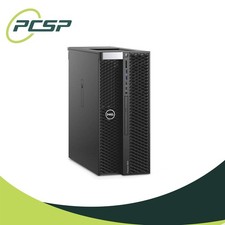
Dell Precision T5820 Workstation 3.70GHz W-2135 32GB No GPU/ HDD/ OS DISCOUNTED
$363.94

Dell Precision T5820 950W Workstation 4.00GHz W-2125 No RAM/ GPU/ HDD/ OS
$144.98

Dell PowerEdge FX2s + 8x FC430 Blades 16x E5-2630v4 160 Cores Rails No PSU/RAM
$699.00