-
Cloning a drive
Hey Guys, I am having trouble cloning a drive that is on its way out physically. I was told to clone it using [name omitted by moderator] because it utilizes bit by bit cloning. I ended up with a .img file and no way to "burn" it to the new drive I purchased. I believe knoppix can help me push the .img file to a new drive but not sure how. Any help friends? Thanks in advance from a linux n00b
-
Administrator
Site Admin-
I omitted the name of the product that you used, but paying 50 bucks for software that made an image file and gave you no way to transfer it to a new drive doesn't seem smart. We certainly don't want to provide any promotion for such a product.
Knoppix can do copies with the dd command, you might want to look into the documentation on that. I don't really know if it will do what you need though.
You might also want to look at the great utility ISObuster. Even the free part should allow you to extract the files from an img file and copy them to a new drive.
I would also think that you should be getting feedback and support from the people who sold you a $50 utility.
---
Verifying of md5 checksum and burning a CD at slow speed are important.
-
Thanks for the fast response! Well it was recommended to me by the guys over at [another lamer omitted] and I was getting desperate. I have since contacted them and said "what do I do with this img file" and they told me to contact the software provider which has not led me very far and Im pretty sure they dont even offer img burning.
I dont exactly need to extract the data because its all in a proprietary format (url omitted). I just need to put the .img file on this new drive so the xxx thinks its the same one as the old drive that is failing. Anyone know how to use these "dd commands"?
-
Administrator
Site Admin-
Once again, I suggest looking at the Windows utility ISObuster to extract files from an img file.
For details on dd, type man dd into a Linux shell prompt. Or Google dd. I don't think that you're going to want to just copy the image to a new drive (or new drive partition) however. I certainly would not do it that way, I would format up the new drive properly and extract the files that I wanted from the image. It isn't clear what is on that img, isn't it a copy of the entire drive, not just the files that you need?
---
Verifying of md5 checksum and burning a CD at slow speed are important.
 Posting Permissions
- You may not post new threads
- You may not post replies
- You may not post attachments
- You may not edit your posts
-
Forum Rules

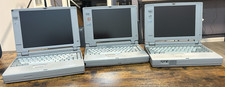
Lot of 3 Toshiba Satellite Vintage Laptops - T2130CS, Pro 405CS, 110CS
$55.00
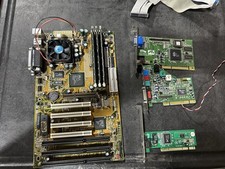
Vintage Iwill XA100 Plus Super Socket 7 Motherboard + K6-III 450 + 896mb READ
$179.99

Vintage NEC CDR-1410A 50 Pin SCSI CD-ROM Optical Drive Used
$39.99
Vintage Sony CD-ROM Drive CDU5211 IDE Optical Used
$19.99
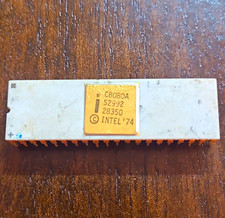
Intel 8080A Vintage ceramic chip - 1 leg missing w/ some corrosion (BO)
$75.00
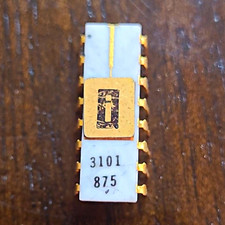
EARLY INTEL 3101 Vintage Ceramic chip. ALL LEGS INTACT (BO)
$350.00

Original Vintage Old Style STANDARD Black CD Jewel Case (Heavy Duty) 90g Lot
$316.95
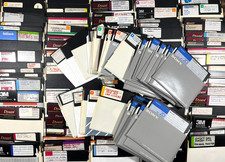
247 Lot 5.25" Floppy Disks Vintage Used Turbo Pascal CAD Data Files IBM PC DOS
$199.99
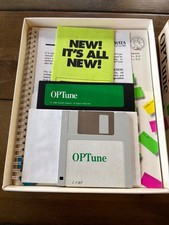
Vintage Gazelle Systems OP-Tune 1.3 Box Complete CIB Dual Floppy 3.5 5.25 DOS
$54.99
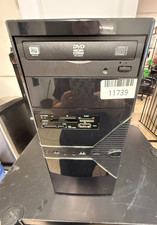
VINTAGE Custom Built Desktop-AMD [email protected] 8GB RAM 80GB HDD NO OS-READ
$160.00



 Reply With Quote