

 Reply With Quote
Yes it is possible to do it, but there is no ready script for this task, you will have to roll up the sleeves on this.
Take a look at the script /usr/bin/knoppix-flash, that will give you some idea what are the steps involved.


hello everybody,
I've a question, I don't know if it's possible
I'd like to divise my usb key this way :
The first partition FAT32, which contains some datas.
The second partition FAT32, within knoppix.
Is it possible the do that way, modifying the mbr for example on the usb key ?
Thanks you
Yes it is possible to do it, but there is no ready script for this task, you will have to roll up the sleeves on this.
Take a look at the script /usr/bin/knoppix-flash, that will give you some idea what are the steps involved.
I think a good way to go would be to use the flash-install as is, then modifyOriginally Posted by kl522

1) the partitioning with GParted (to shift your Knoppix from partiion 1 to p.2) and
2) the boot menu/parameters (e.g boot from. sdb2 instead of sdb1)
Hope that helps!
Krishna
Ok, so I solved this problem with unetbootin from a Linux distro...
I was able too install to the second partition.
It's maybee no the best solution, but it work
Unetbootin requires you to select distribution and version.
From the website screen shot, there is no mention of support for Knoppix.
So exactly what distribution and version information you have entered into unetbootin ?
Do you end up having knoppix 'poor man install' or you have a debian hard disk install ?
 Posting Permissions

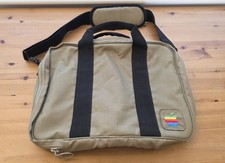
Vintage Apple Macintosh Computer Travel Bag Tote Shoulder Side Bag with Strap
$125.00

Vintage Apple iMac G4 15" Lamp 700MHz 512MB Mac OS X 10.4.6 W/ Pro Speakers
$300.00
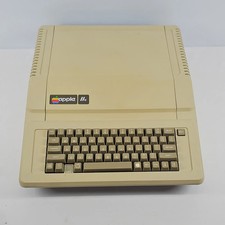
Apple IIe Vintage Personal Computer A2S2064
$199.99

Rare Vintage Macintosh Apple Wooden Disk Storage Box Dovetailed
$69.95

Lot of 3 VIntage Apple Computer Rainbow Logo Sticker Decal Macintosh 1980s NOS
$7.00
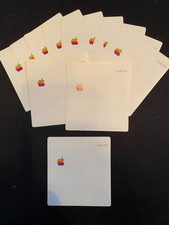
11 Vintage Apple 3.5" Floppy Disc Label
$10.00
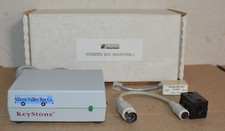
Kineses PS/2 Keyboard to Macintosh Adapter Converter Vintage Interface Apple
$60.00
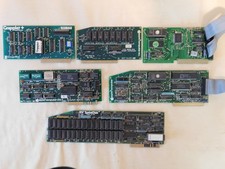
Apple Computer cards Super Serial SCSI AST -Orange Micro ++ Vintage 1980's
$169.00

VINTAGE Apple Mac OS X Computer Monitor
$250.00

Vintage Apple Color RGB Color Monitor A2M6014. Used.
$199.99