

 Reply With Quote
... if you are using Knoppix 6.2 there is a mistake in /etc/init.d/knoppix-autostart. Have a look at
http://www.wp-schulz.de/knoppix/uhrzeit.html
for more information (in german language written).
Greetings
Werner


I find that the time zone I set will not survive a reboot. I set the correct system time and time zone by typing 'sudo time-admin' in the lxterm. Then I type 'sudo hwclock -w' which I thought would save the settings after rebooting. However after booting I always have to reset the correct timezone again. This is necessary because I use Tor and it requires the correct time and timezone to work properly.
Any advice so I don't have to keep resetting?
... if you are using Knoppix 6.2 there is a mistake in /etc/init.d/knoppix-autostart. Have a look at
http://www.wp-schulz.de/knoppix/uhrzeit.html
for more information (in german language written).
Greetings
Werner
I am using 6.3 which I got from a magazine. Unfortunately I don't understand German.
# part of /etc/init.d/knoppix-autostart:
#
# Set timezone
KTZ="$(getbootparam tz)"
[ -n "$KTZ" ] || KTZ="$(getbootparam timezone)"
[ -n "$KTZ" -a "$KTZ" != "auto" ] && TZ="$KTZ"
if [ -n "$TZ" ]; then
echo "$TZ" > /etc/timezone
# this will remove /etc/localtime
rm -f /etc/localtime
# /usr/share/zoneinfo/localtime is a symlink to /etc/localtime
# but /etc/localtime doesn't exist any more.
# Therefore the second part of the if-loop will not work
[ -r /usr/share/zoneinfo/"$TZ" ] \
&& { cp -f /usr/share/zoneinfo/"$TZ" /etc/localtime; }
fi
If this mistake is also in Knoppix 6.3 you must uncomment the lines of the if-loop
Greetings
Werner
I have been fighting this for a week. Just found a solution: from root: 1)dpkg-reconfigure tzdata 2)date MMDDHHmmCCYY 3)hwclock --localtime 4)hwclock --systohc It survived a reboot. Take care.
I did as you suggested but when I reboot my hardware clock is set to UTC time.Originally Posted by BoDiddley

I do believe you are trying to change your time using Live CD. I did hd install from 6.2.1 menu and then copied Knoppix from CD to desktop. You need to be a little more specific.
"HD install" is for a few specific purposes (mostly re-mastering), but it isn't really that good for use as a "Linux system." Better to use the "Flash install", which avoids the "chroot'd environment" that causes so many anomalous characteristics not suitable for a working system. Clock changes as described should work better, too!
Cheers!
Krishna
I am definitely finding that to be the case, Krishna. I am a newbie. I have loaded Debian full, and PCLinuxOS. Since I am not in any real need for usage, just learning and playing around. I decided to stick with the HD install a bit longer. Hard to get around losing your word processor on a full upgrade.... still I think I will poke and prod a bit longer.
 Posting Permissions


Dell 6P85J 4TB ST4000NM0063 7.2k 6Gb/s 3.5” SAS SED Hard Drive with Tray
$39.99

Western Digital HUS726T4TAL5204 4TB 7.2K SAS 12Gb/s 3.5" 512e HDD NetApp X375A
$64.00
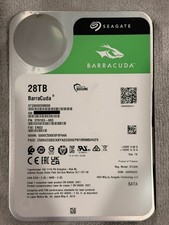
Seagate BarraCuda 28TB 7.2K SATA 6Gb/s 3.5in Internal HDD ST28000DM000 - Tested
$670.00

Seagate ST12000NM0127 12TB 256MB 7200RPM 3.5" SATA 6.0Gb/s Enterprise Hard Drive
$318.99

Seagate ST4000NM0034 Enterprise 4TB 7200RPM SAS 12Gb/s HDD v4
$39.00

Seagate ST500DM009 BarraCuda 500 GB 3.5" SATA III Desktop Hard Drive
$14.99

HGST HUS724040ALA640 HDD 4TB SATA 6Gb/s 7.5K 3.5" 0F19459 512 b/s
$78.00

Toshiba 14TB MG07 MG07ACA14TEY 7.2K RPM SATA 6Gb/s 512e 3.5" Enterprise HDD
$329.00

Seagate ST8000NM0075 Enterprise Capacity 3.5 HDD 8TB SAS Hard Drive 8TB EXOS
$184.99

DELL 2TB Enterprise HDD (7200RPM, 3.5", SATA III, 128MB Cache) HUS722T2TALA600
$49.95