-

Originally Posted by
arsmith

I've been trying for a couple of days now to get Java and Flash installed/updated. I'm running a HDD install of Knoppix 6.2.1.
I can't find anything in synaptic relating to Java, Flash, Firefox, or Opera; apt-get returns with E: Couldn't find package adobe, firefox, etc., etc.
What I have done so far is apt-get update. Before that I apt-get upgrade and it upgraded a bunch of stuff and afterward in the terminal I couldn't su anymore because it wanted a password I didn't give it dada dada da...
Long story short. I need an idiots guide to downloading and installing Java and Flash into Iceweasel.
I've got an old PC, which runs Knoppix 6.2.1 just fine, however I can't surf the net without being greeted by Java not installed or activated & Flash not installed.
Thanks
Adam
Hi Adam, for me java worked out of the box. To get flash working I downloaded the compressed flash player from Adobe's site, extracted it (one file) and copied the file, libflashplayer.so to /usr//lib/mozilla/plugins. That's it. Do like this; open the terminal (lower left corner), CD (change directory) to where you saved the extracted file, then type in "cp libflashplayer.so /usr/lib/mozilla/plugins/libflashplayer.so. Restart Iceweasel and off you go.
 Posting Permissions
- You may not post new threads
- You may not post replies
- You may not post attachments
- You may not edit your posts
-
Forum Rules


HP 2x 10GB OPNsense Quad Core i5-8500 8GB RAM 3Port Gigabit Firewall AES-NI SSD
$199.95

Zero Trace Pen: All-in-one Tor Network Anonymous Drive + Cryptocurrency Wallet
$147.00

OPNsense Firewall 16-Core Atom C3958 16GB DDR4 RAM 64GB SSD 8x 1Gbe QAT AES-NI
$195.00
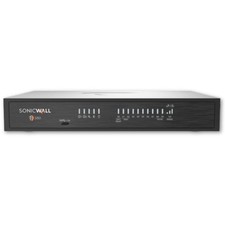
SONICWALL TZ380 SECURE UPGRADE ADVANCED EDITION 3 YR(03-SSC-6961 )
$1600.00

OPNsense pfSense 8-Core Atom C3758 2.2GHz 8GB DDR4 64GB SSD 8x NIC QAT AES VPN
$145.00
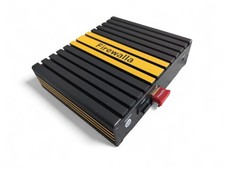
Firewalla Gold Gigabit 4-Port Router Firewall VPN Security Appliance Working
$298.00

Fortinet FortiGate 60F FG-60F UTM UTP License Until 2027 Network Security FW VPN
$229.99
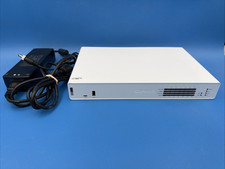
Sophos XGS 136 Next Generation Firewall Security Appliance with Power Adapter
$99.99

Barracuda NextGen CloudGen Cloud Based Firewall F280 BNGF280a w/ 8.3.1 Firmware
$89.99

SonicWall TZ280 Firewall 03-SSC-6933 Advanced Edition 3YR NEW SEALED
$999.99



 Reply With Quote