-
Using Knoppix in a Hard Drive upgrade
I about to upgrade my PC. However tricky thing is my old hard drive is prone to failure and I want to copy across Windows too.
I don't know whether to use dd or try create partitions and cp a lot. Any advice?
My progess is here:
http://db.cs.helsinki.fi/~hendry/log...are/gotit.html
-
Senior Member
registered user
Re: Using Knoppix in a Hard Drive upgrade

Originally Posted by
hendry
I'm about to upgrade my PC. However tricky thing is my old hard drive is prone to failure and I want to copy across Windows too.
Which version of Windows? In all your detail on your site, you neglected that VERY important information. If it's Win98, realize that you will have to use the Seagate utilities disk to install EZ-BIOS (or something like it) and partition/format the drive, since Win98 can't see a drive that large without help. You can then partition the drive as you see fit with cfdisk and QtPartEd to create/manipulate partitions on the new drive, then use Partition Image on the Knoppix CD (sudo partimage if from a non-root shell) to create a disk image. EZ-BIOS doesn't interfere with the way that Linux "sees" the disk geometry, but it does install to the boot track, so LiLo can't be installed there -- but it can be installed to C:\ instead.
The above is based on my own experience, your mileage may vary...
Similar Threads
-
By kidsatacrux in forum MS Windows & New to Linux
Replies: 19
Last Post: 08-03-2004, 07:41 AM
-
By knoxx in forum General Support
Replies: 2
Last Post: 01-16-2004, 03:04 AM
-
By dmedici in forum Hdd Install / Debian / Apt
Replies: 5
Last Post: 10-19-2003, 01:13 AM
-
By aortiz32 in forum Hardware & Booting
Replies: 1
Last Post: 05-16-2003, 02:41 AM
-
By pkobos in forum General Support
Replies: 1
Last Post: 04-24-2003, 09:26 AM
 Posting Permissions
- You may not post new threads
- You may not post replies
- You may not post attachments
- You may not edit your posts
-
Forum Rules

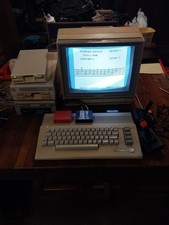
Commodore 64c Computer System
$550.00

Pi1541 Zero with Epyx Fastload Hat, Case & 16gb SD for Commodore 64 and 128
$79.99

TeensyROM+ TR+ v0.4 Cartridge for C64/128 - w/ Case & 32GB SD Preloaded
$89.50

Commodore 64 Dead Test & Diagnostic Cartridge & Test Harness Set - USA seller
$39.99
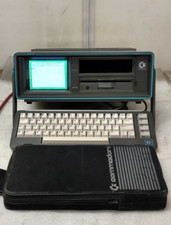
Commodore SX-64 Personal Computer
$600.00

Commodore 64 Serial Cable 6PIN DIN 1541 1571 C64 128 C128 Disk Drive Printer USA
$10.49

Commodore 1541 Emulator PI1541 HAT with ROTARY, OLED screen, USA Seller
$29.99
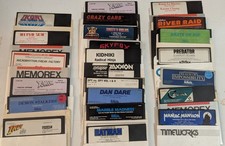
Commodore 64/C64 23 Original Games (Untested /As Is ,no returns )Maniac Mansion
$115.00

Commodore OS USB | Bootable LIVE + Install | The Ultimate Gaming Linux OS | NEW
$11.99
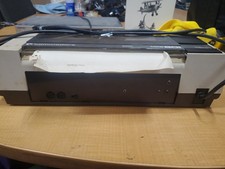
RARE Commodore MPS801 Printer - 1st printer for the 64 - powers on
$70.00



 Reply With Quote