

 Reply With Quote
1)apt-get update 2)apt-get install flashplugin-nonfree. Do not forget if you are using noscripts you might have to click on flash icon to allow.


 How to install flash player?
Hi. I would like to install adobe flash player on my knoppix. I hear somewhere i have to find mozilla plugin folder and move there file i get from adobe dot com. I cant find it. I never use that system before
1)apt-get update 2)apt-get install flashplugin-nonfree. Do not forget if you are using noscripts you might have to click on flash icon to allow.
I've used the commands in the past, but can't seem to view a Youtube video with knoppix 7.0.5 and FireFox 20 and Iceweasel 10.
Doing the apt-get install flashplugin-nonfree gives unmet dependencies.
I've downloaded and extracted from the .tar to the .so from the adobe site. Not sure what to do.
Dave
Greetings, Dave.
Debian has just changed the apt-get arrangements.
This may upset using it from Knoppix right now.
See Werner's recent news to this effect.
I suggest you hold off a few more days for Knoppix 7.1,
where Klaus K will probably have sorted this all out for us.
Regards.
Thanks - no problem waiting for 7.1
Greeting to you, utu
Where can I find the Werner's remarks you refer to, concrning apt-get and Debian?
Regards
See: http://www.knoppixforum.de/knoppix-f...st-stable.html
and use Google translate (if you need it).
Somehow I'm back to the flash player issue. I was having problems running youtube videos on knoppix version 7.0.5 and decided to wait for the next release. Now I am rRunning knoppix 7.2, Firefox 22, iceweasel 21
Youtube.com says adobe flash player is required. Can't seems to find Flash addon in the FF options. Downloaded install_flash_player_11_linux.i386.tar.gz, extracted libflashpalyer.so and copied it around a few places including:
/home/knoppix/adobe/Flash_Player
/home/knoppix/.adobe/Flash_Player/usr/lib
/home/knoppix/apps/firefox/components (FF directory created by me for FF download)
/home/knoppix/apps/firefox/browser/components
I'm not sure if I'm going about the Flash installation issue incorrectly, placed the .so file in the wrong location or there is an issue that I upgraded from 7.0.5 to 7.2
When I run my knoppix 6.7 USB with FF, youtube videos work just fine.
Are others able to play youtube videos with knoppix 7.2 using IceWeasel or Firefox?
Noob question, but have you tried K's script under Menu "Knoppix" --> "install components", i.e., /usr/sbin/knoppix-install-extras ?
In my upgraded 7.0.5 knoppix usb to 7.2, I don't seem to have a knoppix menu choice. I think I will create a fresh 7.2 knoppix install before continuing testing for knoppix, firefox and youtube videos. - I'll report back


GIGABYTE B365 HD3 LGA1151 Intel 9th Gen motherboard
$59.99

Corsair RMe RM850e 850W 80 Plus Gold Fully Modular Low Noise Certified Refurb
$58.99

Gigabyte GA-B85M-D3H Motherboard
$54.99

ASUS PRIME Z890-P WIFI Z890 LGA 1851 ATX motherboard, Intel® Core™ Ultra Series
$235.99

GIGABYTE A520M DS3H AC AMD AM4 Motherboard mATX
$59.99

Asus Prime B660M-A AC D4 Motherboard Intel LGA 1700 14th 13th 12th Gen DDR4
$79.99

Intel H81 Motherboard M.2 NVMe LGA 1150 mATX w/ IO Shield (Random Slot Color)
$29.90

MSI B550M PRO-VDH Micro-ATX Motherboard - AMD AM4, Ryzen 5000/4000/3000 Ready, P
$71.49
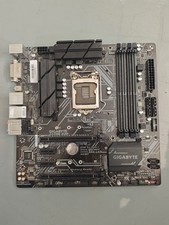
Gigabyte Z370M D3H LGA1151 DDR4 Micro ATX Motherboard PCIe 3.0 Desktop Mainboard
$77.99

ASUS PRIME Z490-V Motherboard Intel Z490 10th gen DDR4 LGA 1200 ATX w/ IO Shield
$84.99

