

 Reply With Quote
If you use the framebuffer driver for the graphics card then you will only get 16 bpp color depth. But if you use the VESA graphics card driver or the NVIDIA driver then you should try the cheatcode depth=24


HOw do I change the color bit on knoppix to run 24 bit color apps on an hp laptop with nvidia video cards. Mainly, Teamviewer 5 will not run... x11 not set to 24bit color error.
If you use the framebuffer driver for the graphics card then you will only get 16 bpp color depth. But if you use the VESA graphics card driver or the NVIDIA driver then you should try the cheatcode depth=24
thank you.. when, where and how do I enter the cheat code?
I found the boot: at the bottom of the first splash screen to enter the cheat code. knoppix xmodule=vesa allowed me to use the teamviewer program which requires a 24bpp screen setting. However... the 3d graphics do not work... but the teamviewer issue is solved (with the workaround). How do I set my flash drive to use this vesa driver as the default. Please advise. Thanks Klaus.
I am using knoppix 6.2 and I am using a HP laptop with amd 64 and nvidia geforce go 7150M. I should have mentioned that to start. I apologize. can't get the x11.conf file to start using the nvidia drivers or the vesa driver as default.
This will be bootloader dependent. If you use a flash install, you are probably using syslinux as bootloader, then you just add 'xmodule=nv' into the appropriate line in /mnt-system/boot/syslinux/syslinux.cfg will do. If you are using some other bootloader, grub for example, then you will have to edit 'menu.lst'.
 Posting Permissions


NETGEAR ProSafe 5-port Gigabit Switch GS105v5
$9.99

Cisco Catalyst 2960-48TT-L 48-Port Fast Ethernet Managed Rackmount Switch
$46.99

TP-Link 5-Port Gigabit Unmanaged Ethernet Switch Network Expansion TL-SG105
$19.95

5Ports Gigabit Network Switch w/ 4 PoE+ Ports Total 52W each port 30W Plug&Play
$31.99

TP-Link TL-SG2210P 10-Port Gigabit Smart Switch w/ 8-Port PoE+ NO AC SKU 25597
$39.99
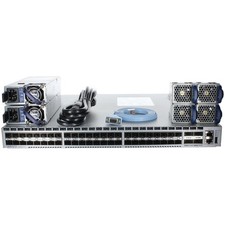
Arista DCS-7050SX-64-R 48P 10GbE SFP+ 4P 40GbE QSFP+ RA Switch
$125.00

TP-Link TL-SG105 5-Port Gigabit Ethernet Unmanaged Metal Desktop Network Switch
$22.49

Linksys 8-Port Managed Gigabit PoE+ Switch 110W w/ 2 Uplink Gigabit - LGS310MPC
$49.00

NETGEAR 5-Port Gigabit Ethernet Unmanaged Switch (Gs305) - Desktop Quiet Fanless
$22.00
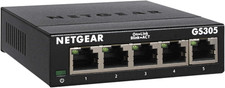
NETGEAR 5-Port Gigabit Ethernet Unmanaged Network Switch (GS305)
$19.73