

 Reply With Quote
What's the command in the terminal? It should work in rc.local, I think. There's a cheatcode that disables the startup/shutdown sounds, I believe - look in the file cheatcodes.txt in the KNOPPIX folder on the CD.
Cheers!
Krishna


 How to start Boinc service after boot?
Hello,
I am running boinc on my 2GB usb stick install, but I have to start the service manually via terminal after the boot. It is a bit confusing how to start service in linux - I tried to put the command to the rc.local, but nothing starts. I also tried update-rc.d boinc-client defaults 98, it says "System start/stop links for boinc-client already exists", but nothing starts after the boot.
What am I doing wrong?
Also - I guess by similar trick it should be possible to disable startup and shutdown sounds - what to edit to get these rid of?
Jose
What's the command in the terminal? It should work in rc.local, I think. There's a cheatcode that disables the startup/shutdown sounds, I believe - look in the file cheatcodes.txt in the KNOPPIX folder on the CD.
Cheers!
Krishna
Hi Krishna,
thanks for your reply.
In rc.local I tried
/etc/init.d/boinc-client
/etc/init.d/boinc-client start - which is, I believe, nonsense, but it illustrates well my despair.
I put it before the section "do_start () ...."
Regarding the sounds, I thought there would be some script which can be disabled. Or at least change the file which is being played. It would be quite inconvenient to use a cheatcode every time I boot
Jose
... the sounds are /usr/share/sounds/startup.ogg and shutdown.ogg. You can exchange the sounds with sounds you better like and give those the same name or delete the sounds. You also can uncomment the lines in the scriptsOriginally Posted by jose76

"/etc/init.d/knoppix-halt" and "/etc/X11/Xsession.d/45knoppix"

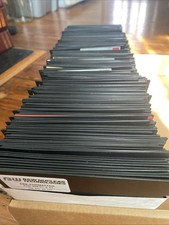
Vintage 1980s 1990s Lot of 175 Used PC Computer 5.25" Floppy Disks IBM
$175.00
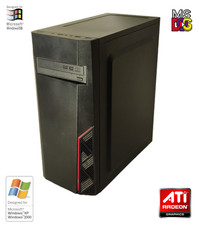
NEW* AMD Athlon 4850e 4GB ATI X1050 Win98 XP DOS Multiboot Retro PC w/ 50 Games
$389.00

Vintage HP 21MX 1000 M-Series Minicomputer Chassis Backplane Parts AS-IS
$228.19
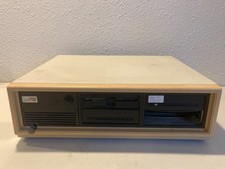
Vintage Compaq Deskpro 286 AT PC Computer Complete w/Drives Powers On
$189.99
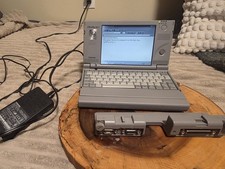
Vintage Toshiba Libretto 70CT Mini Notebook with Port Replicator and 32MB Memory
$320.00

Vintage Gray AC Power Cable Cord 3-Prong Plug to 3-Prong 3-Slot Connector
$50.00
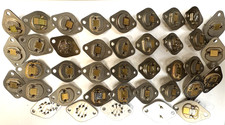
453 GRAMS / 1 LB REAL GOLD PLATED SCRAP VINTAGE ELECTRONIC PARTS THICK PLATING
$195.00
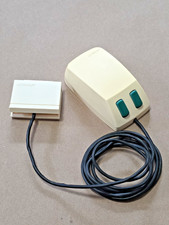
Vintage Microsoft Green-Eyed Mouse 1983 First Gen Bus connector Tested - Video
$350.00

Lot of 2 Vintage Plextor PX-43CS SCSI CD-ROM Caddy Drives + 4 Caddies Used
$55.99
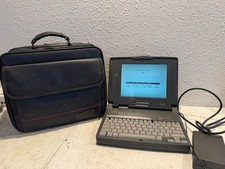
Vintage Compaq Contura 4/25c Laptop Computer With Power Adapter & Bag
$199.99


