

 Reply With Quote
I got it to work by adding
sudo /etc/init.d/cron start
to the /etc/X11/xinit/xinitrc file before starting X. But this is a kluge. If anyone has a better method I'd like to know what it is.


cron doesn't start automatically when I boot the system. I did a search on this forum for cron but didn't find anything. How do I start cron at startup?
I got it to work by adding
sudo /etc/init.d/cron start
to the /etc/X11/xinit/xinitrc file before starting X. But this is a kluge. If anyone has a better method I'd like to know what it is.
I think that you can add cron to the SERVICES string in /etc/rc.local
Thank you, klaus2008. That worked great. I like your method much better.
 Posting Permissions


AMD Ryzen 5 5500 Processor ( read Description)
$59.00

(LOT OF 20) Intel Core i5-8400 CPU 2.80GHz Desktop Processor (SR3QT)
$700.00

INTEL CORE I9-10940X X-SERIES PROCESSOR | 3.30GHZ | SRGSH
$179.99
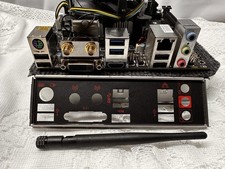
Compo MSI B150I GAMING PRO AC LGA1151 16 Gb DDR4 + Cpu I7 6700+I/O Shields.
$159.00

Intel Core i7-9700 Octa-Core 3 GHz Desktop Processor LGA 1151
$79.99

Intel Core i7-3770K 3.5 GHz Processor
$39.00

Intel Core i5-12500T SRL5W 2GHz 18MB 6 Core Socket LGA1700 Desktop CPU Processor
$114.99
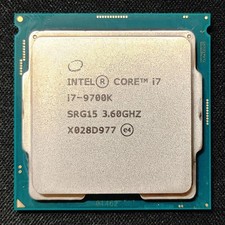
Intel Core i7-9700K Octa-Core 3.6 GHz Desktop CPU
$99.99

Intel Core i7-4770 3.40GHz Quad Core SR149 LGA 1150 CPU Processor tested
$35.00

INTEL CORE I9-10980XE PROCESSOR | 3.00GHZ | SRGSG
$299.99