

 Reply With Quote
Boot up either the Knoppix or Mint CD and try tesdisk. There's a good chance that the data on the drive is recoverable, although rebuilding the partition table may or may not be possible.
Good luck.


Hi Guys,
I was very excited to get knoppix 6.4 from the recent LinuxMag, and decided to install it on my flash disk using the "install to flash disk" utility. However, at the screen where I was supposed to select my flash card (sdb), I accidentally clicked on my laptop's harddisk (sda)! (Argh! dang this slippery mouse!)
A split second later, realizing I've made a mistake, I tried to cancel the installation but I couldn't (there's no stop/cancel button), I quickly clicked the close window button, which made the window disappear but not the process apparently. A few secs later up pops another window reporting the installation errors... bummer..!
I then shutdown my laptop and tried to boot up as usual, hoping for the best, but noo0..! I couldn't boot up! (argh! dang this cheap slippery mouse!)
Now I get an error message saying:
SYSLINUX 4.02 debian-20101014 EDD Copyright (C) 1994-2010 H. Peter Anvin et al
ERROR: No configuration file found
No DEFAULT or UI configuration directive found!
boot:_
and it just hangs there with a blinking cursor...
Help guys! How can I rescue my laptop back? I had Mint 9 and Windows Vista on it - and I'm fairly new to Linux (know a few simple commands to copy and remove files at the cli but nothing much beyond that, GRUB, partitioning and boot-up problems are definitely not my league) Please, a detailed step-by-step guide wd be very much appreciated!
Please help!
Panicked penguin
Boot up either the Knoppix or Mint CD and try tesdisk. There's a good chance that the data on the drive is recoverable, although rebuilding the partition table may or may not be possible.
Good luck.
Thanks for replying rusty, I got it fixed and am now back to normal
Followed the instructuions in the testdisk link and it seems that all the partitions can be successfully recognized.. there's no corrupt partitions or anything, so I thought maybe its just the GRUB.. Anyway, i took a peek into the first partition (DELL utilities) and saw some KNOPPIX files there (there's the KNOPPIX folder at least), not sure if its safe to delete it so I left it there for the time being, quit from testdisk without writing, and tried the steps to fix GRUB i found from another site:
http://forums.linuxmint.com/viewtopi...=61209#p350653
basically, what I did was (who know this might help other ppl):
boot with Live Mint CD, mount the harddisk install Mint partition, obtain its UUID (via sudo blkid), then run (sudo grub-setup -d /media/PUT_UUID_HERE/boot/grub /dev/sda), and reboot and run (sudo update-grub) afterwards to tidy the GRUB up. It worked like a charm
Oh by the way, stay away from "PowerLogic Zen III LZ" (if anybody ever see them) mouse! It is smooth very high dpi but also very very light in terms of physical weight, and this makes it very unstable prone to nudges and shakes.. its possibly catastrophic to use something like that.. high dpi isnt everything.. I've learned my lesson LOL
niM_xaM
 Posting Permissions


Kingston 32GB 64GB 128GB 256GB USB 3.0 Flash Drive Thumb Memory Stick Pen lot
$285.90

SK Hynix 32GB 2RX4 PC4-2666V DDR4 RDIMM Server Memory RAM, HMA84GR7AFR4N-VK
$169.95

TF/SD Card Adapter Camera Reader Android Type-c For iPhone17 Pro Max Plusm lot
$573.98

SMART(Micron)SafeStor 32GB(1X32GB) 1RX4 NN4-3200AA(DDR4) HPE Server Memory
$159.98

Server Memory: Samsung 32GB 4DRx4 PC4-2133P ECC LRDIMM DDR4 M386A4G40DM0-CPB
$124.95
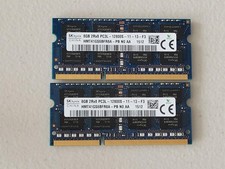
16GB Total of SK hynix PC3L-12800S 2 sticks of 8GB each = 16GB Laptop Memory
$27.95

USB 3.0 Flash Drive 32GB 64GB 128GB Memory Stick Thumb Stick Lot Pack
$826.09
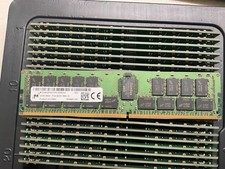
MTA36ASF4G72PZ-2G9E2 MICRON 32GB (1X32GB) 2RX4 PC4-2933Y MEMORY
$229.00

Windows 11 Pro Install/Recovery/Repair USB Flash Drive
$35.00

Micro SD Adapter To SD HC SDHC Memory Card Adapter Reader NEW
$1.39

