

 Reply With Quote
You need to have some understanding of device files, file system types ( FAT, VFAT, NTFS etc), mounting of file systems ....etc in order to use the tools effectively.Originally Posted by ss1001


Hi I am absolutly a newbie when it comes to linux. I know dos so I was hoping that helps as I need to use dd_rescue to try and recover some data.
I am using knoppix live DVD lastest version downloaded today. I have a laptop booted with knoppix and have 2x USB devices. 1x a Kingston 1Gb flashdrive and the 2nd a Seagate 2Tb external USB drive. Both sare see and can be browsed to. Kingston sdc1 and Seagate sdb
Now I have a single file on the Kingston and it is not corrupt but I am testing as I cannot get this correct. I run the ffg command and I get an error.
dd_rescure /dev/sdc1 /dev/sdb
This runs without an error, but there are NO files on sdb when I browse to it. (I believe there should be none)
I than run....
dd_rescue /dev/sdc1 /dev/sdb/backup.img
I get an error that the
dd_rescue: (fatal): open "/dev/sdb/backup.img" failed: not a directory
I created a directory on sdb called backup and tried it and I get same error. I also created a file called backup.img thinking that when it encounters it it would let me know if it should overwrite it...but no difference.
What am I doing wrong?
Thanks
PS: I tried to initially run the corrupt drive and I am not sure but it went on for days (I think 5-6 days) and had not finished. (the drive capacity was 120Gb)
You need to have some understanding of device files, file system types ( FAT, VFAT, NTFS etc), mounting of file systems ....etc in order to use the tools effectively.
Ok I got past the initial error and I did this by actually changing directory to the destination drive i.e. where the actual log file and image file (of the rescued HDD) will reside. I believe there may be a command in Linux similar to DOSes "Path" command ...however I have not investigated this as yet. NOTE IMPORTANT: I did all of this in the "roots" terminal window as the regular terminal window does not have enough permissions. Again I am new to Linux and didn't know how to login as root from the regular command/terminal window.
So I was able to successfully make an image of my Test flash drive with the a single file in it and was able to mount (again here I had to be in the actual folder where this recovers image file is...that Path command mentioned above).
So I than proceeded to try and recover the 120Gb HDD installed in an external USB enclosure. The system saw the drive fine and also reported it as NTFS. I got the image file after several hours and finally mounted the image to find it black with no files. So not sure if the previous attempts with dd_resuce wiped the file clean.
Anyway, I proceeded to recover another drive 750Gb SATA in an External USB enclosure and when I looked at the file system it indicated unrecognized and showed it as FAT. However it reported the drive as a 2Tb drive and not 750Gb as marked in the lable.....
Any 'CONSTRUCTIVE' idea's please ....


Yealink T48S VoIP/SIP Phone, 2 x Gigabit Ports PoE 7" Color SIP-T48S | TESTED
$34.95

Poly CCX 400 Desktop Business Media Phone VoIP 2200-49700-019
$49.99
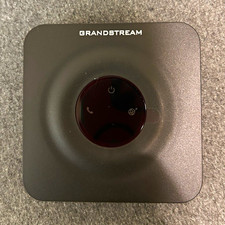
Grandstream HT801 VoIP Adapter ATA 1-Line Ethernet RJ-45 FXS SIP Black
$35.00

Grandstream WP810 Portable Cordless Wi-Fi IP Phone
$49.28

Cisco / Linksys SPA2102 VoIP 2FXS Phone Adapter with Router (unlocked)
$18.99
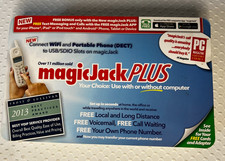
Brand NEW magicJack PLUS VoIP Home Phone Adapter Model S1013 USB
$49.95

Cisco/Linksys SPA2102 VoIP Phone Adapter Router 2FXS (Unlocked)
$17.99
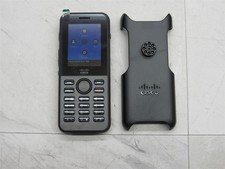
NEW CISCO CP-8821-K9 Wireless IP VoIP Phone w/ Battery, Holder & Clip 8821 V10
$249.97

LINKSYS SPA3102 VOICE GATEWAY VOIP ADAPTER WITH BUILT-IN ROUTER W ADAPTER CABLE
$32.20
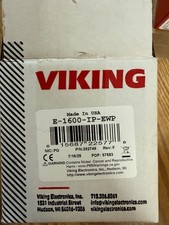
Viking Electronics VoIP Handsfree Emergency Phone E-1600-IP-EWP UPC 615687225778
$375.00

