-
Thanks for the reply. I have just done the 'Install to Flash Disk' on a 4GB Flash Drive via the Preferences menu and then booted from the USB Flash drive as recommended but never seen anything about an option to create a persistent image during the boot up.
webtek
-
Senior Member
registered user
In my case, until so established, there was a prompt for a few seconds
at each LiveUSB boot that Knoppix would ask how many Mbs to set aside for
persistent store. In your case, probably around 3000. The prompt only
stays on the screen a few seconds. Look close next boot, maybe you are
just missing your cue here.
 Posting Permissions
- You may not post new threads
- You may not post replies
- You may not post attachments
- You may not edit your posts
-
Forum Rules


RAM-HOL-SAM60CPU RAM USB-C Powered Dock for Samsung Tab Active5 - 3 - 2
$81.99
![Samsung Galaxy Tab 5 active [Untested for parts only ] picture](/store/img/g/Vs4AAeSwRbVqwATU/s-l225/Samsung-Galaxy-Tab-5-active-Untested-for-parts-onl.jpg)
Samsung Galaxy Tab 5 active [Untested for parts only ]
$75.00

Samsung 2.5" 870 EVO SSD SATA III 250GB 500GB 1TB Internet Solid State Drive Lot
$90.00

Samsung 24" S3 Essential IPS 100Hz Monitor | Sealed | Fast shipping
$50.00

RAM-HOL-SAM52CPU RAM USB-C Powered Dock Samsung Tab Active4 Pro & Tab Active Pro
$81.99

RAM-GDS-SKIN-SAM54-NG-1 RAM Mounts IntelliSkin® Next Gen for Samsung Tab Active4
$93.99

Samsung SCXSTP000, SCX-STP000 (Swingline Staple Cartridge - 3 Refills)
$57.99
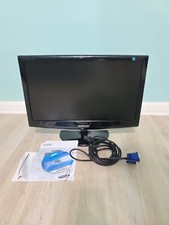
Samsung SyncMaster 2033SW 20" 1600x900 Resolution WideScreen LCD Monitor
$41.00

NEW Samsung NoteBook NT930QCG touch LCD Full Screen Assembly Blue
$225.77
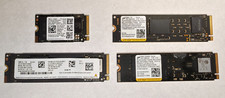
Lot of (4) 1TB NVME SSD M.2 2280 Samsung Micron Used
$399.00



 Reply With Quote