-
@dinosoep. Thanks ever so much for your help.
The message was a little disconcerting even though the command worked.
@Forester.
I noticed you mentioning no need for usernames and password for Knoppix resources that you share with your LAN. Would you show us your [global] and your [share] sections of your smb.conf so that I can see how you are set up where your users can access your Knoppix resource without the need to authenticate. I have a need for my XP/Vista/7/Ubuntu clients to access the resource that would be shared by my Knoppix for LAN use.
Thanks in advance
Last edited by GCMartin; 03-13-2011 at 07:46 PM.
-

Originally Posted by
GCMartin

I noticed you mentioning no need for usernames and password for Knoppix resources that you share with your LAN. Would you show us your [global] and your [share] sections of your smb.conf so that I can see how you are set up where your users can access your Knoppix resource without the need to authenticate. I have a need for my XP/Vista/7/Ubuntu clients to access the resource that would be shared by my Knoppix for LAN use.
Thanks in advance
Hello again.
We're are at slight cross-purposes. I don't have a samba server under Knoppix at the moment so no resources are shared with the LAN.
I tend to use authentication. On my home network I'm in control. I don't have enough machines to be bothered with NIS or LDAP or whatever. I have a limited number of user ids and each has the same password on each machine and the passwords don't expire. That's my cheap and cheerful 'network password' system. Inside an organisation, one expects the same user id and password to work on all machines (to which one has access). It is irritating for an individual to have one user id for Windows and another for Linux. It is annoying when the user ids are the same but the passwords are not synchronised. I'm sure you know what I mean. If, by using smbpasswd, you introduce a third password ... well, I'm trying to suggest you might find that a bad idea in the long run.
Knoppix doesn't have passwords. You don't log on. There are two user ids - knoppix and root. Many people (myself included) set passwords but it doesn't make Knoppix one little bit more secure. The reason I do this is so that things like ssh (and I expect samba) that expect authentication will be able to ask for a password and I will be able to give them one. I hope for fewer problems that way. In my earlier post I was speculating that you were having trouble using a samba share on a Knoppix server because there is no Linux password for the root or knoppix accounts. I was trying to suggest that you set a Linux password rather than a samba password if this gives you trouble.
Once authentication is there, I might then use measures to avoid the need to enter user id and password but never by removing the password. So for ssh I use public / private keys. You can tell KDE what user id and password to use for samba. I simply told KDE to use what happens to be the Linux user id and password and I can browse and access the samba network without problems. But this is samba client, not samba server.
In organisations, the authentication to access Windows shares is hidden from the user (it's probably more secure that way) as long as its Windows to Windows. I've always had to enter a user id and password from Linux to Windows (and I've never tried Windows to Linux). I've seen people cheat, leaving passwords in plain sight, but I don't do that as a matter of discipline.
I have, in the past, set up auto mounting of samba shares and that supplied user id and password automatically from a file accessible only to root. I wouldn't do that under Knoppix - Knoppix isn't secure enough.
It might be that you can use smbpasswd to supply authentication credentials for you. I guess so but I don't know. At least it is worth your while looking into.
You'll find several threads all basically asking how you get Knoppix to insist on a password. I haven't seen an answer yet and I suspect the easy answer is install Debian instead. Without passwords you have no security. Even with a password, you could end up with dozens of individuals accessing network resources all claiming to be knoppix. If I were responsible for IT security I would be very unhappy about that.
Yes, I use Knoppix at work but in a virtual machine and all network access is via NAT so it looks like it's me (the Windows user) that is accessing corporate resources. I would not boot Knoppix directly onto the corporate network.
I might have a go at running a samba server on Knoppix at home to see what happens over the next few days but I'm spending too much time on Knoppix as it is, so no promises.
 Posting Permissions
- You may not post new threads
- You may not post replies
- You may not post attachments
- You may not edit your posts
-
Forum Rules


Kingston 32GB 64GB 128GB 256GB USB 3.0 Flash Drive Thumb Memory Stick Pen lot
$285.90

Microsoft Windows 11 Pro 64bit - New Sealed – Flash USB 1 PC
$49.99

Zero Trace Pen: All-in-one Tor Network Anonymous Drive + Cryptocurrency Wallet
$147.00
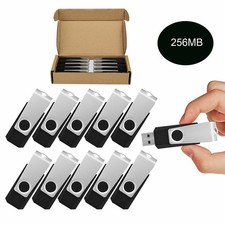
Wholesale Sale 10/ 30/ 50/100pcs 256MB Metal Swivel USB Flash Drive Memory Stick
$165.90

Lot 5/10pcs USB Flash Drive Memory Stick 1MB-64GB Pendrive Thumb Drive 8GB 32GB
$236.00

USB Type-A Flash Drive Metal Memory Stick High Speed USB Drive 128GB 256GB 512GB
$8.79

LOT 10x SanDisk 32GB ULTRA USB 3.0 flash drive SDCZ48-032G 32 GB read 100 MB/s
$39.80
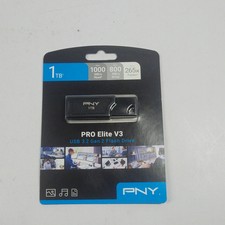
New PNY Pro Elite V3 1TB USB-A Flash Drive
$79.99

TESLA OEM Model S,3,X,Y USB Flash Drive for Dashcam 128GB READ DESCRIPTION BELOW
$22.00

SanDisk Ultra Luxe USB 3.1 Flash Drive – 5 Pack | Premium Metal USB Flash Drives
$49.99



 Reply With Quote