-
Senior Member
registered user
It's about time
I didn't like my 6.4.3 digital clock reading in 24hr utc,
so I edited, as root, /etc/init.d/knoppix-autoconfig
on the first line which begins KTZ="$(get..
to read KTZ="America/New_York"
Then I set the digital clock format to %I:%M%P so now
it reads 10:09pm (today), instead of 3:09 (tomorrow).
Your zone may vary.
-
Senior Member
registered user
sequel to It's about time
My post #1 solved my Knoppix panel time problem,
but created a new problem:
on subsequent reboot to Windows 7 on the same machine,
Windows 7's panel time was all wrong.
At this point, my new objective is in having both Windows 7
and Knoppix panel times read the correct local time.
It would seem that editing, as root, /etc/init.d/knoppix-autoconfig
on the first line which begins KTZ="$(get.." to read KTZ="Etc/UTC"
gives me this new objective.
-
Senior Member
registered user
second sequel to It's about time
In looking for a refinement of the lxpanel digital clock
format to get '01:35pm' to read '1:35pm', I found some-
thing more immediately interesting:
I found someone other than myself whose digital clock is
(or was) one minute (or so) off. My GE stove is keeping
better time.
https://bbs.archlinux.org/viewtopic.php?id=109328
It's not clear (to me) if the 'archlinix bug fix' is
available through Synaptic as yet. I am presuming it is
contained in lxpanel itself and not some another element.
-
Senior Member
registered user
third, etc
Back now to the format question.
You have to look close:
The format %I:%M%P gives times like 02:15pm.
What you want is probably:
The format %l:%M%P which gives times like 2:15pm.
That's lower-case l (small ell, not capital eye), not upper-case i.
Last edited by utu; 01-06-2011 at 08:27 PM.
-
Hi - I'm new to Knoppix and I've been experimenting with ubuntu for a couple of months, so please excuse if I'm missing the obvious.
I booted up the install CD and thought I'd change the time display to be a little clearer for me. So far, this thread is the best I've found for directions for the digital clock. Are the settings based on PHP, PERL or something? Where are the settings documented?
With information in this thread, I've changed to pm without a leading zero in the time, but haven't figured out how to show a 4 digit year in the tool tip. (Any ideas?)
I've found a help manual, but nothing found when searching for clock
http://www.google.com/search?client=...+by+Phil+Jones
Anyway, just starting, but hope this isn't an indication I might be trying the wrong distro.
On the positive side, my right side scroll works on my touchpad (hoorah).
Last edited by Clinton; 11-22-2011 at 11:34 AM.
Reason: changed link that started automatic download
-
Senior Member
registered user

Originally Posted by
Denver Dave

...
haven't figured out how to show a 4 digit year in the tool tip. (Any ideas?)
...
%Y; that is, percent sign, cap 'wye'.
Cheers
-
-
Senior Member
registered user
Hi, Werner.
Superb reference.
Thanks.
-
Senior Member
registered user
Two updates for those who even care:
My lxpanel digital time display is still one minute slow relative
to my GE stove, see post #3, my date command and the knoppix forum time; and...
Recently, as a result of clumsy typing I've found a function 'ddate'
in /usr/bin which worries me. It is not GPL-ed and all 'rites' are reserved.
-
Senior Member
registered user
FWIW
This is a peculiar quirk of the lxpanel digital clock which, as far as I know, occurs only
for display formats which don't include seconds. It was well-described in the following bug
report, for which for the complainer promptly reported that it had been corrected:
http://sourceforge.net/tracker/index...58&atid=894869
It has NOT been corrected in the Knoppix 6.7.1 debian choices of lxpanel 0.5.6-1 (stable) NOR
0.5.8-1 (testing). 0.5.8-1 also has other problems, as has been noted by Werner.
Last edited by utu; 11-25-2011 at 03:37 PM.
 Posting Permissions
- You may not post new threads
- You may not post replies
- You may not post attachments
- You may not edit your posts
-
Forum Rules


IBM System X3850-X5 Server w/4x Intel Xeon E7-4870 CPU , 512 GB DDR3 RAM,NO HDD
$1599.99

IBM 7915 AC1 M4 E27R704 Server Intel 2650V2 32GB RAM NO HDD w/ 2x 750w PSU
$225.00

Unused IBM 09P0037 MAINBOARD For RS/6000 7044-170 P-Series
$375.00

IBM QRadar xx29 2x Xeon E5-2650v4 2x 900W PSU M5120 12x 3.5" Bay Server No RAM
$179.99

IBM Power 8 S822L Server 8247-22L POWER8 Enterprise 256GB RAM 2x 00KV626 CPU
$999.99

IBM SYSTEM X3500 M3 SERVER 7380AC1 TOWER Server XEON E5620 8GB RAID SEE NOTES
$110.30

IBM System x3550 M3 1U Server 2x Xeon E5645, 192GB RAM, 2x 300GB HDD (7944-AC1)
$150.00
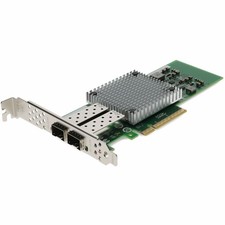
AddOn IBM 42C1800 Comparable 10Gbs Dual Open SFP+ Port Network Interface Card
$383.99

IBM ADP Server Type 7870 AC1 NO HDD | 128GB RAM PC3L | 2 x Xeon E5620
$199.99

IBM EMC 091-000-091 17 Inch Rackmount LCD Keyboard KVM Console 03N7012
$109.99



 Reply With Quote