-
Internet connection
I have just downloaded and burned a CD knoppix 6.4.3 I am using an Advent laptop. I am with At&t internet, my modem is telling me that the ethernet connection, DSL, and internet connections are up and running but I still can't get on the net. can anyone help please.
-
The correct phrasing is I THINK "DSL, and internet connections are up and running " Blinking lights and an IP address mean little.. If youre using a USB wireless card, right click the network applet on taskbar, left click "Edit Connections," - "Wireless" and edit the connection, check the IPv4 and 6 tabs for checkbox indicating "requires..addressing" Ive seen Knoppix set those and goof up the connection. Also, be ABSOLUTELY sure thats a good burn, its VERY easy to mess it up... must to do the MD5 checksum. Things can be missing or non functional in Knoppix and you may not realize it. I burned one that had menu items missing. Enter the routers IP address in a browser (typically 192.168.1.1 and may need default username and password) and make sure communications between the computer and router works (maybe disconnect the internet to simpli\fy things) Beware of using wireless, it can appear for all the world as if somethings wrong, when its nothing but wireless reflections and someone elses router interfering with yours on the same channel.
-
Ps I dont see a critical element in your post, what wireless card and is it LINUX COMPATIBLE. Ive used a D Link that just wouldnt work, and most dont support Linux. If it is: What to do: disconnect the internet from router, do a 30-30-30 reset on the router (if applicable, hold reset button down with power on for 30 sec, then keep holding reset and disconnect power 30s, then reconnect power 30s. On my router, that does a hard reset and restores default settings, they can get corrupted. That should fix the router.. Then, set the computer and wireless card right beside the wireless router and disconnect the internet, enter 192.168.1.1 in the browser and prove a connection to the router. From there, its wireless collision or internet problems. If youre using a USB wireless card, see my post about using a DD WRT router, it eliminates a bunch of problems.
-
@ daveca,
As true as what you write is, chipswood has long ago either sorted his problem or given up.
The initial question must be "Do you run Windows on your Advent laptop and can you get to the net from there ?" because if the answers are yes and yes then it more than likely the problem isn't as technical as you suppose.
The next question must be "Are you using a wired or a wireless connection" because chipswood doesn't say and, as a Windowze whizz but Knoppix newbie, may not even known the difference.
The third question would be "Have you used Knoppix and/or the Network Manager before". After all, the Network Manager works out of the box but (for wireless) first time around the user must open the Network Manager and choose which wireless access point to connect to. This probably entails entering the password/ passphrase / key or whatever to gain access to the wireless access point and then entering a password for the 'wallet' in which this sensitive data will be concealed. Not forgetting to check the 'automatic connect' box before the inevitable click on the OK button.
My guess it is so long since chipswood configured his wireless under Windows that it was not immediately obvious that this must be done again under Knoppix.
Remember, it usually comes down to pilot error.
 Posting Permissions
- You may not post new threads
- You may not post replies
- You may not post attachments
- You may not edit your posts
-
Forum Rules


Netac DDR4 32GB 16GB DDR4 3200MHz UDIMM C16 Desktop Internal Memory RAM Kit
$99.99

16GB KIT (2x8GB) DDR4 Gamer Desktop RAM PC4 MIXED BRANDS
$65.00

Kingston 16GB DDR4 3200MHz PC4-3200AA-SA2-12 Laptop RAM SODIMM (HP32D4S2S8ME-16)
$64.99
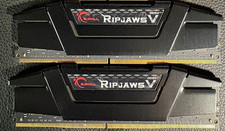
RAM G. SKILL Ripjaws V Series 32GB 2x16GB DDR4 3200 CL16 F43200C16Q64GVK Matched
$149.99

A-Tech 8GB DDR3 1600 PC3-12800 Laptop SODIMM 204-Pin Memory RAM PC3L DDR3L 1x 8G
$21.68

RAMAXEL Lenovo 32GB LPDDR5X CAMM2 7500MHz Laptop RAM | UNTESTED
$445.00
![[ BULK LOT OF 10 ] UNITS of 8GB DDR4 Laptop RAM SAMSUNG, HYNIX etc. picture](/store/img/g/IKQAAeSwEK9qv9TG/s-l225/-BULK-LOT-OF-10-UNITS-of-8GB-DDR4-Laptop-RAM-SAMSU.jpg)
[ BULK LOT OF 10 ] UNITS of 8GB DDR4 Laptop RAM SAMSUNG, HYNIX etc.
$299.99
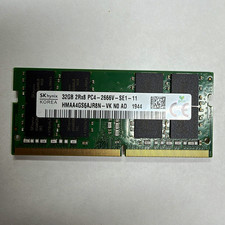
SK hynix 32GB DDR4 SO-DIMM 260-Pin PC4-2666V 2Rx8 RAM HMAA4GS6AJR8N-VK
$125.00
8GB DDR4 2666MHz Desktop RAM Unbuffered 288-Pin PC4-21300 Upgrade
$145.99
8GB DDR4 2400MHz Desktop RAM Unbuffered 288-Pin PC4-19200 Upgrade
$145.99



 Reply With Quote