

 Reply With Quote
Technically interesting but it's academic. I don't see any reason why you should install it that way - except just to challenge your ownself. What's the difference if you install the usual way by copying the KNOPPIX directory ?


Hi you all,
I have been fighting a few days with a variant of the current problem, so I share it with you.
My aim is to boot from ISO the latest Knoppix version. This ISO hold on a usb 320 GB external disk with several partitions.
The only way I managed to boot Knoppix 6.4.3 from this disk (/dev/sdb) was to create a suitable size partition (/dev/sdb8 and then cat KNOPPIX_V6.4.3DVD-2010-21-20-EN.iso > /dev/sdb8
booting with gujin as bootloader it works fine.
However I don't want to waste a partition for KNOPPIX and I'd like to boot it straight from the ISO image.
my USB HDD has FAT (/dev/sdb2) NTFS (/dev/sdb3) ext2 (/dev/sdb6) partitions and I can place the ISO on anyone.
I made some attempts using GRUB2 (I can also boot from grub4dos) but unsuccessfully (basically the iso image is not found and the boot process drops to prompt)
this is grub.cfg entry
you can see I extracted linux and minirt.gz from the ISO and placed on /boot/isolinux in order to fire itmenuentry 'KNOPPIX' {
set root='(hd0,7)'
#loopback loop /KNOPPIX_V6.4.3DVD-2010-12-20-EN.iso
linux (hd0,6)/boot/isolinux/linux desktop=gnome bootfrom=/dev/sda7/boot/isolinux/*.iso config=scan home=scan ramdisk_size=100000 init=/etc/init lang=it vt.default_utf8=0 apm=power-off BOOT_IMAGE=KNOPPIX
video=vga16fboff nomce loglevel=1 tz=localtime
initrd (hd0,6)/boot/isolinux/minirt.gz
}
Anyone can help me ?
Thanks in advance
benny
Technically interesting but it's academic. I don't see any reason why you should install it that way - except just to challenge your ownself. What's the difference if you install the usual way by copying the KNOPPIX directory ?
Thanks for your answer. The reason is not acadamic, but simply I don't manage to make it working.
maybe it is because of the complex environment (Gujin on MBR and additional chained bootloaders) or my pc bios which does not show the USB disk mapping.
I do manage to boot KNOPPIX if it is on the local disk by adding this entry to 40_custom
but on the USB disk it does not work.menuentry "KNOPPIX LXDE" {
set root=(hd0,2)
linux /KNOPPIX/linux boot=/dev/sda2/KNOPPIX/KNOPPIX ramdisk_size=100000 lang=it vt.default_utf8=0 nohome apm=power-off vga=normal norandr xmodule=vga nomce loglevel=1 tz=Europe/Rome
initrd /KNOPPIX/minirt.gz
}
<span style="background-color: #99FF99;">Thanks kl522,
that's not academic as I cannot boot KNOPPIX on my USB driver with the described tecnique. I wish I could.
Actually I can succeed copying KNOPPIX, linux and minirt.gz on a NTFS partition of my INTERNAL DISK the three files are fired with this 40_custom grub2 entry:
no success on USB drive instead.</span>menuentry "KNOPPIX LXDE" {
set root=(hd0,2)
linux /KNOPPIX/linux boot=/dev/sda2/KNOPPIX/KNOPPIX ramdisk_size=100000 lang=it vt.default_utf8=0 nohome apm=power-off vga=normal norandr xmodule=vga nomce loglevel=1 tz=Europe/Rome
initrd /KNOPPIX/minirt.gz
}
kl522, I followed your criticism and I moved the same working configuration from the internal HDD to the USB drive to the NTFS partition (the former was ext2) and I can boot KNOPPIX finally.
If I add the cheatcode desktop=kde I get the following error: "Call to lnusertemp failed (temporary directories full ?) Check your installation"
can you suggest a working set of cheatcodes for kde ? gnome and lxde work fine.
thanks again
benny
Sorry can't really answer your desktop problem as I don't use kde. I only use lxde, that also I am half cooked as far as the knowledge of desktop is concerned.
However I do want to highlight that as far as I know KNOPPIX has a serious shutdown problem, especially NTFS, based on my knowledge of knoppix 6.2.1/6.3. I believe it's the same for knoppix 6.4.3. I did do some post here but unfortunately nobody seems to be thinking the same as me. But there again, this is just my personal view, others may feel differently.
I like LXDE and GNOME less KDE, but I cannot live with an issue without knowing the root cause and maybe the solution. In this case I feel positive to boot native KDE to try k* applications like kmail and discover them. I also like such a distribution which is comprehensive of several desktop environments you can choose and so full of applications.
I'd like also to use the same persistency I use for ubuntu based distributions: I have a partition called home-rw which is mounted as \home. Do you think it is possible also for KNOPPIX something like home=/dev/sdb8/KNOPPIX ? (I read some warnings on it and I am afraid to destroy the content)
shutdonwn is OK for me
regards
benny
 Posting Permissions


Dell PowerEdge M630 Blade Server 2x Xeon E5-2680 v4, 2F3MP , 4GDP5 ,R10KJ ,JVFVR
$95.20

Dell PowerEdge M640 Blade Barebone Server Dell P/N: HHB006 Tested Working
$149.99

Dell Poweredge VRTX 25Bay 2.5" 2x PERC 8, 2xCMC, I/O 1GB Pass Through, 4x PS
$578.08

Cisco UCS 5108 Blade Server Chassis Enclosure N20-C6508 4x PSU 8x Fans 2x Fabric
$174.99

Dell PowerEdge VRTX 2.5"x25 Bay Blade Enclosure 4x1600W + 4X M640 (4X Blades)
$1599.99

Dell PowerEdge M620 Blade Server 2x Xeon E5-2680v2 2.8ghz 20-Cores | 128GB
$149.99
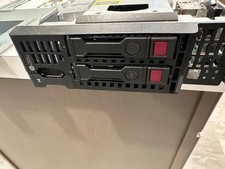
HP ProLiant BL460c Gen9 DUAL E5-2690v3 DDR4 ECC 2x CADDY NO DRIVES NO MEMORY/RAM
$30.00

Datto S4P10 1U Blade Rack Server Intel Xeon D-2143IT 2.20GHz 48GB DDR4 4-Bay PSU
$197.76

Dell PowerEdge M620 Blade Server 2x Xeon E5-2680v2 256GB DDR3 RAM NO HDD
$349.99
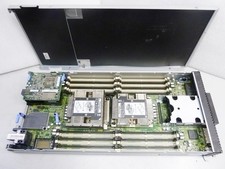
Lenovo ThinkSystem SN550 Blade | 7X16 | 01KP356 | Drives and RAM not included
$299.99