-
Junior Member
registered user
Creating Knoppix-data.img
I have Knoppix 6.4.3 installed from CD on a 4GB memory stick. When booting it is inquired whether I want to create a persistent data image. I have given a number like 1500MB or 1500 but no image is created. In what form exactly should the amount be given and what mistakes can one make? Any advice is much appreciated. Matti Ollikainen
-
... type in only a number minor/equal free space on stick followed by <Enter>. You must be quick, Knoppix isn't waiting very long 
If you get the question for encryption all went well; otherwise reboot and try once more.
Greetings Werner * http://www.wp-schulz.de/knoppix/summary.html
"Build personal Recovery-CD with Knoppix (Knoppix remaster)"
-
Junior Member
registered user
Thanks your advice resulted a solution so it seems. Encryption inquiry followed and then an image file was formatted. Now I hope all customizations i'll choose to consider will stick unlike they have so far! Matti Ollikainen
-
about the boot 'speed train' of the Knoppix live cd/usb run...
[QUOTE=Werner P. Schulz;122448]... You must be quick, Knoppix isn't waiting very long
< Just wondering ... is there a manner to pause/step the boot? is like a 'expert' install where each stage is given to change option? Yannos
-
Senior Member
registered user
As soon as a single character is entered, the train stops.
-
There is indeed an "expert" mode." Once the train is stopped (before ~3 sec. and auto-boot continues) use the command:
Cheers!
Krishna 
-
Senior Member
registered user
I just keep typing, but there's no rush.
-
Senior Member

Any way to create Persistent Image File without installing to hdd or USB-flash?
Is there any way at all to create a persistent image file if unable to boot from USB flash or hard drive? I managed to install 6.4.3 CD FS_Knoppix to a 2GB SD card on an external USB card reader on my Intel D865GLC desktop. But I can't find a way to make the desktop boot from that location. And I don't want to install to hard drive. In my recollection, most previous Knoppix versions allowed the creation of a persistent image file without installing to hard drive or USB flash, why can't it be done with 6.4.3?
-
Senior Member
Can't boot FS_Knoppix from laptop's internal flash card reader - why?
Why can't I boot FS_Knoppix from the internal card reader in a laptop? I installed FS_Knoppix 6.4.3 via an external USB card reader on my desktop, but couldn't find a way to boot from it. I then tried attaching the same Hama reader to the usb port of a Toshiba Satellite A500 02-F laptop, and it booted fine off that installation to SD card.
OTOH, when I tried to cut out the middle man and stuck the SD card in the Toshiba's internal flash card reader, it was ignored at bootup. With the external USB reader attached, USB showed up in the boot sequence (which I'd configured to boot USB first) as "generic usb", but with the card in the internal slot, there was no sign of any bootable USB device in the system. How come? And is there any way to boot from such a slot?
-

Originally Posted by
otropogo

Is there any way at all to create a persistent image file if unable to boot from USB flash or hard drive?
... perhaps the answer of Klaus Knopper may help you
http://lists.debian.org/debian-knopp.../msg00027.html
Greetings Werner * http://www.wp-schulz.de/knoppix/summary.html
"Build personal Recovery-CD with Knoppix (Knoppix remaster)"
 Posting Permissions
- You may not post new threads
- You may not post replies
- You may not post attachments
- You may not edit your posts
-
Forum Rules

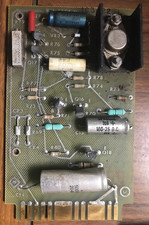
Vintage Honeywell Mil-Spec Circuit Board BIT ASSY 183422 Q13 L Aerospace Tech A
$79.00

Ast Advantage Adventure 4050D Vintage Retro Computer Great Condition
$199.99
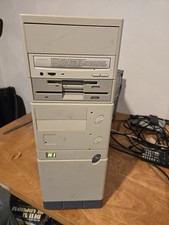
Vintage Retro Cyrix 6x86 133mhz 32mb RAM Floppy Combo
$299.00

Vintage HP 21MX 1000 M-Series Minicomputer Chassis Backplane Parts AS-IS
$228.19
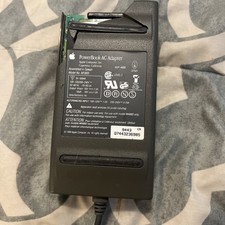
Vintage Apple M1893 Power Supply PowerBook 500 520 540 550 AC Charger
$21.00
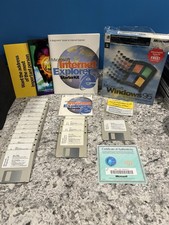
Vintage Microsoft Windows 95 Full Version COMPLETE 3.5" Floppy Box Set 18 Disks
$114.99
Vintage PSS Ram 65 Memory Board MM2114N-L 32 Socketed
$245.00

Original Vintage Old Style STANDARD Black CD Jewel Case (Heavy Duty) 90g Lot
$316.95
Vintage Sun Microsystems Type 5 Keyboard N860-8701-T010 Tested Working
$55.55
Vintage KanguruDisk Portable External Drive Module with Pouch - Rare Retro Drive
$114.88



 Reply With Quote