

 Reply With Quote
@ otropogo
If you normally have usb appliances other than your sd card also in use,
try leaving the other(s) NOT plugged in until after boot.
If this allows you to boot, then try other usb slots for those
other appliances, if you have other slots.


There's no "native" way, AFAIK, to boot off a device that doesn't show as bootable (that's in the BIOS.) Clearly, it's not because of what's on the card - it boots when hooked up "externally." OTOH, there's more than one way to do anything in Linux. Search these forums for some of the earlier threads on booting with the help of "boot managers" and the like.Originally Posted by otropogo

Cheers!
Krishna
p.s. There may be a BIOS update on the mfgrs website, too.
@ otropogo
If you normally have usb appliances other than your sd card also in use,
try leaving the other(s) NOT plugged in until after boot.
If this allows you to boot, then try other usb slots for those
other appliances, if you have other slots.

Thanks Werner. Your citation looks promising, and I'd like to try it. But it appears, from the context, to be designed to write the persisitent image file to the same location as the flash installation. Where would this command write the image file when the system has been booted from the LiveCD, and how would it find it at boot-up if it wasn't on the partition with FS_Knoppix?
I don't know enough to answer these questions, much less to edit the command so that it would work for my situation. How did Knoppix find the persistent image file in older versions that still booted only from the LiveCD or DVD?
Thanks for your suggestion. I tried it, but no cigar. The only USB device I had attached was a mouse. I detached it, powered up, hit the F12 key for the boot options (with the SD card holding FS_Knoppix in the internal card slot), and got a boot list that showed only the DVD burner, the Hard drive, and LAN.
I haven't tried looking for a BIOS update, but I'm thinking that if Toshiba made the slot unbootable, there's probably a reason, it's not just an oversight. I've had lots of problems with boot managers, and even if they cause no trouble in the system, they are always an easy excuse for Windows techs to refuse support. I've even been told by an authorized Dell service centre that dual booting anything but currently supported Windows OSs (meaning Windows 7 and XP), would automatically void my Dell warranty. And when I contacted Dell telephone support they confirmed it!
I know it's bullshit, but I don't enjoy having to claw my way up to level three support for even the simplest problems, just because I'm dual booting Linux. With a LiveCD or usb boot, I can say the Windows system is clean.
OK, I've tried the command now, and it performed as I expected. It tried to write the image file to the LiveCd, since that's what booted, and reported that it couldn't do it (can't remember the exact words).
Also, the SD card with the persistent image file for the LiveCD created on the laptop was in the attached USB reader, but the programs saved in it were not loaded.
Clearly, the distro is set up to look for the image file only in the same partition as the booted Knoppix, so even if one could write an image file, you'd have to edit the boot instructions so that Knoppix would look for it elsewhere than the boot partition.
Since Klaus responded to my original inquiry about the reason for this deliberate crippling of the LiveCd by deleting it, I can only conclude the guess I hazarded (to sell 4 and 8GB flash memory) was not far off the mark..
I think you're right - it IS bulls**t (they are always looking for reasons why they don't need to "waste" time on a call.) But I'm pretty sure there's NOT really a good reason the slot's not bootable - could be intentional, but more likely just not working right and not "worth fixing" for them. At least you do have a way to boot Knoppix, with the external card adapter. One option would be to boot a CD, then type in (using appropriate device designation):to boot from the "unbootable" memory card slot.Code:knoppix fromhd=/dev/sdx
Cheers!
Krishna
Does Knoppix support the internal card reader after boot? Not all card readers are supported by linux. I have got one that needs a special driver and is usable under Windows only.Therefore I had to buy another one which also allows me to boot from USB.
Hi otropopo,
Both klaus2008 and krishna.murphy make valid points but they may be assuming too much.
You've two problems:
1) Can Knoppix see your SD card at all ? I hope the answer is yes, otherwise you are stuck.
2) Can your laptop boot from the SD ? The thread so far says no. I am not surprised.
If the answer to 1) is yes but the answer to 2) is no, there is way but first you need to find the answer to 1).
Boot Knoppix from your CD without the SD or any USB stick. Open a console terminal. Type in:
Knoppix is very good at recognising file systems. You should see (among others):Code:cat /etc/fstab
that's the CD you booted from and something like:Code:/dev/sr0 /media/sr0 iso9660 ....
that's the dreaded Windows.Code:/dev/sda1 /media/sda1 ntfs ....
On my laptop, if I plug in a (formatted) USB stick and cat fstab again I now also see:
If I take the USB stick out agian, the vfat entry disappears. Now if plug in an SD card and I am lucky, a new vfat entry should appear. I am not lucky and my laptop is brand new ! If I put the SD card back in my camera, plug my camera into the laptop's USB port and turn the camera on I am again unlucky. I know that Linux knows I plugged these devices in because:Code:/dev/sdb1 /media/sdb1 vfat ...
shows (one of, depending on which is plugged in):Code:lsusb
What this means is that Knoppix does not have a driver that knows how to handle these devices (or possibly lacks a udev rules to load the correct drivers). Either way, the answer to question 1 for me is no. The simplest thing to do now is to buy an ordinary USB stick and install Knoppix on it.Code:Bus 002 Device 003: ID 0cf2:6250 ENE Technology, Inc. Bus 002 Device 005: ID 04cb:020f Fuji Photo Film Co., Ltd
If, for you, the answer to question 1 is yes, then make a note of the vfat fstab entry. If you have no other disk devices then it will be /dev/sdb1. If unsure, mount it and check the contents look right (very similar to what the contents of the CD).
Reboot your machine. When the very first Knoppix screen comes up, press the letter k. It will appear next to boot: at the boot. Now, at your leisure, enter
carefully and press return. The colourful screen that shows the early stages of the boot should showCode:knoppix fromhd=/dev/sdb1
and thenCode:Waiting (USB)...
If you don't see the second, you probably typed in the boot parameter incorrectly. Let Knoppix boot, open a console and type:Code:Knoppix 6 found at: /dev/sdb1
The tail end of what is output will show what you did type rather than what you thought you typed.Code:cat /proc/cmdline
If the boot gets stuck and eventually fails with:
Then your SD card isn't /dev/sdb1. Boot to Knoppix and check the device letter (b in sdb1) against your fstab then try again.Code:Could not mount disk to /mnt-system. Starting debugging Shell
Not entirely (at least not necessarily.) If there is a kernel module available (specific to the memory device, I assume) it can be added to (inserted into) the kernel via the insmod command.1) Can Knoppix see your SD card at all ? I hope the answer is yes, otherwise you are stuck.
Yeah, me neither - there are a lot of laptops with a funky BIOS in this world. Another option would be to install to the hard drive instead - it's usually a lot faster, anyway.2) Can your laptop boot from the SD ? The thread so far says no. I am not surprised.
Cheers!
Krishna
Last edited by krishna.murphy; 02-02-2011 at 06:26 AM. Reason: clarification
 Posting Permissions


OEM Genuine 42Wh WDX0R For DELL Inspiron WDXOR Battery 15 5567 5568 13 5368 7368
$22.99

OEM 68Wh 3HWPP Battery For Dell Latitude 5401 5501 5410 5510 E5411 E5511
$28.99
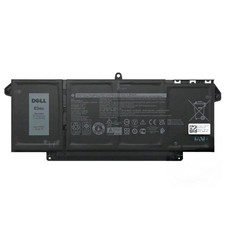
Genuine OEM 63Wh 7FMXV Battery For Dell Latitude 5320 7320 7420 7520 4M1JN TN2GY
$32.99
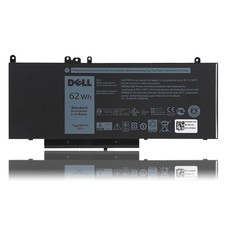
OEM Genuine 62WH 6MT4T Battery For Dell Latitude E5470 E5570 6MT4T 07V69Y 7V69Y
$36.66

OEM Genuine 86WH 69KF2 Battery For Dell XPS 15 9500 Precision 5550 M59JH M15 M17
$45.49

OEM 68Wh 3HWPP Battery For Dell Latitude 5401 5411 15 5501 5511 Precision 3541
$35.78
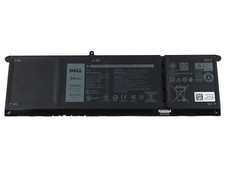
NEW OEM V6W33 Battery For Dell Inspiron 3510 5510 Latitude 3330 3320 Vostro 3515
$22.00
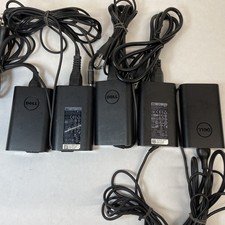
Lot of 5 Dell OEM 65W 7.4mm 19.5V 3.34A AC Adapters Mixed Models B Grade
$39.99
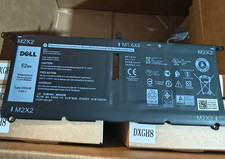
Genuine OEM 52Wh DXGH8 Battery For Dell XPS 13 9370 9380 7390 Series H754V NEW
$32.99
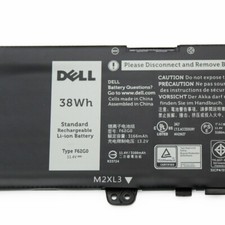
OEM 38Wh F62G0 Battery for Dell Inspiron 13 5370 7000 7370 7380 7386 7373 P83G
$29.89