-
Senior Member


Originally Posted by
krishna.murphy

There's no "native" way, AFAIK, to boot off a device that doesn't show as bootable (that's in the BIOS.) Clearly, it's not because of what's on the card - it boots when hooked up "externally." OTOH, there's more than one way to do anything in Linux. Search these forums for some of the earlier threads on booting with the help of "boot managers" and the like.
Cheers!
Krishna

p.s. There may be a BIOS update on the mfgrs website, too.
I haven't tried looking for a BIOS update, but I'm thinking that if Toshiba made the slot unbootable, there's probably a reason, it's not just an oversight. I've had lots of problems with boot managers, and even if they cause no trouble in the system, they are always an easy excuse for Windows techs to refuse support. I've even been told by an authorized Dell service centre that dual booting anything but currently supported Windows OSs (meaning Windows 7 and XP), would automatically void my Dell warranty. And when I contacted Dell telephone support they confirmed it!
I know it's bullshit, but I don't enjoy having to claw my way up to level three support for even the simplest problems, just because I'm dual booting Linux. With a LiveCD or usb boot, I can say the Windows system is clean.
 Posting Permissions
- You may not post new threads
- You may not post replies
- You may not post attachments
- You may not edit your posts
-
Forum Rules

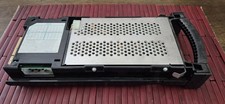
IBM SERVER SLED WITH HDD SCSI 8.8GB ,P005043441, AS IS,UNTESTED
$165.00

IBM QRadar xx29 2x Xeon E5-2650v4 2x 900W PSU M5120 12x 3.5" Bay Server No RAM
$179.99

Unused IBM 09P0037 MAINBOARD For RS/6000 7044-170 P-Series
$375.00

IBM ADP Server Type 7870 AC1 NO HDD | 128GB RAM PC3L | 2 x Xeon E5620
$199.99

IBM System X3850-X5 Server w/4x Intel Xeon E7-4870 CPU , 512 GB DDR3 RAM,NO HDD
$1299.99

IBM SYSTEM X3500 M3 SERVER 7380AC1 TOWER Server XEON E5620 8GB RAID SEE NOTES
$108.92

IBM Power S824 12Bay 4U Server - 2x Power8 CPU, 512GB DDR4, MT: 8286-42A
$1731.00

IBM 02YC027 Seagate ST2400MM0129 2.4TB 10K SAS 12Gb/s 2.5" Server Hard Drive
$200.00

Rare Vintage IBM 93ZZ PowerPC Server Board - MCM Ceramic CPU - 40N1844 - 1.1 lbs
$49.99
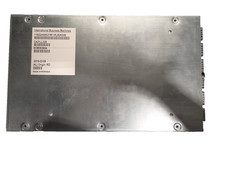
IBM 02AN553 01LL325 IBM I/OADAPTER PCIe / PCN Internal Server Systems Adapter
$199.99



 Reply With Quote