-
Administrator
Site Admin-

Originally Posted by
MobileVisuals

My problem is that a virus maybe has infected the boot section.
What I mean is that you can't (as far as I know) install Windows while running Knoppix.
You might want to boot that Knoppix disc and type memtest at the boot prompt. That will at least test memory, a likely source of hardware problems.
If you really think you have a boot sector problem you should be able to erase the boot sector from within Knoppix, or any Linux system. Off hand I don't know the best way to tell you to do that, but a few minutes spent with Google should give you several suggestions. Even dd is capable of overwriting the boot sector. Of course, don't do this if there is anything that you want on the hard disk. But in the end I expect that you will have to reboot the computer with the Windows disc in the drive.
And to really strike terror into your heart, it might not even be a boot sector virus at all, it might be a virus that has overwritten your BIOS.
But I'm inclined to think most people cry virus when there is none. And I care very little for Microsoft's "security updates". I'm typing this on a perfectly legal copy of XP that is still running service pack 1, which came with the computer. The only bad thing that ever got into this or any of my computers was a Microsoft "security update" that seems to have mucked up the eeprom in my notebook's built-in NIC in such a way that Windows could still use it but Linux could not. The same Knoppix CDs that worked in the notebook before the "security update" would no longer have Internet access after the "security update". So I no longer accept "security updates" from Microsoft. I can protect myself from the other low lifes on the Internet just fine, Microsoft is the only low life that has done me harm and they don't get to do it again.
Another thing that you could do if you really think that you have a boot sector virus and want to prove it is to simply swap out the primary hard drive with one that does not have a boot sector infection, then try to install Windows on that. If it works then maybe you do have a boot sector infection on the drive. Or maybe yu just have a failing drive. But the suspected infected drive could safely be added as an additional drive (the boot sector virus would not be activated since you don't boot from the second drive), and then you could determine if the drive still works and can be completely erased (including the boot sector) or if it is just dead. You might also have some tools in your BIOS that will show you the s.m.a.r.t. status of the hard drive, or self booting diagnostic tools that came with the drive if you purchased the drive separately in retail packaging (or look on the manufacturer's website for s.m.a.r.t. tools that you can download and make a self booting disc with.
---
Verifying of md5 checksum and burning a CD at slow speed are important.
 Posting Permissions
- You may not post new threads
- You may not post replies
- You may not post attachments
- You may not edit your posts
-
Forum Rules


(New) AMD Ryzen 7 5700X 8 Core 16 Thread AM4 Unlocked 3.4 GHz CPU OEM Tray
$174.99
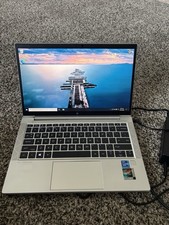
HP EliteBook 830 G8 Core I7-1185G7 3.00GHz Laptop 32GB RAM, 512GB SSD
$250.00

SGIN 17.3" Laptop Intel Quad-Core Up to 2.4 GHZ 8GB RAM 256GB SSD HD
$229.99
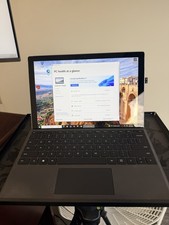
Microsoft Surface Pro 5 Silver 128GB SSD 4gb RAM
$97.97

AMD Ryzen 7 7800X3D 4.20GHz Quad Core 100-000000510 8 Thread AM4
$279.99

Apple Macbook Pro 13" M1 8-Core 16GB 512GB - Good
$464.99

Intel Xeon E5 - 2667V2 / SR19W 3.30GHz 25MB 8-Core CPU Socket LGA2011
$30.00

AMD FX 8350 8-CORE 4.00GHz CPU FD8350FRW8KHK SOCKET AM3+ *QTY
$39.99

DELL Optiplex 780 SFF CORE2DUO 3.0GHz 8GB RAM 250GB HDDDVDRW NO OS
$99.99

Dell T7810 Workstation 8-Core 2.40GHz E5-2630 v3 No RAM GPU HDD OS
$259.98



 Reply With Quote