

After doing the knx-install (which seemed to go well) off fo the 2003-05-20-beta LiveCD, modprobe gives me the following error on boot (and afterwards):
I do have a /lib/modules/2.4.20-xfs/modules.dep, though. Is this a path that's compiled into the modprobe command, or is this settable somewhere?Can't open dependencies file /lib/modules/2.4.18-k7/modules.dep
Did my version of Knoppix come with a bad flavor of modprobe, or have I done something foolish?
I plan to try creating a symlink to replace the 2.4.18.k7 directory to see if that'll take care of it. I don't like that as a solution, though, so I'm curious to find out what's really going wrong.
I'm also getting the following lines in my syslog file:
Can anyone provide me with some insight on this, too?Inspecting /boot/system.map
Symbol table has incorrect version number
Can't find map file
Loaded 141 symbols from 6 modules
Thanks.
Update:
Traced the problem to my lilo stuff. It looks like a previous install of debian was still being used for the kernel. Went through my lilo.conf for sanity, ran lilo, and it all works.
 Posting Permissions


Kingston 32GB 64GB 128GB 256GB USB 3.0 Flash Drive Thumb Memory Stick Pen lot
$285.90

Microsoft Windows 11 Pro 64bit - New Sealed – Flash USB 1 PC
$49.99

128GB USB 14-in-1 MacOS bootable Installer repair recovery tech support service
$39.99

Zero Trace Pen: All-in-one Tor Network Anonymous Drive + Cryptocurrency Wallet
$147.00

USB 3.0 Flash Drive 32GB 64GB 128GB Memory Stick Thumb Stick Lot Pack
$826.09

USB Type-A Flash Drive Metal Memory Stick High Speed USB Drive 128GB 256GB 512GB
$8.47

Lot 5/10pcs USB Flash Drive Memory Stick 1MB-64GB Pendrive Thumb Drive 8GB 32GB
$282.00

1/ 10/ 100pcs USB 2.0 2GB, 4GB ,8GB ,16GB ,32GB ,64GB 128GB USB Flash Drives Lot
$269.10

Windows 11 Pro Install/Recovery/Repair USB Flash Drive
$35.00
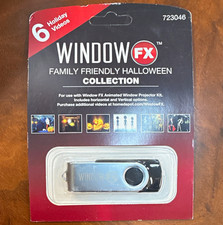
Window FX Family Friendly Halloween Collection USB Flash Drive 6 Videos 723046
$24.99


 Reply With Quote