


 Reply With Quote
Knoppix will unlikely see the partition for mandrake.You will have to change the fstab and the grub files to reflect any new OS and partitions you created.


Hello
At then moment I have a dual system running with WinXP and Mandrake 9.1, via LILO.
I gave Knoppix a whirl and I like it !
Have some HD left ( about 4 gig ) on which I wouldn't mind installing Knoppix
Now I can change from LILO to Grub when in Mandrake, but the question is will Knoppix ADD itself to the Grub display when I boot up ?
I don't wish to get into this thing of adding Knoppix onto my HD until I'm very sure of what I'm doing, as I have too much to lose if things go kaupt.
Also when Knoppix installs, would it ' see ' the Ext3 partitions of Mdk ? and can I direct it to the windows partition I might have for it ?
Much thanks and all the best - Amit
Knoppix will unlikely see the partition for mandrake.You will have to change the fstab and the grub files to reflect any new OS and partitions you created.
Not sure what you mean by that-change from LILO to GRUB.Originally Posted by amit
No. GRUB doesn't need to be changed- only grub.conf. Set up grub.conf so that it contains all of the partitions you'd like to boot, save the file and you'll be good to go., but the question is will Knoppix ADD itself to the Grub display when I boot up ?
Of course you should always make backups but try this:I don't wish to get into this thing of adding Knoppix onto my HD until I'm very sure of what I'm doing, as I have too much to lose if things go kaupt.
When you install Knoppix be sure to select no when it asks if you'd like to install LILO to the MBR. It will instead install LILO to the /root partition. That is, where you installed Knoppix. Now referring back to GRUB. Make sure GRUB knows about your Knoppix partition and it will read its grub.conf file and give you a menu option. When you boot this way you are said to be "chain booting". So....You power up the machine, you see the GRUB menu, select your OS (which is actually selecting a partition to boot right?) then whatever bootloader you have in that partition you're booting will boot.
Any Linux distro recognizes ext3. If you're asking "Does Knoppix know that there is already an OS on that partition?" then no it doesn't know or care about what you actually have on the partition. It will see all of your partitions- no matter the format.Also when Knoppix installs, woud it ' see ' the Ext3 partitions of Mdk ?
You can install Knoppix to any partition you like- it doesn't matter what format it is because you will reformat when you install. You just need to be sure you know what's on what partition before you start.and can I direct it to the windows partition I might have for it ?
Keep this in mind: make the boot floppy when you install Knoppix. You can use it to boot Knoppix until you understand how GRUB and/or LILO work.
I'd recommend studying both LILO and GRUB a bit as they work entirely differently than each other.
 Posting Permissions


GIGABYTE A520M DS3H AC AMD AM4 Motherboard mATX
$59.99

GIGABYTE Z790 AORUS ELITE AX LGA 1700 Intel Z790 ATX Motherboard with DDR5
$189.99

Intel H310 LGA1151 8-9th Gen DDR4 M.2 NVMe mATX Motherboard IO Shield Battery
$54.99
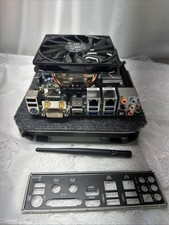
Gigabyte GA-Z87N-WIFI i7-4790K 16GB Mini-ITX Combo I/O Shield
$99.00

GIGABYTE B365 HD3 LGA1151 Intel 9th Gen motherboard
$59.99

Intel H81 Motherboard M.2 NVMe LGA 1150 mATX w/ IO Shield (Random Slot Color)
$29.90

ASUS PRIME B360M-C MicroATX Intel LGA1151 DDR4 HDMI VGA USB RJ-45 Audio
$34.99

ASUS TUF GAMING B550-PLUS WIFI II AM4 AMD B550 ATX AMD Motherboard
$95.99

ASUS PRIME Z490-V Motherboard Intel Z490 10th gen DDR4 LGA 1200 ATX w/ IO Shield
$84.99

Dell XPS 8940 Desktop Motherboard Intel H470 LGA1200 DDR4 K3CM7 KV3RP 427JK
$154.99