

 Reply With Quote
@Newbie1
What icons (or labels) do you see in the left panel of File Manager,
that is, using (Main Menu)/Accessories/File Manager?


Knoppix 6.4.3
The Floppy Icon is missing from Desktop and I can not find the Device listed with the other drives. I opened the Libre application and SavedAs a TXT file to the floppy but I would like to test the Format function and Copy/Verify some binary data files that already exist on te floppy.
I'm not very familiar with Linux so please be specific (every keystroke) with your reply.
Thanks
@Newbie1
What icons (or labels) do you see in the left panel of File Manager,
that is, using (Main Menu)/Accessories/File Manager?
The Floppy label is not there. This is what I see: Knoppix, Desktop, Applications, System Reserved, sda2, WME, Knoppix, Knoppix_FS. When I had my IDE CD drive installed then I could boot Knoppix 5.1.1 and it did show the Floppy Icon. The IDE drive has failed and I replaced it with a SATA and Knoppix 5.1.1 does not support SATA.
Knoppix 5.1.1 most certainly does support SATA. I don't know about your particular hardware, you might have a chip that Knoppix does not support, more likely you are just mistaken or have some other issue, but all 5.x and even all 4.x (4.02) have SATA support, likely some late 3.x versions did but I don't recall exactly when it started showing up.Originally Posted by Newbie1

---
Verifying of md5 checksum and burning a CD at slow speed are important.
Hi, Harry. Happy New Year.
@ Newbie1
In your post #1
I assumed you are looking to read a floppy drive and can't find it.
If that's the case it's either already mounted and you don't recognize it,
or it isn't mounted and you need to get it mounted.
So, is this your problem, or are we dealing with a SATA question?
Ok, let's forget about 5.1.1. It's 6.4.3 that I would like to checkout with the Floppy device. No, it is not mounted. It does not show up in File Manager. It does show up in the Word Processor SaveAs menu and does work from there but I would like to try file Copy, Delete, Paste and Format functions.
Is this floppy internal or USB?
What do sda2 and WME refer-to?
If the floppy is USB, does anything change in the left panel
of File Manager when you unplug & plug the floppy in again?
Is the floppy write protected by any chance?
This is an Internal Floppy.
sda2 is a 500GB Western Digital SATA harddrive NTFS.
WME is a 80GB Western Digital IDE harddrive FAT32.
The Floppy is not Write protected.
If I plug in a Jump Drive, it does dynamicly show up in the left pane of File Manager.
Motherboard is MSI 785GTM-E45 Chip set is AMD785G, SB710.
Oh, still got people use floppy arh ?
@Newbie1
I think that floppy disks are not mounted automatically. Therefore I would not expect a change in the PCMan Filemanager's list of drives if a floppy disk is inserted.
The commandissued in aterminal should show the device name of your floppy drive if it is connected to the system. In most cases its device name is /dev/fd0.Code:hwinfo --floppy
There must be a mount point in the filesystem. If you cannot find an empty directory in /media with the name floppy or fd0 then open a terminal and issueInsert a floppy disk into the floppy drive and issueCode:sudo mkdir /media/fd0in a terminal.Code:sudo mount -o uid=1000,gid=1000 /dev/fd0 /media/fd0
Open the PCMan Filemanager and examine the list of disk devices. If you can find the floppy disk then you should be able to create subdirectories and to copy files in the directory /media/fd0.
If you like to remove the floppy disk from the floppy drive it should be unmounted before you do that. If you cannot unmount the floppy disk with the filemanager then I would suggest that you issuein a terminal after you have closed all windows of the filemanager.Code:sudo umount /media/fd0


16GB KIT (2x8GB) DDR3 Gamer Desktop RAM PC3 MIXED BRANDS VIPER VENGEANCE FURY
$10.00

Netac DDR4 32GB 16GB DDR4 3200MHz UDIMM C16 Desktop Internal Memory RAM Kit
$99.99
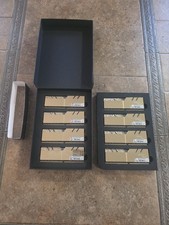
G.Skill Trident Z Royal 256GB 8x32GB F4-3200C14Q2-256GTRG CL14-18-18-38 DDR4 RAM
$1200.00

A-Tech 8GB DDR3 1600 PC3-12800 Laptop SODIMM 204-Pin Memory RAM PC3L DDR3L 1x 8G
$21.68

Major Brand 16GB (2x8GB) PC3-12800U DDR3-1600MHz DDR3-12800 DESKTOP RAM NON-ECC
$29.99

G.SKILL FLARE X5 64GB (2 x 32GB) 6000 MT/s DDR5 (AMD EXPO + INTEL XMP) *CL30*
$785.00

Samsung 16GB LPCAMM2 PC5 7500 DDR5 LPDDR5X CAMM2 M561K1LC4DM0-CCTGM RAM Memory
$189.00
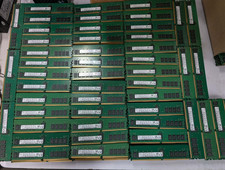
Lot 500 SK hynix 16GB 2Rx8 PC4-23400 DDR4-2933Y ECC Registered Server Memory RAM
$47988.00

Corsair Vengeance DDR3 8GB 16GB 32GB 1866MHz PC3-14900 Desktop RAM Memory DIMM
$43.00

Micron 32GB 1x32GB DDR5 5600 CL46 ECC Unbuffered SO-DIMM MTC20C2085S1TC56BD1
$399.00

