

 Reply With Quote
Yes.
Boot Knoppix from DVD. Insert your USB stick. Open a terminal. Check the USB Knoppix is installed on /dev/sdb1. Mount it on /media/sdb1 and delete /media/sdb1/KNOPPIX/knoppix-data.img.


I recently installed Knoppix 6.3 dvd on usb with persistence. I wanted to encrypt but that screen flashed by so fast I missed it. Is there any way to do it now or do I have to re-do the installation?
Yes.
Boot Knoppix from DVD. Insert your USB stick. Open a terminal. Check the USB Knoppix is installed on /dev/sdb1. Mount it on /media/sdb1 and delete /media/sdb1/KNOPPIX/knoppix-data.img.
I think you could also rename knoppix-data.img to (for instance) old-knoppix-data.img and the contents would still be available for loop-mounting, if needed. The script that looks for knoppix-data.img won't find it, and thus will offer to create the persistent store when you boot the USB again, along with the encrypt option. Once the knoppix-data.aes file is created you can grab whatever you want off the old .img file.
Cheers!
Krishna
... this offer is only available, if there is remaining free space greater than 200MB.The script that looks for knoppix-data.img won't find it, and thus will offer to create the persistent store when you boot the USB again,..
Greetings Werner * http://www.wp-schulz.de/knoppix/summary.html
"Build personal Recovery-CD with Knoppix (Knoppix remaster)"
Last edited by Werner P. Schulz; 02-02-2011 at 11:36 AM.
... at this point to create persistent memory, Knoppix doesn't wait very long. Reboot and try once more.I wanted to encrypt but that screen flashed by so fast I missed it.
If you already have a persistent memory but not encrypted, follow the suggestion to delete '/KNOPPIX/knoppix-data.img'
Greetings Werner * http://www.wp-schulz.de/knoppix/summary.html
"Build personal Recovery-CD with Knoppix (Knoppix remaster)"
Good point! If space is an issue, one would need to use an external store, like a hard drive, to hold the old contents. This is all moot if the existing .img file has nothing worthy of note in it, as is usually the case with relatively newly installed-on media. Then one can simply delete it and boot the flash, as previously mentioned.Originally Posted by Werner P. Schulz

Cheers!
Krishna
 Posting Permissions


Samsung 2.5" 870 EVO SSD SATA III 250GB 500GB 1TB Internet Solid State Drive Lot
$100.00

Netac 2TB 1TB 512GB 256GB Internal SSD 2.5inch SATAIII Solid State Drive lot
$129.99

Netac 256GB SSD 2.5'' SATA III 6Gb/s Internal Solid State Drive 500MB/s PC/Latop
$40.00
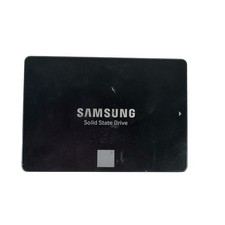
Samsung 250GB SSD 850 EVO 2.5" Internal Solid State Drive MZ7LN250 MZ-75E250
$25.99

Fanxiang 256GB 512GB 1TB 2TB 4TB SSD Lot 2.5'' SATA Internal Solid State Drive
$379.99

Crucial MX500 250GB 2.5" SATA III SSD - Preowned
$29.00

Samsung 860 EVO 250GB SSD MZ-76E250 2.5" SATA III Solid State Drive -
$36.99

2 PACK 128 GB SSD M.2 2280 SATA Solid State Drive Major Brands, Samsung, LiteON
$28.00
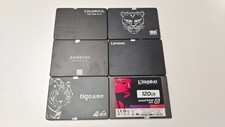
Mixed Brand 120/128/240/256GB SSD 2.5" SATA III 6GB/s Internal Solid State Drive
$34.99

Samsung 860 Pro 256GB V-NAND SATA Solid State Drive SSD MZ-76P256 MZ7KH256HAHQ
$49.95