

 Reply With Quote
uhm, what? dead? if you can see graphics when starting knoppix you are likely using that very graphics card, if not some special thing for external TV or something.
uhm try "knoppix 2" for start, that will put you in console mode (text only).


Hello,
I have a Dell laptop with a dead graphics card. When I boot from DVD, Knoppix seems to be fine until it tries to start X. Then it hangs. I've tried some cheat codes including vga=normal, but no success. I suspect that the dead graphics card is the problem. (Since it is a laptop, it is not really reasonable to remove it.) Is there a way to tell Knoppix to ignore the video card and just use the motherboard graphics?
Thanks.
uhm, what? dead? if you can see graphics when starting knoppix you are likely using that very graphics card, if not some special thing for external TV or something.
uhm try "knoppix 2" for start, that will put you in console mode (text only).
oh, another thing, it MAY be that the "memory" is dead on that card, that would make it hard to work with. check BIOS setting if there is some setting that allows it to use the first 16M only or something (seen one old laptop that had that setting)
Thanks for replying.Originally Posted by OErjan

Perhaps dead is going a bit far. However, it doesn't work right any more. It won't get through a bootup unless it is disabled. Apparently Dell/Nvidia had a problem with graphics cards overheating and failing. Anyway, if I tell Windows not to use the graphics board, then it works relatively ok for most purposes. As near as I can tell, laptop motherboards are like normal ones in that they come with onboard graphics. I want Knoppix to use that instead of the graphics card.
I would just remove the graphics card, but it has a heat sink that apparently runs through the laptop such that you almost have to disassemble the whole laptop to remove it.
What version of Knoppix are you using? And which laptop and/or video adapter? There is some issue with the latest version (6.4.3) and Nvidia, it seems. The issue of switching to another internal/onboard adapter would be in the BIOS settings, most likely.
Hope that helps!
Krishna
Knoppix v6.4.3. I tried one of the v5 Knoppixes too with the same result.
Inspiron 7000 with Nvidia GeForce Go 7900 GTX.
Since you suggested BIOS, I looked and found a setting that might work. I tried it, but it didn't work either. I haven't tried the cheat code tricks yet though.
Thanks.
<span style="background-color: #99FF99;">I've got the fated combination and was wondering if you knew of anything I could do about it. The graphics and xserver seem to start ok but the display is garbled with offset columns and crap. I tried 2 monitors with the same results. The actual machine is an Acer Aspire (AST180-UA380B). Lspci gives me:
00:00.0 RAM memory: nVidia Corporation MCP61 Memory Controller (rev a1)
00:01.0 ISA bridge: nVidia Corporation MCP61 LPC Bridge (rev a2)
00:01.1 SMBus: nVidia Corporation MCP61 SMBus (rev a2)
00:01.2 RAM memory: nVidia Corporation MCP61 Memory Controller (rev a2)
00:02.0 USB Controller: nVidia Corporation MCP61 USB Controller (rev a3)
00:02.1 USB Controller: nVidia Corporation MCP61 USB Controller (rev a3)
00:04.0 PCI bridge: nVidia Corporation MCP61 PCI bridge (rev a1)
00:05.0 Audio device: nVidia Corporation MCP61 High Definition Audio (rev a2)
00:06.0 IDE interface: nVidia Corporation MCP61 IDE (rev a2)
00:08.0 IDE interface: nVidia Corporation MCP61 SATA Controller (rev a2)
00:09.0 PCI bridge: nVidia Corporation MCP61 PCI Express bridge (rev a2)
00:0b.0 PCI bridge: nVidia Corporation MCP61 PCI Express bridge (rev a2)
00:0c.0 PCI bridge: nVidia Corporation MCP61 PCI Express bridge (rev a2)
00:0d.0 VGA compatible controller: nVidia Corporation GeForce 6100 nForce 405 (rev a2)
00:18.0 Host bridge: Advanced Micro Devices [AMD] K8 [Athlon64/Opteron] HyperTransport Technology Configuration
00:18.1 Host bridge: Advanced Micro Devices [AMD] K8 [Athlon64/Opteron] Address Map
00:18.2 Host bridge: Advanced Micro Devices [AMD] K8 [Athlon64/Opteron] DRAM Controller
00:18.3 Host bridge: Advanced Micro Devices [AMD] K8 [Athlon64/Opteron] Miscellaneous Control
Thanks!
Philip
</span>
Had the same problem on a computer with an Asrock mobo with AMD 880G chipset. Knoppix LiveCD started allright, but ended with a garbled or scrambled screen.
If the first bit starts up OK with text mode screens, then wait until you see 'Boot: '
There it waits a couple of seconds, so you can enter something (namely, cheat codes...).
After 'Boot: ' you type 'knoppix nomodeset' and press <enter>
Solved the problem for me!
I've put in a lot of keywords in this message so it may be found better by search machines.
Also, I described the procedure, it took some time before I found that out!
 Posting Permissions


IBM POWER8 8286-42A S824 16-Core 128GB RAM 4.8TB SAS Fedora Linux Server PowerVM
$750.00

KTN-STL3 EMC VNX 15-slot Disk Array Expansion, full 15 x 2tb drives 100% health
$360.00

Start9 Server Pure 32GB 4TB Intel i7 Node StartOS — Box + PSU
$599.00

Ubuntu Server 26.04.1 LTS Bootable USB Flash Drive – Latest September 2026
$12.99

OPNsense pfSense 8-Core Atom C3758 2.2GHz 8GB DDR4 64GB SSD 8x NIC QAT AES VPN
$115.00

Microsoft SQL Server 2025 Standard 32 Core Unlimited CAL Retail License Package
$299.00
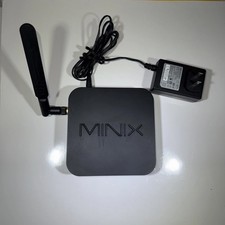
MINIX NEO Z83-4 MAX Fanless Mini PC Win 11 Pro 4GB 128GB Home Lab Linux Server
$69.99

Ubuntu 26.04 LTS – 3 DVD Set Desktop - Server - Studio Edition - Grade AAA+
$14.99

SQL Server 2025 Enterprise 40 Core Unlimited CAL Retail License Package Per-Core
$389.00

Multi-Boot Linux & Utility 18 in 1 USB – Best of 2026 Free Same-Day Shipping
$22.99