

 Reply With Quote
There has been some discussion of startup script errors here (in /etc/init.d/knoppix-autoconfig.) I personally use a modified version to keep the timezone set between boots, as it would erase my /etc/timezone file.
Cheers!
Krishna


I've got a keyboard setting problem using 6.4 on a flash drive.
Using System Settings/Regional & Language/Keyboard Layout I've set the Active Layout to "gb" but it doesn't survive rebootiing.
Any help would be appreciated.
There has been some discussion of startup script errors here (in /etc/init.d/knoppix-autoconfig.) I personally use a modified version to keep the timezone set between boots, as it would erase my /etc/timezone file.
Cheers!
Krishna
@ jaques1
I'm presuming you are using persistent store.
If not, do that first.
If all else fails, you can usually have /etc/rc.local to re-establish things
at each boot with some console commands.
Last edited by utu; 01-24-2011 at 05:41 PM.
Having read knoppix-autoconfig there doesn't seem to be a reason why my settings don't work. I've written a simple script (setkbmap -model pc104 -layout gb) cribbed from the GUI which works as a stopgap until I can find a better solution.Originally Posted by krishna.murphy

Yes I'm using persistent store - for example Bluetooth loads on start up and my preferred home page appears in Iceweasel.
@ jaques1
I expect a solution to this partucular problem then
is to call up your script from /etc/rc.local.
For others, you might publish your script here.
There is also the possiblility that your problem is another
manifestation of an LXDE 'over-initalization' problem,
the cure for which is covered here in another thread:
http://www.knoppix.net/forum/threads...gs-persistence
See specifically my post #5 there.
I tried the modification in your post #5 but lost the window function symbols at the top right of each window. Sorted things out with a reinstall. For info heres's how I derived the script instruction: Go System Settings/Regional & Language/Keyboard Layout and choose your keyboard model and active layout. The resultant entry in the Command field is all you need to use in your script (in my case: "setxkbmap -model pc104 -layout gb").
Last edited by krishna.murphy; 01-25-2011 at 01:59 PM. Reason: Formatting/typo fix
 Posting Permissions


128GB (4x32GB) SK hynix DDR4 PC4-2666V RDIMM ECC Server Ram HMA84GR7CJR4N-VK
$799.00

Microsoft Office 2021 Pro Plus USB for 1PC Windows 10 & 11
$62.50
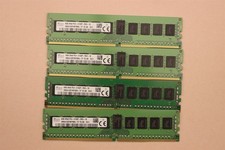
lOT OF 4 SKhynix 8GB (4 x 8GB =32GB) HMA41GR7MFR8N-TF 2R8 PC4-2133P DDR4 MEMORY
$89.00

TF/SD Card Adapter Camera Reader Android Type-c For iPhone17 Pro Max Plusm lot
$573.98

Kingston 32GB 64GB 128GB 256GB USB 3.0 Flash Drive Thumb Memory Stick Pen lot
$285.90

USB 3.0 Flash Drive 32GB 64GB 128GB Memory Stick Thumb Stick Lot Pack
$826.09
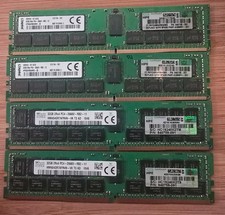
LOT OF 4 HP 840758-091 32GB DDR4 PC4-2666 Registered Server Memory 128GB Total
$1000.00

USB 3.0 Micro SD SDHC TF Card Reader Memory Adapter for PC Laptop Camera lot
$3.75
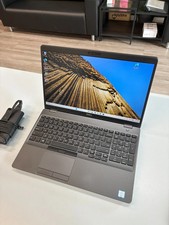
Dell Precision 3541 Laptop i5-9300H 2.4GHz 256GB SSD 16GB RAM Win 11 Pro
$189.99
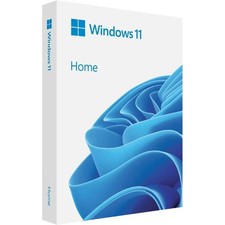
Microsoft Windows 11 Home 64-Bit USB Flash Drive + Key Retail Box - Original
$39.88