
Yes I'm using persistent store - for example Bluetooth loads on start up and my preferred home page appears in Iceweasel.Originally Posted by utu


Yes I'm using persistent store - for example Bluetooth loads on start up and my preferred home page appears in Iceweasel.
@ jaques1
I expect a solution to this partucular problem then
is to call up your script from /etc/rc.local.
For others, you might publish your script here.
There is also the possiblility that your problem is another
manifestation of an LXDE 'over-initalization' problem,
the cure for which is covered here in another thread:
http://www.knoppix.net/forum/threads...gs-persistence
See specifically my post #5 there.
I tried the modification in your post #5 but lost the window function symbols at the top right of each window. Sorted things out with a reinstall. For info heres's how I derived the script instruction: Go System Settings/Regional & Language/Keyboard Layout and choose your keyboard model and active layout. The resultant entry in the Command field is all you need to use in your script (in my case: "setxkbmap -model pc104 -layout gb").
Last edited by krishna.murphy; 01-25-2011 at 01:59 PM. Reason: Formatting/typo fix
 Posting Permissions


Dell 6P85J 4TB ST4000NM0063 7.2k 6Gb/s 3.5” SAS SED Hard Drive with Tray
$39.99

Western Digital HUS726T4TAL5204 4TB 7.2K SAS 12Gb/s 3.5" 512e HDD NetApp X375A
$64.00

DELL 2TB Enterprise HDD (7200RPM, 3.5", SATA III, 128MB Cache) HUS722T2TALA600
$49.95

Seagate ST12000NM0127 12TB 256MB 7200RPM 3.5" SATA 6.0Gb/s Enterprise Hard Drive
$318.99

Seagate ST4000NM0034 Enterprise 4TB 7200RPM SAS 12Gb/s HDD v4
$39.00

Seagate ST500DM009 BarraCuda 500 GB 3.5" SATA III Desktop Hard Drive
$14.99

Seagate 3.5" Desktop HDD 3TB SATA III 6Gbps HDD 1ER166-510
$39.99

Dell ST6000NM0034 1HT27Z-150 NWCCG 6TB SAS 3.5 7.2K ENTERPRISE SERVER DRIVE
$68.99

Seagate ST8000NM0075 Enterprise Capacity 3.5 HDD 8TB SAS Hard Drive 8TB EXOS
$184.99
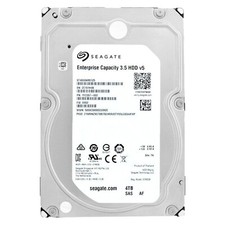
SEAGATE EXOS 4TB 7.2K 12Gb/s 3.5" 128MB Cach SAS ST4000NM0125 HDD hard drive
$59.99

 Reply With Quote