-
using knoppix to get xp on external HD
Im not quite sure what Im doing so please be bear with me. My laptop died so I installed knoppix to view the internet. I cannot for some reason install xp to the hd again as it says there is no hd installed. i have a 600 gb external drive that i am trying to use but I cant even find where any of my hardware devices are located. I got as far as getting a partition set up on the drive but xp
still wont install. Is this even possable? I enjoy knopixx for browsing the web but i cant really play any games.(Cause I cant figure out how to install anything.) thx in advace
-
No reply after all this time ? Perhaps you asked the wrong question the wrong way in the wrong place.
If you are asking how to install Windows (which Windows ?) to an external hard drive, why are you asking on a Knoppix forum ?
If the Windows installer says there is no hard drive installed, then that may be because it will only install to internal hard drives but more likely it will only install to hard drives that the laptop's BIOS can boot from. In either case this is the wrong place to ask such a question.
I would suggest you either buy a new internal hard drive for your laptop or buy yourself a new laptop.
If you are new to Linux and want a challenge, then install Linux on the external hard drive and install Windows as a guest OS in a virtual machine running under Linux. Knoppix is not the best Linux distribution for installing to hard drives. There are plenty of good desktop distributions to choose from and several virtual machine solutions as well.
Good luck.
-
Senior Member
registered user
If the internal HDD is not detected by Windows XP setup and the HDD is still working with Knoppix then I would assume that XP needs a special driver to support your hardware. Maybe the manufacturer's website can give you an advice.
 Posting Permissions
- You may not post new threads
- You may not post replies
- You may not post attachments
- You may not edit your posts
-
Forum Rules


Vintage PC Accessories Floppy Disk Storage Case/Red
$27.00
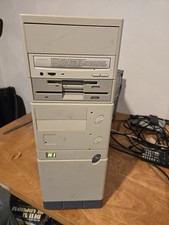
Vintage Retro Cyrix 6x86 133mhz 32mb RAM Floppy Combo
$299.00
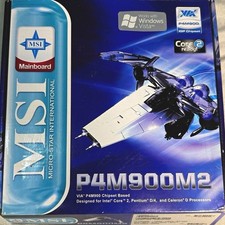
MSI P4M900M2-L MS-7255 LGA 775 Motherboard Vintage Retro PC Open Box New NOS
$225.00

Ast Advantage Adventure 4050D Vintage Retro Computer Great Condition
$199.99
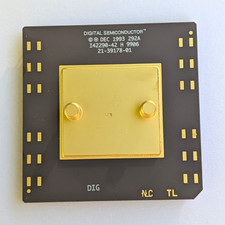
Vintage 1993 Digital Semiconductor DEC Ceramic PGA CPU – Alpha Era
$150.00
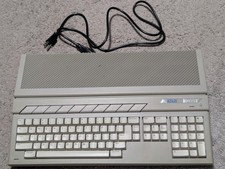
Atari 1040ST Vintage Home Computer | Turns On
$299.99
Vintage Intel DX4 100MHz 486 Motherboard SBC CPU Board ALi Chipset Retro PC
$119.99

Original Vintage Old Style STANDARD Black CD Jewel Case (Heavy Duty) 90g Lot
$316.95
Vintage KanguruDisk Portable External Drive Module with Pouch - Rare Retro Drive
$114.88

Vintage HP 21MX 1000 M-Series Minicomputer Chassis Backplane Parts AS-IS
$228.19



 Reply With Quote