-

Originally Posted by
utu

Let us know how you solve this.
Moi ? Mess around with XML files in hidden directories with a text editor ? I haven't had so much fun since I tried to configure an xfce desktop back in the days when I used Horrible Hog (or was it Hardly Horrendous ? I forget, gladly). 
The Main Menu editor deposits a little file with a Spanish name in ./local/share/applications and references it from .config/menus/gnome-applications.menu, which might work for a gnome desktop but dunt work for lxde.
A copy the Spannish desktop file in ~/Desktop gave me a nice desktop icon with the correct name and iconic representation. So that might do except its usually hidden behind some window or other.
I managed to patch it into the "Application Launch Bar" "Panel Applet", which is much more satisfactory, but not by doing it "graphically" - that use of the word isn't in my English dictionary: I prefer the terms "wimpingly" or "gooeyly".
I did it by editing .config/lxpanel/LXDE/panels/panel (this is a structured file but it's not XML). In the Plugin block with type lanuchbar (I feel hungrier already), I added the subblock:
Code:
Button {
    id=/absolute/path/of/spanish/desktop/file
}
Naturally I renamed the desktop file first just in case I ever add another application (which seems unlikely now that I know just how easy this is).
I had to make one minor adjustment to the desktop file itself. On the desktop, the Name[us] and Icon[us] entries are honoured but in the lunch bar the Name[us] and the Icon entries are honoured. You say potato and I say potato and all that.
As for the Main Menu itself, I'm flummoxed. I have, in the past, done this by hand for the gnome, kde and xfce desktops but I can't find where the lxde main menu comes from or goes to.
Me thinks some brave soul might like to boot the Knoppix iso, take a snapshot of KNOPPIX-DATA, uninstall some hapless app, take another snapshot, compare the snapshots and so reverse engineer the problem.
Anyway, utu, thanks for the encouragement to get this far.
 Posting Permissions
- You may not post new threads
- You may not post replies
- You may not post attachments
- You may not edit your posts
-
Forum Rules

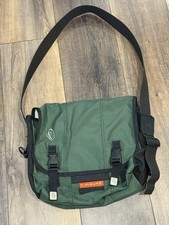
Vintage Timbuk2 Crossbody Messenger Bag Forest Green/ Black Y2k USA Made
$85.00

Vintage Computer - PC Innovation Intel 486DX2 - Dos Ver 6.2 Windows 3.1
$250.00

Vintage Jetway J-620BF Socket 370 Celeron AT Motherboard SiS 620 Brand New
$75.00

Vintage HP Hewlett Packard 2112A 21MX 1000 M-Series 16-Bit Minicomputer
$419.99

Vintage Cherry W. Germany G80-0486H/05 Mechanical 25-Pin D-Sub Keyboard M8
$170.99

Vintage cross Apple computer branded pen rainbow logo In original box
$100.00
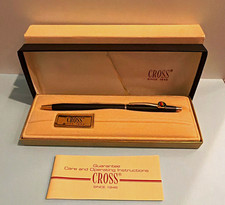
Vintage Apple computer Cross Metal Ballpoint Pen Black Ink Gold Trim
$125.00
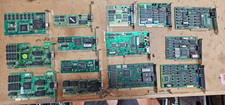
Lot 14 Vintage ISA VGA Video Cards Trident CHIPS UMC 8-Bit 16-Bit 286 386 486
$199.95
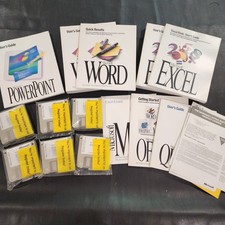
Vintage Microsoft Office 4.2 for Windows Original Floppy Disks & Manuals 1994
$119.99
ASUS A7V333 Vintage Motherboard | Untested | For Parts
$44.89



 Reply With Quote