-
 toram not booting
as a user coming from puppy linux I try to copy some of it's behavior.
I would love to be able to load the whole system in ram but save changes to my usb every so often.
the toram option at least does the first part, I don't know what happens with changes (do they get written to knoppix_data.img?)
two problems ocured when using the toram cheatcode:
it was pretty slow but I guess it's because the filesystem uncompressed is very big
it stops in the middle of the boot sequence. what pops up on my screen is first "copying ... to ram" and then "using knoppix_data.img" but after that there is no single message whatsoever and it just stops booting up.
-
Senior Member
registered user
Could you please tell us more about the system you are using? What version of Knoppix do you use? How much RAM does the system have? How large is the persistent store (knoppix-data.img)?
When I tried the toram boot option with an older version of Knoppix, I think it was Knoppix V6.2.1 CD, the big KNOPPIX file and the persistent image file were copied to RAM. Even if your system has 4 GB RAM installed Knoppix limits the memory used to 3 GB. Since the persistent store is copied to RAM, you may savely remove your boot drive. Thus there is no option to save any changes in the original persistent image.
-
I use 6.4.3, knoppix-data.img is 2 gig
this laptop has 2 gigs of ram but only 300 mb is in use on knoppix-data.img
is there any way to copy the behavior of puppy (only writing to usb once in a while?)
-

Originally Posted by
dinosoep

is there any way to copy the behavior of puppy (only writing to usb once in a while?)
Do you know the sync command ? Have a read of http://linux.die.net/man/8/sync. This will force all pending writes to be written to disks (which in your set up means to the knoppix_data.img file on the USB).
Although you can force an update of the USB once in a while you can't stop Knoppix doing it when it thinks it is a good idea. It is something to do with the disk caching. Puppy Linux is very extreme in this regard. There probably is some control (sysctl probably) you could try but I wouldn't know which one and I'm not competent to advise.
I agree with klaus2008 that toram is intended for folks who want/need to remove the boot medium so you can't use it and knoppix_data.img at the same time.
Puppy and Knoppix have different design goals and have taken different implementation routes as a consequence. The degree to which you can use one to emulate the other is probably limited. Otherwise the distributions would be called Knuppy and Poppix.
-
ok, but won't my usb stick wear of extremely fast? if knoppix keeps writing to it, the write cycles would run out prety fast?
-
Senior Member
registered user
Originally Posted by
dinosoep
ok, but won't my usb stick wear of extremely fast? if knoppix keeps writing to it, the write cycles would run out prety fast?
I am not a Puppy user and so I am not competent enough to comment on Puppy's persistency scheme. But from technical point of view, either you write to the device every so often, or you delay all the writes until such point deemed suitable ( such as shutdown ). But if the amount of data to be written is big, then the delayed write scheme is not acceptable. Would you accept such scheme where you have to wait 10 minutes or more to shutdown a system ? So the conclusion is that if Puppy uses delayed scheme, then the persistent data MUST be very small to be acceptable.
Knoppix persistent data could be small but could be very huge as well. Therefore I don't think it will be acceptable to use a delayed scheme. Until knoppix could be re-written to have extremely small persistent data, there will be very little can be done about this. If you really worry about flash becomes bad, you would have to back up then.
-
Originally Posted by
dinosoep
but won't my usb stick wear of extremely fast?
Define fast. See http://en.wikipedia.org/wiki/Wear_levelling.
Look on the bright side ... 10 000 write cycles is hugely better than what you get with r/w CD or DVD or got with floppy/diskettes. USB sticks are faster, smaller, more robust, have bigger storage capacities and look cool on a chain around your neck. Bang for bucks they are the best thing since bubble memory. What's not to like ?
Look on the bright side ... USB stick wear out. So do socks. If I buy a USB stick and you buy a number of pairs of socks for the same money, I bet my USB stick will last longer than your socks. So budget to buy a new USB stick every year or so.
Look on the bright side ... I could drive up to my local PC supastore and buy a USB stick tomorrow. If I figure out the cost of the transport and estimate a money figure for my time, the USB sticks on sale on Ebay don't look all that expensive any more.
Is there anything I can do to prolong the life of my USB stick ? Well, from the Wiki article, I deduce that blocks in files that never change don't get their fair share of wear. I could do some things to ensure the deck of blocks get reshuffled. A kind of poor-man dynamic wear levelling.
I back up my USB stick every day. Occasionally, I could delete all files on the USB stick and restore from my backup - most recently changed file first, least recently changed file last. When I remaster, I could rename the old KNOPPIX file, copy on the remastered KNOPPIX file and later delete the old one. I could also occasionally fill up my knoppix-data.img file temporarily to ensure that unused space in that get reshuffled.
You may by now be thinking "I can't be bothered with all that: USB sticks aren't all that expensive".
My point exactly.
Buenas noches y dormir bien de mi amigo
 Posting Permissions
- You may not post new threads
- You may not post replies
- You may not post attachments
- You may not edit your posts
-
Forum Rules


16GB KIT (2x8GB) DDR3 Gamer Desktop RAM PC3 MIXED BRANDS VIPER VENGEANCE FURY
$10.00

Netac DDR4 32GB 16GB DDR4 3200MHz UDIMM C16 Desktop Internal Memory RAM Kit
$99.99

Major Brand 16GB (2x8GB) PC3-12800U DDR3-1600MHz DDR3-12800 DESKTOP RAM NON-ECC
$29.99

A-Tech 8GB DDR3 1600 PC3-12800 Laptop SODIMM 204-Pin Memory RAM PC3L DDR3L 1x 8G
$21.68

Crucial 32GB(4 x 8GB) CT8G4DFS824A.C8FDD1 DDR4-2400 UDIMM Desktop RAM - CR352A
$89.95

DDR4 Laptop RAM 4GB 8GB 16GB 32GB 2400 2666 3200 Samsung Hynix
$66.00
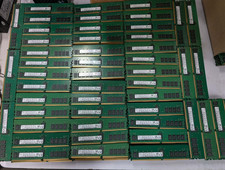
Lot 500 SK hynix 16GB 2Rx8 PC4-23400 DDR4-2933Y ECC Registered Server Memory RAM
$47988.00
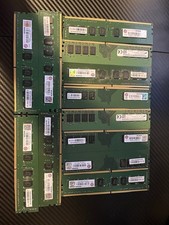
Advantech Memory Modules 8G DDR4-2400 1GX8 1.2V HYX AQD-D4U8GN24-HE LOT OF 12
$399.99
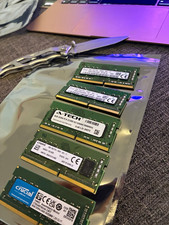
Lot of 5 - Mixed Brands 40GB (5x8GB) DDR4-2666 PC4-21300 SO-DIMM 260-Pin Non-ECC
$150.00

Corsair Vengeance DDR3 8GB 16GB 32GB 1866MHz PC3-14900 Desktop RAM Memory DIMM
$85.00



 Reply With Quote