-
strange /etc/fstab after hdd install
Having (I think) successfully done a hdd install of knoppix V3.2-20-05-2003 I have a system that's up and running properly again. All I've done extra so far is run pppconfig then apt-get to pull in a few extra apps. I was having a poke around and was a bit puzzled by my /etc/fstab file.
During hdd install the three existing partitions were found; hda1 bootable ext3 ~ 1GB, hda2 swap ~ 1GB and hda3 ext3 ~ 8GB. I choose to leave as is, and in answer the the q. which one to set as / I went for hda3. Fine everything works, but (the important parts of) /etc/fstab looks like
/dev/hda3 / ext2 defaults,errors=remount-ro 0 1
/dev/hda2 none swap sw 0 0
proc /proc proc defaults 0 0
/dev/fd0 /floppy vfat defaults,user,noauto,showexec,umask=022 0 0
/dev/cdrom /cdrom iso9660 defaults,ro,user,noexec,noauto 0 0
What happened to (the only bootable partition) hda1? If I don't need it, I'm quite happy living without it though from a purely athestic point it'd be nice if hda3 could be renamed hda1 then... But where's the machine booting from and how do I recover the extra space available on the hdd that doesn't appear to be in any partition. Lastly, what should I do to make /cdrom (a cd-rw) writeable and appear as an icon on my desktop.
Many thanks!
-
Senior Member
registered user
Re: strange /etc/fstab after hdd install

Originally Posted by
todsr1
Having (I think) successfully done a hdd install of knoppix V3.2-20-05-2003 I have a system that's up and running properly again. All I've done extra so far is run pppconfig then apt-get to pull in a few extra apps. I was having a poke around and was a bit puzzled by my /etc/fstab file.
During hdd install the three existing partitions were found; hda1 bootable ext3 ~ 1GB, hda2 swap ~ 1GB and hda3 ext3 ~ 8GB. I choose to leave as is, and in answer the the q. which one to set as / I went for hda3. Fine everything works, but (the important parts of) /etc/fstab looks like
/dev/hda3 / ext2 defaults,errors=remount-ro 0 1
/dev/hda2 none swap sw 0 0
proc /proc proc defaults 0 0
/dev/fd0 /floppy vfat defaults,user,noauto,showexec,umask=022 0 0
/dev/cdrom /cdrom iso9660 defaults,ro,user,noexec,noauto 0 0
What happened to (the only bootable partition) hda1? If I don't need it, I'm quite happy living without it though from a purely athestic point it'd be nice if hda3 could be renamed hda1 then... But where's the machine booting from and how do I recover the extra space available on the hdd that doesn't appear to be in any partition.
The partition is obvisously still there and is commented out in the fstab under the section Partitions found by knoppix remove the # at the start of the /dev/hda1 line and you will be able to use it. If you want hda3 to appear as hda1 you will have to re-partition the drive.
Lastly, what should I do to make /cdrom (a cd-rw) writeable and appear as an icon on my desktop.
Many thanks!
It already is writable to check you should use cdrecord -scanbus and it will show up in the output as device 0,0,0. You may want to change the entry in the fstab from /dev/cdrom to /dev/scd0 if the burning programs have trouble recognizing the drive. Then right click on the desktop and choose create new -> cdrom device and select either /dev/cdrom or /dev/scd0 if you changed it as the device and you will have access to it from the icon created.
Similar Threads
-
By cheetahman in forum General Support
Replies: 19
Last Post: 03-21-2005, 11:58 AM
-
By gadgerama in forum MS Windows & New to Linux
Replies: 5
Last Post: 03-21-2005, 10:29 AM
-
Replies: 2
Last Post: 05-13-2004, 01:00 PM
-
By HOLOTMO in forum General Support
Replies: 1
Last Post: 04-02-2004, 02:59 PM
-
By troubleshooter in forum Hdd Install / Debian / Apt
Replies: 0
Last Post: 11-29-2003, 01:39 PM
 Posting Permissions
- You may not post new threads
- You may not post replies
- You may not post attachments
- You may not edit your posts
-
Forum Rules

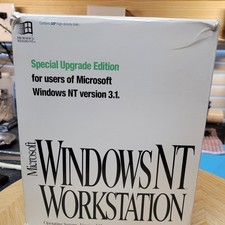
Vintage Microsoft Windows NT 3.51 Workstation 3.5 Floppy Big Box Complete No COA
$139.99

Vintage HP Hewlett Packard 2112A 21MX 1000 M-Series 16-Bit Minicomputer
$419.99

Vintage Computer - PC Innovation Intel 486DX2 - Dos Ver 6.2 Windows 3.1
$250.00

Vintage Jetway J-620BF Socket 370 Celeron AT Motherboard SiS 620 Brand New
$75.00

HP 5060-8359 8K Semiconductor Memory Module 5080-9747 Vintage HP Computer
$224.72
Vintage Schlesinger 17" Leather Briefcase Classic Flap Whiskey Brown Attache EUC
$99.99
Timberland Vintage Heavy Duty Brown Leather Messenger Satchel Crossbody Bag
$127.77
Vintage Compaq PS/2 Rack Keyboard 128958-001 Assembly 128710-001 SpaceSaver
$75.99
Sanyo DM 5012CM Solid State Data Display Monitor Working Vintage 1980s 80s
$169.99

Vintage Teac FD-505 5.25" 3.5" Combo Drive 19307571-00
$199.99



 Reply With Quote