-
Senior Member
registered user
knoppix64
Hi!
I discovered that there is a new kernel file in the /boot/isolinux directory of the Knoppix V 6.4.4 CD/DVD called linux64. The list of cheatcodes says that I could use knoppix64 at the boot prompt in order to run a 64 bits Linux kernel.
Has anyone used this Linux kernel so that he or she could report on his or her experience? What are the advantages or disadvantages?
-
Senior Member
registered user

Originally Posted by
klaus2008

I discovered that there is a new kernel file in the /boot/isolinux directory of the Knoppix V 6.4.4 CD/DVD called linux64.
Haha I always assume that this poster with such interesting nick is klaus knopper himself until I saw this post. Looks like Klaus Knopper does not frequent this forum at all, no wonder so many of the bugs/quirks mentioned here are not attended to.
Have a nice day !
-
Senior Member
registered user
Hi, Klaus
6.4.4 LiveUSB comes up sort-of ok in 64 bit for me.
Seems like everything is there, maybe even more responsive.
But.
Screen resolution is loused up EVERYWHERE.
The only easy choices are not right.
This will take some work, I'm afraid.
Nice to know this option really exists.
Thanks.
-
Senior Member
registered user
I get a 64-bit kernel, but I don't think my CD iso claimed it would
run any 64-bit apps.
In my case, if I want to use lxrandr to set
my resolution to 1366x768, I probably need some 64-bit lx lib.
My Synaptic currently doesn't offer me that choice. So it looks like
maybe a tough slog pioneering this.
I'd be a little bit more interested if you run into some isos that
purport to have or support 64-bit apps.
-
Senior Member
registered user
Today I tried knoppix64 myself.
My first attempt was to use the CD version of Knoppix V6.4.4, but I got no network connection. I plugged in a USB WLAN adapter and saw a kernel message telling that the file /lib/modules/2.6.37-64/modules.dep was missing. The whole directory /lib/modules/2.6.37-64 is missing in the CD version.
My second attempt was to use the DVD version of Knoppix V6.4.4 installed on a 8 GB Compact Flash card. This time I got the usual network devices. Even Compiz works fine.
-
Senior Member
registered user
Hi, again, Klaus.
It makes sense that the DVD version has the 64-bit goodies.
Can you see anything different in IceWeasel & LibreOffice,
in 64-bit mode?
64-bit flash will be a good test.
Last edited by utu; 02-18-2011 at 05:01 PM.
-
Senior Member
registered user
64 bits extra modules?
I have just started trying out 64 bits 6.4.4 myself, and initial impressions are very good. WIFI worked out of the box etc. But I think there may be some setup modifications necessary, for instance in the KNOPPIX/modules directory: That is initially empty in 6.4.4, but, for instance for ext4 support, I think ext4.ko must reside there. Both 32 and 64 bits versions of the module are called ext4.ko. Could such issues be resolved by adding a 64-bits directory somewhat similar to the lib/modules structure?
Code:
/KNOPPIX/lib/modules/2.6.37/kernel/fs/ext4/ext4.ko
/KNOPPIX/lib/modules/2.6.37-64/kernel/fs/ext4/ext4.ko
I also wonder if I will run into problems with the 64 bits version of vmware. Anyone with experience with this?
-
Senior Member
registered user
Just to update myself:
- Have had no issues with running 64 bits from DVD version, but the above mentioned problems from CD version, probably because of the missing module directory. A bit tricky to fix that, think I won't bother - CD version is just for emergency and test use anyway.
- 64 bits kernel makes a difference in several cases, but architecture version is still 32 bits, so 64 bits vmware won't install. It may possibly make use of some instructions, though.
- Seems like a full 64 bits version could be the right way to go.
Last edited by Capricorny; 06-10-2011 at 12:36 AM.
 Posting Permissions
- You may not post new threads
- You may not post replies
- You may not post attachments
- You may not edit your posts
-
Forum Rules


Dell PowerEdge FX2s + 8x FC430 Blades 16x E5-2630v4 160 Cores Rails No PSU/RAM
$699.00

AS IS READ DESCRIP. Supermicro SuperServer 6026TT-HIBQRF 12-Bay 4x X8DTT-HIBQF
$215.00

NETAPP HCI NAF-1701 SuperMicro Server 4X BLADE H410C 8X GOLD 5120 - 4X S25G NICs
$1999.97

Dell PowerEdge M630 Blade Server 2x Xeon E5-2680 v4, 2F3MP , 4GDP5 ,R10KJ ,JVFVR
$96.60
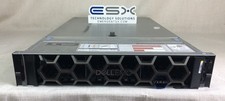
Dell R740XD VxRail P570 24x 2.5” 2U CTO Server– 2x Gold 6240, H740p, 2x 1600W
$699.00

Dell PowerEdge FX2 FX2s Server 10GbE CMC Blade Enclosure Chassis
$274.99

Dell PowerEdge VRTX Rackmount Chassis w/4x PSUs 2x CMC Modules
$399.98

Dell PowerEdge M620 Blade Server 2x Xeon E5-2680v2 2.8ghz 20-Cores | 128GB
$149.99

Dell PowerEdge FC430 Blade Server 2x Xeon E5-2630v4 20 Cores FX2 FX2s No RAM/HDD
$119.99

Dell Poweredge VRTX 25Bay 2.5" 2x PERC 8, 2xCMC, I/O 1GB Pass Through, 4x PS
$578.08



 Reply With Quote