-
Unofficial cheatcode for those who miss the old official home= cheatcode
For Knoppix 6, the initialisation script (init) and others were rewritten and several cheatcodes folks used under Knoppix 5 disappeared. Among these is home=, which allowed the Knoppix persistent data to be stored on a different device from the main Knoppix image and was the way to use persistent data with a CD/DVD.
Below is a patch for the init script that implements a cheatcode that does the same job. The patch is for Knoppix 6.4.3 (developed against a USB install of the EN version of the DVD). Since it is a patch, there is a fair chance it will apply cleanly to the init script of other Knoppix 6 releases. It should also apply to init scripts with other local modifications provided the functions createdata() and mountdata() have not been changed.
This is not an attempt to port the old implementation of home= from Knoppix 5 to Knoppix 6 but an new implementation from scratch. As such, it may behave differently so it is named differently.
Use:
Code:
knoppix_data=/media/aDev/someDirectories/theImage.ext
The cheatcode will attempt to mount the device /dev/aDev on /media/aDev and try to mount a persistent data image at the path someDirectories/theImage.ext.
If the persistent data image does not exist, the create image dialogue will create one but the file type extension is ignored and you will get a persistent image with the file type aes or img, depending on whether you choose the encryption or not.
If the attempt to mount /dev/aDev on /media/aDev fails, then the fall back is the default of /mnt-system/KNOPPIX/knoppix-data.{aes,img}. /dev/aDevmust be a block device with a file system recognised by the init script on a partition recognised by the Knoppix boot kernel (possibly with the addition of extra modules).
File systems currently supported are vfat, ntfs-3g, reiserfs, ext3, ext2 (no, lvm2 is not recognised). Devices supported include hard-drive and USB block devices but probably not SD and other camera flash devices (but you're welcome to try).
The init script function that creates the persistent data image checks that there is enough space on the device and gives up silently if there is not. A consequence of this is that when you boot from a CD/DVD, the init script does not ask if you want to create a persistent image because there is no free space on a CD/DVD.
There is no reason to suppose the knoppix_data= cheatcode is will not work with (a remastered) Knoppix CD/DVD but this has not been tested.
The patch is to be applied to the init script, which is packed into minirt.gz, See the Wiki for notes on how to pack and unpacked minirt.gz. For a USB installation, minirt.gz can be copied from and back to the Knoppix boot partition. For Knoppix on a CD/DVD, a remastering of the Knoppix iso file is required and a new CD/DVD burnt.
Code:
--- init.org    2010-11-25 18:53:50.000000000 +0000
+++ init    2011-02-20 09:40:29.000000000 +0000
@@ -565,7 +566,8 @@

 createdata(){
  local rc size avail
- avail="$(df -m /mnt-system | awk '{size=$4}END{print size - 1}')"
+ knoppix_data="${knoppix_data%.*}"
+ avail="$(df -m "${knoppix_data%/*}" | awk '{size=$4}END{print size - 1}')"
  [ "$avail" -ge 200 ] 2>/dev/null || return 2
  runknoppixchroot /usr/bin/dialog --timeout 10 --inputbox "\n${CREATEIMG1}${avail}${CREATEIMG2}\n" 16 75 2>/tmp/knoppix.size; rc="$?"
  echo -n "${CLEAR}"
@@ -576,6 +578,7 @@
  [ -b /dev/loop0 ]    || mknod -m 755 /dev/loop0 b 7 0
  [ -d /KNOPPIX-DATA ] || mkdir -m 755 /KNOPPIX-DATA
  if [ "$rc" = 0 ]; then # Encrypted
+  knoppix_data=$knoppix_data.aes
   local pw1="" pw2="" len=0 mods="" m
   setkeyboard
   while [ -z "$pw1" -o -z "$pw2" -o x"$pw1" != x"$pw2" -o "$len" -lt 4 ]; do
@@ -592,27 +595,41 @@
    [ -d /sys/module/"$m" ] || mods="$mods $m"
   done
   [ -n "$mods" ] && runknoppixchroot /sbin/modprobe $mods >/dev/null 2>&1
-  createfile /mnt-system/"$knoppix_dir"/knoppix-data.aes "$size"
+  createfile $knoppix_data "$size"
   losetup -d /dev/loop0 2>/dev/null
-  runknoppixlib /sbin/losetup -p 0 -e aes -k 256 /dev/loop0 /mnt-system/"$knoppix_dir"/knoppix-data.aes </tmp/knoppix.pw; rc="$?"; rm -f /tmp/knoppix.pw
+  runknoppixlib /sbin/losetup -p 0 -e aes -k 256 /dev/loop0 $knoppix_data </tmp/knoppix.pw; rc="$?"; rm -f /tmp/knoppix.pw
   runknoppixlib /sbin/mke2fs -F -m 0 /dev/loop0
   sleep 2; echo -n "$CLEAR"
   mount -t ext2 -o rw /dev/loop0 /KNOPPIX-DATA && return 0
  else # Unencrypted
-  createfile /mnt-system/"$knoppix_dir"/knoppix-data.img "$size"
-  runknoppixlib /sbin/mke2fs -F -m 0 /mnt-system/"$knoppix_dir"/knoppix-data.img
+  knoppix_data=$knoppix_data.img
+  createfile $knoppix_data "$size"
+  runknoppixlib /sbin/mke2fs -F -m 0 $knoppix_data
   sleep 2; echo -n "$CLEAR"
-  mount -t ext2 -o loop,rw /mnt-system/"$knoppix_dir"/knoppix-data.img /KNOPPIX-DATA && return 0
+  mount -t ext2 -o loop,rw $knoppix_data /KNOPPIX-DATA && return 0
  fi
  return 1
 }

 mountdata(){
  local img base ext m mods found=""
- for base in /mnt-system/"$knoppix_dir"/knoppix-data /mnt-system/knoppix; do
-  for ext in aes img; do
-   img="$base.$ext"
+ if [ -n "${knoppix_data}" ]; then
+  [ "${knoppix_data#/dev/}" != "${knoppix_data}" ] && knoppix_data="/media/${knoppix_data#/dev/}"
+  if [ "${knoppix_data#/media/}" != "${knoppix_data}" ]; then
+   img="${knoppix_data#/media/}"; img="${img%%/*}"
+   mkdir -p "/media/${img}"
+   trymount "/dev/${img}" "/media/${img}" >/dev/null 2>&1 || knoppix_data=""
+   [ -n "${knoppix_data}" -a "${knoppix_data#/media/*/}" == "${knoppix_data}" ] && knoppix_data="${knoppix_data}/${knoppix_dir}/knoppix-data"
+  fi
+  [ -d "${knoppix_data}" -o "${knoppix_data}" != "${knoppix_data%/}" ] && knoppix_data="${knoppix_data%/}/knoppix-data"
+ fi
+ [ -z "$knoppix_data" ] && knoppix_data="/mnt-system/$knoppix_dir/knoppix-data";
+ for base in "$knoppix_data" "/mnt-system/$knoppix_data" "/mnt-system/$knoppix_dir/$knoppix_data" /mnt-system/knoppix; do
+  for ext in "" .aes .img; do
+   img="$base$ext"
    [ -r "$img" ]        || continue
+   [ -d "$img" ]        && continue
+   knoppix_data=$img
    message -e "\r${CRE}${GREEN}${USING} ${YELLOW}$img${NORMAL}"
    [ -b /dev/loop0 ]    || mknod -m 755 /dev/loop0 b 7 0
    [ -d /KNOPPIX-DATA ] || mkdir -m 755 /KNOPPIX-DATA
 Posting Permissions
- You may not post new threads
- You may not post replies
- You may not post attachments
- You may not edit your posts
-
Forum Rules


Gigabyte 4U AI Server 10x Nvidia GPU 2x Xeon Gold 6150 36 Core 2.7GHz DDR4 RAM
$1499.00

Dell EMC PowerEdge R440 Xeon silver 4215 2.5GHz 16 GB ram 2x 550W PSU No HDD
$275.00

Dell Poweredge R630 2x Intel Xeon E5-2650 v4 32GB RAM No Drives/OS Server
$292.50

867959-B21 HPE ProLiant DL360 G10 CTO Server W/ 2x 865414-B21 1x 840140-001
$245.00

Dell PowerEdge R730XD 28 Core Server 2X Xeon E5-2680 V4 H730 32GB RAM No HDD
$378.93

Dell PowerEdge C4130 1U AI GPU Server | 2x E5-2690 v3 | 64gb Ram | 2x 1600W
$524.99

Dell PowerEdge C4130 1U AI GPU Server | 2x E5-2680 v3 | 32gb Ram | 2x 1600W
$409.99

Supermicro 2U GPU Server SYS-2029GP-TR 2x Xeon 6130 32C 6x PCIe 3.0 x16 Slots
$745.00
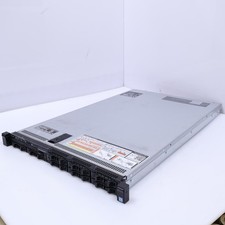
Dell Poweredge R630 2x Intel Xeon E5-2650 v4 64GB RAM No Drives/OS Server
$441.00

Dell PowerEdge R240 Intel Xeon E-2224 3.50GHz 8GB DDR4 ECC NO HDD 250W
$285.97



 Reply With Quote