-
Booting just the xserver and running a single app
http://www.linuxjournal.com/content/...11-application
Pretty cool works just as stated only differance i did it with Iceweasel.
I want to do the same thing only with tsclient.
knoppix 6.2 CD .iso -> unetbootin -> boot off 2GB USB -> knoppix-flash install (256MB persistent storage) -> 4GB USB -> HP Thinclient
It's works great despite the chain of events.
Used the same format
exec iceweasel javascript:%20resizeTo\(1024,768\) <--- Works
became
exec tsclient -x /home/knoppix/.tsclient/time1.rdp javascript:%20resizeTo\(1024,768\)
But that didn't work. So i tried it with a script. Same result. I tested script and it works from cli and launched from the desktop. I went digging round (not real sure what i'm looking at) in the X logs and can't find where error occurs.
Any ideas what logs/errors i should be looking for?
-
Hi Dave Lister,
Welcome to the Knoppix forums.

Originally Posted by
DaveLister

Any ideas what logs/errors i should be looking for?
Nope, Wrong question I guess: one that no one can answer.
If you're still in need of some help, here are some suggestions.
1. Get rid of the
Code:
javascript:%20resizeTo\(1024,768\)
That's Firefox/Iceweasel specific. If that fixes things, terrific but I doubt it will.
2. When you try to run this tsclient instead of the LXDE desktop, can you still get to a console with ctrl+alt+F1 ? Log in. Have a look in .xsession-errors as well as /var/log/Xorg.0.log. Before you reboot, switch to console 12 with ctrl+alt+F12. There you can see if syslog has recorded anything.
Again, I doubt you'll see anything useful but it a definite certainty if you look after rebooting.
3. Try redirecting stdin, stdout and stderr somewhere. You never know, this might do the trick.
exec tsclient -x /home/knoppix/.tsclient/time1.rdp >/root/tsclient.out 2> /root/tsclient.err < /dev/null
After you reboot you can see if there is anything in the output files that might tell you something.
4. Which version of Knoppix are you using ? The latest is 6.4.4. I don't think tsclient is on the CD so are you using the DVD or have you installed tsclient specially ? The DVD also has the Remmina Remote Desktop Client and KDE's Remote Destop Viewer. You might have more success with one of these. Myself, I've only ever use KDE's RDV.
5. What are you trying to connect to ? A Windows™ terminal server using RDP or some *x server using VNC (or even XDMCP) ? All tsclient does is call programs named rdesktop or vncclient to handle RDP and VNC connections respectively. If you are only going to offer your users a connection to single remote machine then you might be better off trying to use these programs directly.
6. I had a play with tsclient and vncserver (sorry, I'm very ignorant of anything vaguely Windows). I can connect to a server when I start tsclient from the GUI menu. I then list all my process with ps -fU knoppix. I can see tsclient and vncclient and the parameters the first passed to the second. I saved the configuration.
When I start tsclient from the command line with -x configuration, it doesn't work. From the output of ps I can see the parameters passed to vncclient and different and incorrect. I find that vncclient tries anyway and it is three minutes before it gives up. Most people would have decided it was not working after 3 seconds.
7. When I try vncclient from the command line, I am asked for a password for the vncserver and I type in the password. That works because stdin and stdout are connected to the same (virtual) terminal device. When I use tsclient from the menu, the vncclient pops up a tiny window instead. When run using exec as you are doing, it may not know how to ask for the password. That too would stop it working.
Best of luck. Let the forum know how you get on.
-
Thanks for the tips.
I have found the reason it fails. It's because eth0 is not up when the rdp client is starting. I found a single line in Xsessions-errors that just says cannot connect to 192.168.201.49. Before that I was grep'n around looking for the script name.
So it works but I'd like it to wait for the net card to come up before it tries to start tsclient. Wondering if "sleep 15 s" would work? My thought is the system would halt everything waiting for ts.sh to finish and end up right back where I started.
-
I'm a little confused here. You say you've found why it fails (good) so you conclude it works but you need the network to come up.
When you tried iceweasel, that worked. Was that worked in the sense that Iceweasel started or was that in the sense that Iceweasel started and you could browse the net ?
See I'm thinking that a program called the Network Manager is what makes the network connections on Knoppix 6 and that won't be run because you're not starting a desktop, just one program. (I did say the Network Manager might not be your friend didn't I ?).
I'm wondering if you need to start the network the good old fashioned way. The contents of your /etc/network/interfaces file are probably:
Code:
# /etc/network/interfaces -- configuration file for ifip(8), ifdown(8)

# The loopback network interface
auto lo
iface lo inet loopback
You should add the following:
Code:
# The primary network interface
allow-hotplug eth0
iface eth0 inet dhcp
Sanity check. You are using a wired interface (i.e. not a wireless interface ?) and sudo ifconfig -a does list eth0 first ?
If you've got wireless you can still connect to the network using this file. It's just a little more involved (and we wanted utu to figure out how to speed up his boot by not using the Network Manager all on this own).
-
The network comes up just too late. It seems if tsclient fails to connect it exits and that 99xxx script is setup to restart X if it fails and it loops till X gives up.When I omit the .rdp conf it comes up to the gui front end of tsclient. The default login stuff is persistent. So technically it works. All you have to do is press connect. I would like to have it work without the last step. So I guess I need to find a way to get the network up earlier in the boot process.
 Posting Permissions
- You may not post new threads
- You may not post replies
- You may not post attachments
- You may not edit your posts
-
Forum Rules


OEM Genuine 42Wh WDX0R For DELL Inspiron WDXOR Battery 15 5567 5568 13 5368 7368
$22.99

OEM 68Wh 3HWPP Battery For Dell Latitude 5401 5501 5410 5510 E5411 E5511
$28.99
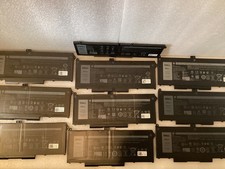
Lot of 10OEM Dell Latitude 5420 5520 63WH Battery RJ40G M033W - Excellent
$175.00
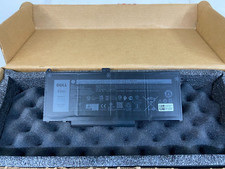
New Genuine OEM Dell Latitude 5420 5520 3560 4 Cell Laptop Battery RJ40G M033W
$49.95

OEM Genuine 86WH 69KF2 Battery For Dell XPS 15 9500 Precision 5550 M59JH M15 M17
$45.49

OEM 68Wh 3HWPP Battery For Dell Latitude 5401 5411 15 5501 5511 Precision 3541
$35.78
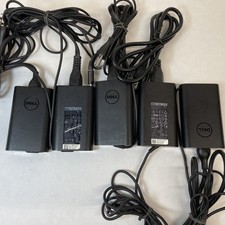
Lot of 5 Dell OEM 65W 7.4mm 19.5V 3.34A AC Adapters Mixed Models B Grade
$36.99

OEM 74WH 357F9 Battery For Dell Inspiron 15 7559 i7559 7557 i7557 5577 7567 5576
$26.99
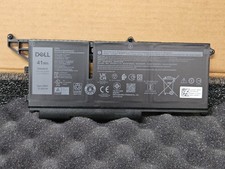
NEW OEM Dell Latitude 5330 5430 5530 7330 7430 7530 41W Laptop Batt M69D0 51R71
$104.45
New Dell OEM Inspiron 15 3511 15.6" Battery 11.25V 41Wh 3467mAh G91J0 MGCM5
$44.95



 Reply With Quote