

 Reply With Quote
Forester: Could be a valid Austrian term KK uses we're not familiar with.
Thanks for lots of good ideas.
Are any programs in 6.4.3 dependent on Qt?
I note Compiz has a workaround called 'Qt Window fix'.


There's this in the cheat codes sheet (their spelling, not mine)Originally Posted by utu
Very Freudian.Code:knoppix no3d Don't use compiz 3d fuctions
Another approach might be to try
when your frame is incomplete.Code:Main Menu > Preferences > (Re-) start 3D desktop compiz
Forester: Could be a valid Austrian term KK uses we're not familiar with.
Thanks for lots of good ideas.
Are any programs in 6.4.3 dependent on Qt?
I note Compiz has a workaround called 'Qt Window fix'.
Last edited by utu; 02-27-2011 at 01:04 AM.
Per this article,
http://wiki.compiz.org/Troubleshooti...g_for_problems
Edited startcompiz to include '--replace ccp' in the LXDE menu item Preferences (Re-) start Compiz...
Will also try this to recover PCManFM from bad behavior.
Last edited by utu; 02-27-2011 at 03:10 AM.
I just used Preferences / (Re-) start Compiz from the LXDE menu
to recover from a case of the 'Forester's lost frames syndrome'.
Didn't have to re-load my wi-fi, either.
I have post #13 mod and Compiz' Utility/Qt fix in also.
These may be unnecessary; I never tried the just menu item to recover before.
Just try the LXDE menu route first.
I'm using Knoppix 6.4.4 as a LiveUSB.
My laptop uses an Intel i915 video chipset. Compiz is on by default.
I occasionally have video difficulties, which I assume arise
from conflicts among LXDE, PCManFM, Compiz and my hardware.
Here is the toolkit of work-arounds I have found and use.
I invite your comments and additions to the same.
1...The only temporary cure I know of is the cheatcode, no3d. If you are
really convinced, THEN add it to your DEFAULT line in
/mnt-system/boot/syslog/syslog.cfg.
Your problems won't then be caused by Compiz, anyway.
2...If your problem is missing frames on windows, or if the only
problem is that windows can't remember to come up un-maximized,
THEN use the LXDE Menu item Preferences/(Re-) start ... Compiz.
3...If your keyboard is un-responsive, or if your lxpanel won't
come out of hiding, or if the lxpanel app shows one of your cpus
is in overload THEN use control-alt-backspace to reset X.
Sorry, but this throws your wi-fi off-line as well.
4...If you are mildly 'anal' (as in analysis) about these things,
There is a list of work-arounds built into the CompizConfig Setting Manager.
Go to LXDE menu item Preferences/Compiz...Mgr/Category Utility/.
Try some of these and report you findings.
5...If you are really 'anal' try out ALL the choices in the
CompizConfig Settings Manager; keep the results to yourself.
Full marks for points 1 to 3. Not so sure about the scatological final 2 points.
I've been running KDE 4 from the MAXI edition and that isn't running with Compiz anyway. No problems with missing window frames.
When I've an unresponsive keyboard and a blank screen at work (where Knoppix is running in a Virtual Box) the following often works: press ctrl-alt-f1 to switch to the console window ... count to 10 very, very slowly ... repeat if nothing happens ... when-and-if the console window wakes up ... press ctrl-alt-f5 to switch back to the GUI.
Only 5 is scat. The Compiz GUI is a nightmare I'd avoid.
4 is serious, but none of them worked for me. They are hardware dependent.
Had one serious crash 1-4 wouldn't handle;
I decided to rebuild rather than fuss with it any longer.
And no, I don't know how I crashed the system, but I did.
Keep squashing.
Isn't your alternative the same as ctl-alt-backspace the hard way?
No. ctlr-alt-backspace restarts the X-server. This seems to involve the death and rebirth of all applications and potentially loss of context and or data. My alternative is an attempt to wake up an unresponsive desktop so I can carry on. It may be specific to my Virtual Machine set up but its worth a try anyway. There's nothing to lose.
@ Forester
Some follow-up, FYI.
Working with no3d, but still having selected hide-when-not-in-use for the lxpanel,
I have found NO cases where I can recover from the panel staying hidden, except
via ctl-alt-backspace; and none so far that needed a complete re-boot.
ctl-alt-f1 and wait and ctl-alt-f5 NEVER allowed recovery.
Even though Compiz can't be blamed for this remaining problem, the apparent
responsiveness of the LXDE system to keyboard and/or GUI commands
is MUCH improved WITHOUT Compiz.
 Posting Permissions


Kingston 32GB 64GB 128GB 256GB USB 3.0 Flash Drive Thumb Memory Stick Pen lot
$285.90

P43330-0A1 HPE 32GB 2RX8 PC5-4800B DDR5 SERVER RAM P43328-B21 / HMCG88MEBRA107N
$1100.00
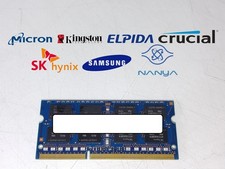
Major Brand 8 GB PC3L-12800 (DDR3-1600) 2Rx8 DDR3L Laptop Memory RAM
$10.99

USB 3.0 Flash Drive 32GB 64GB 128GB Memory Stick Thumb Stick Lot Pack
$826.09
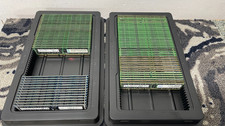
*Lot of 77* Samsung Hynix Micron 2Rx4 PC3-14900R Server Memory RAM
$1297.77

Samsung 96GB LPCAMM2 PC5 9600 FE1 E1 LPDDR5X CAMM2 M561K6LC3CL1-CCV DDR5 Memory
$2150.00
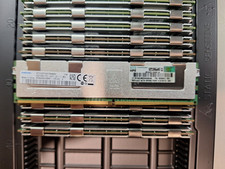
805358-B21 819413-001 809085-091 64GB 4Rx4 PC4-2400T HPE Genuine Smart Memory
$320.00
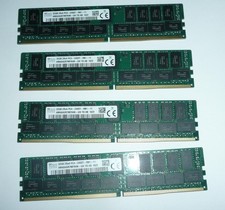
SK Hynix 128GB (4 x 32GB) PC4-2400T DDR4 ECC Server Memory HMA84GR7MFR4N-UH
$649.95

2 in 1 USB 3.0 Card Reader Micro TF card Reader usb adapter High Speed Cardreder
$3.99

2 Pack USB C SD TF Card Reader Adapter Zinc Alloy USB-C to USB for iPhone 15-17
$3.35